How to Create Cartoon-Style Images with Grok AI in 2026:- Artificial Intelligence is changing digital creativity faster than ever before. From realistic AI portraits to animated avatars, people are now using AI tools to transform ordinary photos into eye-catching cartoon-style artwork within seconds. Whether it’s for Instagram profile pictures, YouTube thumbnails, gaming avatars, or personal branding, AI-generated cartoon images have become one of the biggest online trends of 2026.
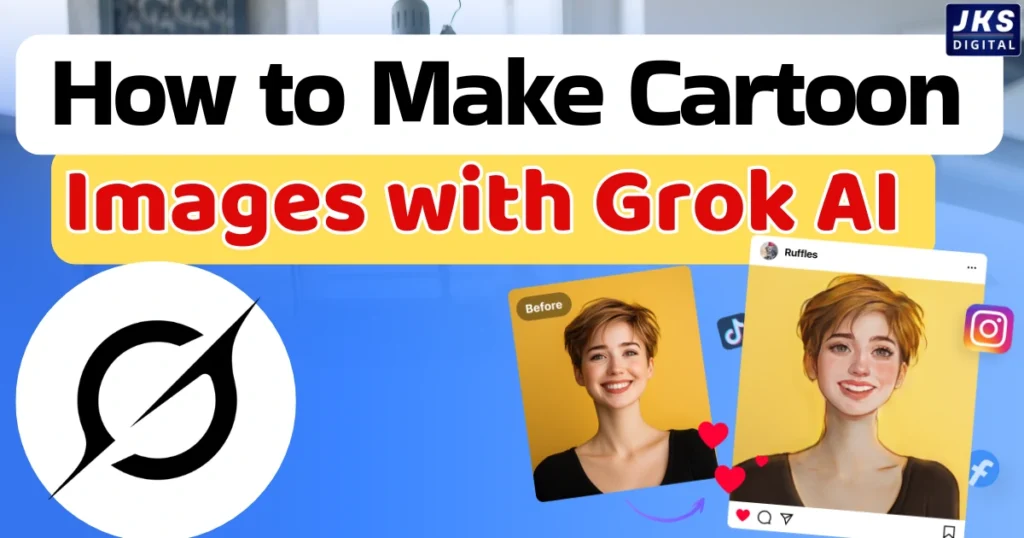
Among the growing list of AI platforms, Grok AI has gained attention for its advanced image understanding and stylized image generation features. Developed by xAI, Grok AI is designed to understand prompts more naturally and create visually appealing AI-generated content.
One of its most popular uses is converting real photos into cartoon-style images while maintaining the original hairstyle, clothing, body posture, and background. Instead of generating random art, Grok AI attempts to preserve the identity and atmosphere of the original image, making the results feel more personalized and realistic.
In this guide, you’ll learn how Grok AI’s image feature works, how to create professional cartoon-style images, the best prompts to use, common mistakes to avoid, and how AI-generated art is shaping online creativity in 2026.
What Is Grok AI’s Image Feature?
Grok AI is more than just a conversational AI assistant. It also includes advanced image-generation and image-transformation capabilities that allow users to create stylized visuals from text prompts or uploaded photos.
Unlike traditional photo editing software, AI image tools rely on machine learning models trained to understand patterns, textures, lighting, facial structures, clothing details, and artistic styles. When a user uploads a picture and asks Grok AI to “convert it into a cartoon style,” the system analyzes the original image and recreates it using a new visual style while attempting to preserve important details.
The technology behind this process combines:
- Image recognition,
- AI rendering,
- Prompt interpretation,
- Style transfer,
- And visual reconstruction.
For example, if someone uploads a selfie and requests a “cinematic Pixar-style cartoon version,” the AI interprets:
- the face shape,
- hairstyle,
- clothing,
- lighting,
- and background environment,
then generates a stylized version based on those instructions.
Because Grok AI is closely connected with the X ecosystem, many creators and influencers are using it for viral content creation and online branding.
However, it’s important to understand that AI-generated images are not always perfect. The quality of the final output depends heavily on:
- the uploaded image quality,
- prompt clarity,
- lighting,
- and the complexity of the requested style.
Why Cartoon-Style AI Images Are Trending in 2026
Cartoon-style AI images are no longer just a fun experiment. They have become a major part of online identity and digital branding.
Social media users want profile pictures that look unique, creative, and visually attractive. Instead of using ordinary selfies, many creators now prefer AI-generated cartoon portraits because they stand out instantly.
This trend has exploded across:
- Instagram,
- YouTube,
- TikTok,
- gaming communities,
- streaming platforms,
- and business branding.
Read Also:- What Is Mistral AI? Features, Uses & Future Explained in 2026
Content creators use AI cartoon avatars to:
- improve visual identity,
- create memorable branding,
- maintain privacy,
- and produce professional-looking graphics quickly.
Small businesses and digital marketers are also using AI-generated cartoon mascots in advertisements, logos, and promotional content because stylized visuals often attract more engagement than standard photos.
Another reason behind this trend is accessibility. Previously, creating custom cartoon art required hiring digital artists or learning complex editing software. AI tools now make that process faster and more affordable for everyday users.
Search demand for terms like:
- “AI cartoon generator,”
- “turn photo into cartoon,”
- “anime AI image,”
- and “AI avatar creator”
has increased significantly because people want fast and personalized visual content.
Popular Cartoon Styles You Can Create with Grok AI
One of the biggest advantages of AI image tools is style flexibility. Grok AI can generate multiple artistic styles depending on the prompt you provide.
Anime Style
Anime-style images are inspired by Japanese animation aesthetics. These images usually feature:
- expressive eyes,
- cinematic lighting,
- smooth shading,
- and dramatic backgrounds.
This style is especially popular among gamers, streamers, and anime fans.
Example prompt:
“Convert this image into a high-quality anime character while keeping the same hairstyle, clothes, and facial expression.”
Pixar-Inspired 3D Cartoon Style
Pixar-inspired AI art focuses on:
- soft textures,
- realistic 3D lighting,
- rounded facial features,
- and cinematic depth.
This style creates polished and friendly-looking cartoon characters suitable for social media branding and YouTube thumbnails.
Comic Book Style
Comic-style AI images often include:
- bold shadows,
- dramatic facial expressions,
- intense color contrast,
- and superhero-inspired visuals.
This style works well for action-oriented content creators and entertainment branding.
Ghibli-Inspired Artistic Style
Inspired by hand-painted animation aesthetics, this style creates:
- dreamy backgrounds,
- soft environmental lighting,
- calm emotional tones,
- and nature-focused visuals.
It is commonly used for aesthetic profile pictures and storytelling visuals.
Cyberpunk Cartoon Style
Cyberpunk-style AI art combines futuristic fashion with:
- neon lights,
- urban backgrounds,
- holographic effects,
- and sci-fi aesthetics.
This style has become highly popular in gaming and digital culture.
Read Also:- 15 Best DeepSeek Prompts for SEO Blog Writing in 2026
Step-by-Step Guide to Create Cartoon Images with Grok AI
Creating cartoon-style AI images is relatively simple, but better results require proper preparation and detailed prompts.
Step 1: Open Grok AI
Access Grok AI through its supported platform and navigate to the image-generation section.
Step 2: Upload a High-Quality Photo
The quality of your source image matters significantly.
For better AI output:
- use clear lighting,
- avoid blurry photos,
- keep the face visible,
- use high-resolution images,
- and avoid excessive filters.
AI tools struggle when important facial details are hidden or distorted.
Step 3: Write a Detailed Prompt
Prompt quality directly affects the final image.
Instead of writing:
“Make this cartoon.”
Write:
“Convert this image into a cinematic 3D cartoon character while keeping the same hairstyle, clothes, body posture, and background. Add soft lighting, realistic shadows, and Pixar-style textures.”
Detailed prompts help AI understand:
- style,
- lighting,
- mood,
- camera angle,
- and visual consistency.
Best Prompt Techniques for Better AI Results
Prompt engineering has become one of the most important skills in AI image generation.
A strong prompt usually includes:
- Subject,
- Art style,
- Lighting,
- Background,
- Mood,
- Camera details,
- and texture instructions.
For example:
“Transform this portrait into a high-detail anime-style character with cinematic lighting, soft shadows, glowing city background, and realistic fabric textures while preserving the original hairstyle and clothing.”
Useful prompt keywords include:
- cinematic lighting,
- ultra detailed,
- depth of field,
- realistic textures,
- soft shadows,
- stylized rendering,
- dynamic pose,
- and high resolution.
At the same time, avoid:
- extremely long prompts,
- conflicting instructions,
- too many art styles together,
- and vague descriptions.
AI performs best when instructions are clear and focused.
Common Mistakes People Make While Using Grok AI
Many users expect AI to produce flawless images instantly, but several mistakes can reduce quality dramatically.
Using Low-Quality Images
Blurry or dark photos often lead to distorted outputs because AI cannot properly identify facial structures or clothing details.
Writing Confusing Prompts
Prompts with too many mixed instructions can confuse the AI model.
For example:
“Make it anime, realistic, comic, cyberpunk, watercolor, and Pixar style.”
This creates visual inconsistency.
Unrealistic Expectations
AI-generated images may sometimes:
- distort fingers,
- modify accessories,
- alter facial symmetry,
- or change backgrounds unexpectedly.
These limitations are still common across many AI image generators.
How to Make AI Cartoon Images Look More Professional
Professional-looking AI images usually combine strong prompts with post-editing.
Many creators refine AI-generated visuals using:
- Adobe Photoshop,
- Canva,
- and CapCut.
To improve image quality:
- maintain balanced lighting,
- avoid over-saturated colors,
- simplify backgrounds,
- preserve facial symmetry,
- and upscale low-resolution outputs.
Adding subtle edits after AI generation often creates more polished results.
Grok AI vs Other AI Cartoon Generators
Several AI image platforms compete in the AI art industry, but each has different strengths.
Midjourney is known for artistic and cinematic visuals, while Leonardo AI focuses heavily on customization and gaming assets.
Adobe Firefly integrates well with professional creative workflows, especially for designers already using Adobe products.
Meanwhile, image-generation features connected with ChatGPT are popular for prompt flexibility and conversational creativity.
Grok AI stands out because of its social integration, fast stylization workflow, and ability to preserve important image characteristics during transformation.
However, no AI tool is perfect for every situation. Results vary depending on:
- prompt quality,
- image complexity,
- and desired art style.
Is Grok AI Useful for Content Creators and Businesses?
Yes, especially for creators who want fast and visually engaging branding content.
AI cartoon images can help:
- YouTubers create thumbnails,
- streamers design avatars,
- influencers build recognizable branding,
- and businesses create unique marketing visuals.
Digital agencies are also experimenting with AI-generated mascots and stylized brand characters to improve audience engagement.
Because visual identity plays a huge role in online attention, AI-generated artwork has become a valuable creative tool rather than just an entertainment feature.
Ethical Concerns and Limitations of AI Image Generation
As AI-generated visuals become more realistic, ethical concerns are growing as well.
Some major concerns include:
- deepfake misuse,
- copyright conflicts,
- fake identity creation,
- misleading edited images,
- and privacy issues.
Responsible AI usage is becoming increasingly important, especially when using real photos of other people without permission.
AI should be used as a creative enhancement tool, not as a method for spreading misinformation or deceptive content.
The Future of AI Cartoon Image Generation
AI image generation is evolving rapidly.
In the near future, we may see:
- real-time AI video stylization,
- live animated avatars,
- AI-generated influencers,
- AR-based cartoon filters,
- and fully interactive virtual identities.
As AI models improve, image consistency and realism will likely become far more advanced than what exists today.
The line between digital art and AI-assisted creativity is becoming thinner every year.
Conclusion
Grok AI is making cartoon-style image creation faster, easier, and more accessible for everyday users. Whether you want an anime avatar, a cinematic 3D portrait, or a futuristic cyberpunk illustration, AI tools now allow creators to produce visually impressive artwork without advanced design skills.
However, the best results still depend on:
- high-quality source images,
- detailed prompts,
- creative experimentation,
- and realistic expectations.
AI is not replacing creativity — it is expanding creative possibilities. Users who combine strong ideas with effective prompt writing and smart editing techniques will continue producing the most impressive AI-generated visuals in 2026.