How to Automate WhatsApp Messages in 2026:- After reading this article, you will completely understand how to automate WhatsApp messages. So make sure to read it till the end, because if you miss this information, you could miss something very important. WhatsApp has become one of the most powerful communication tools for individuals and businesses. From handling customer queries to closing sales, everything now happens on WhatsApp. But as your messages increase, managing replies manually becomes time-consuming and inefficient.
This is where WhatsApp automation comes in.
Instead of replying to every message yourself, you can set up systems that automatically respond, guide users, and even convert leads into customers. In this detailed guide, you will learn how to automate WhatsApp messages step by step, using beginner-friendly methods as well as advanced tools.
What is WhatsApp Automation?
WhatsApp automation is the process of using tools, features, or scripts to automatically send or respond to messages based on user actions or predefined triggers.
In simple terms, it means your WhatsApp can reply even when you are not available.
For example, when someone sends a message like “Hi,” they instantly receive a reply such as “Thank you for contacting us. How can we help you?” This happens without any manual effort.
Automation can be basic or advanced depending on your needs. It can be as simple as a greeting message or as complex as a chatbot handling multiple customer queries.
Why WhatsApp Automation is Important in 2026
The way customers interact with businesses has changed. People expect instant replies. If you delay even for a few minutes, you may lose a potential customer.
Automation helps solve this problem.
It allows you to respond instantly, maintain consistency, and handle multiple conversations at the same time. For small businesses, it reduces workload. For large businesses, it improves scalability.
More importantly, automation ensures that no message goes unanswered, which directly improves trust and conversion rates.
Why You Should Automate WhatsApp Messages
Customers expect quick and consistent responses. If your business is not able to reply on time, there is a high chance you may lose potential leads. This is where WhatsApp automation becomes essential rather than optional.
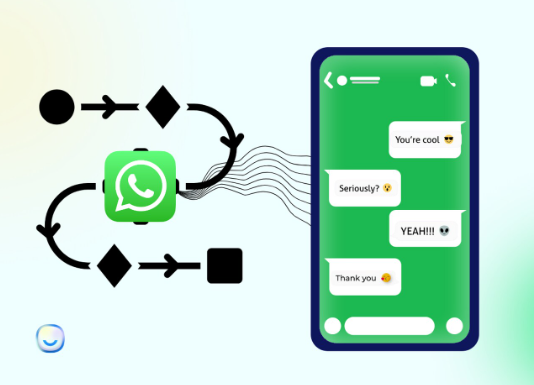
Automating your WhatsApp messages helps you stay active even when you are not available. If you are learning how to automate WhatsApp messages in 2026, this approach ensures that your customers never feel ignored. Instead of keeping them waiting, you can instantly respond to their queries, acknowledge their messages, and guide them in the right direction. This not only improves user experience but also builds trust in your brand.
Another important advantage is time efficiency. Replying to the same questions repeatedly can consume a significant amount of time. When you understand how to automate WhatsApp messages in 2026, you can handle these repetitive tasks effortlessly and focus on more important aspects of your business.
From a business perspective, automation also improves lead management. Every message you receive can be captured, organized, and responded to properly. This increases the chances of converting inquiries into actual customers.
My Personal Experience with WhatsApp Automation
I have personally used WhatsApp automation multiple times. In the beginning, I faced some challenges while setting it up, but once everything was configured properly, it became a regular part of my workflow. Many clients approached me for help, and I successfully set up automated messaging systems for them as well.
I realized that this is extremely important for every business, especially those operating online. It is not always possible to stay active on WhatsApp all the time. That is why having an automated system is necessary. Whenever a customer sends a message, they instantly receive a response. Later, when I check the message, I can reply properly without any pressure.
Read Also:- How to Earn Money from Instagram Reels 2026 Full Guide
Different Ways to Automate WhatsApp Messages
There is no single way to automate WhatsApp. The method you choose depends on your goal, budget, and technical knowledge.
Broadly, there are three methods:
- Using WhatsApp Business App (free and simple)
- Using automation tools and APIs (advanced and scalable)
- Using coding methods like Python (custom solutions)
Let’s understand each one in detail.
Method 1: Using WhatsApp Business App (Best for Beginners)
If you are just starting out, this is the safest and easiest method. The WhatsApp Business app provides built-in automation features that require no technical knowledge.
Setting Up Away Messages
Away messages are useful when you are not available to respond.
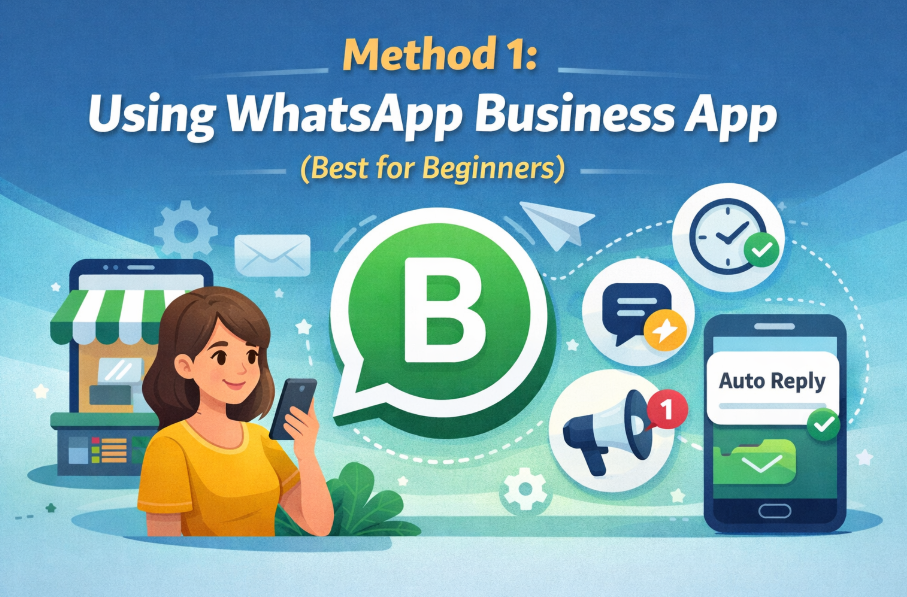
To set it up, open WhatsApp Business and go to Settings. Inside Settings, you will find Business Tools. From there, select Away Message and enable it.
You can write a custom message such as informing customers that you are currently unavailable and will respond soon. You can also schedule when this message should be sent, such as outside working hours.
This ensures that customers never feel ignored.
Setting Up Greeting Messages
How to Automate WhatsApp Messages in 2026 Greeting messages are sent when a customer contacts you for the first time or after a long gap. You can configure this in Business Tools under Greeting Message. Once enabled, every new user will receive a welcome message automatically.
A good greeting message sets the tone for your conversation and builds trust instantly.
Note: If you want to learn AI tools, digital marketing strategies, and earning ideas on a daily basis, you can join our WhatsApp channel where we regularly share practical and actionable insights:
https://whatsapp.com/channel/0029VbAzT8fGpLHPT8I2Sf44
Using Quick Replies
Quick replies allow you to save frequently used messages and send them instantly using shortcuts.
For example, instead of typing your business hours again and again, you can create a shortcut like /hours and send the message with one tap.
This feature may seem simple, but it can significantly reduce your daily workload.
Read Also:- How to Earn Money from Pinterest in India for Students Without Investment (2026 Guide)
Method 2: Using Advanced Automation Tools
As your business grows, you may need more powerful automation. This includes chatbots, integrations, and advanced workflows.
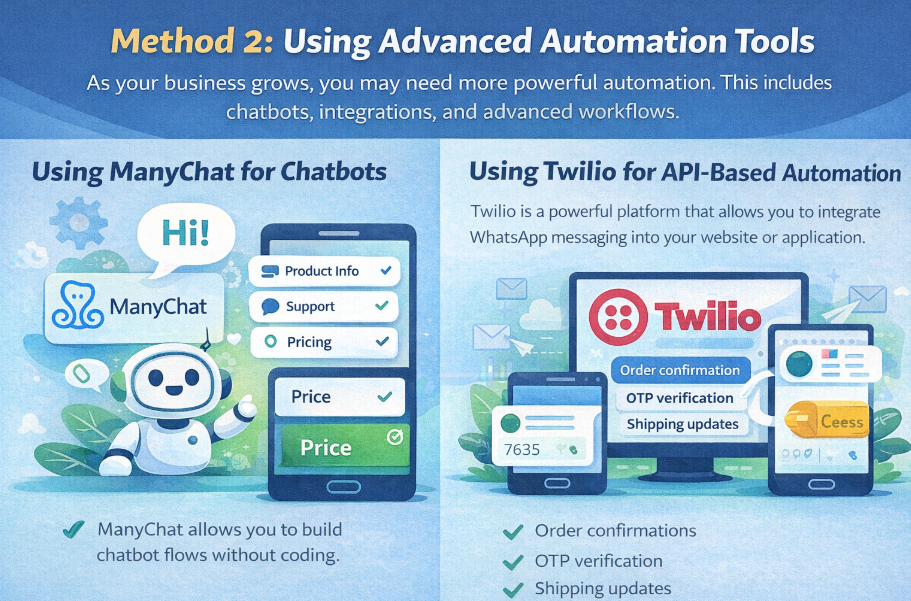
Using ManyChat for Chatbots
ManyChat allows you to build chatbot flows without coding.
You can create automated conversations where users select options and get responses accordingly. For example, when a user sends a keyword like “Price,” they can receive product details automatically.
This type of automation is useful for lead generation, customer support, and sales funnels.
Using Twilio for API-Based Automation
Twilio is a powerful platform that allows you to integrate WhatsApp messaging into your website or application.
With API integration, you can automate:
- Order confirmations
- OTP verification
- Shipping updates
This method is more technical but highly scalable and reliable for growing businesses.
Using Zapier for App Integration
Zapier connects WhatsApp with other apps you use daily.
For example, when someone fills out a form on your website, Zapier can automatically trigger a WhatsApp message. Similarly, you can send alerts when you receive emails or new leads.
This eliminates manual work and keeps everything connected.
Note: If you want to learn AI tools, digital marketing strategies, and earning ideas on a daily basis, you can join our WhatsApp channel where we regularly share practical and actionable insights:
https://whatsapp.com/channel/0029VbAzT8fGpLHPT8I2Sf44
Method 3: Automating WhatsApp Using Python
For those who have coding knowledge, Python provides a flexible way to automate messages.
Using libraries like PyWhatKit, you can schedule messages to be sent at specific times. This is useful for reminders or repetitive communication tasks.
However, this method requires your system to stay active and is not ideal for large-scale business automation.
Step-by-Step Example: Auto Reply Setup for Small Business
Let’s understand automation with a practical example.
Imagine you run a small online clothing store. Every day, you receive dozens of messages asking about products, prices, and availability. Replying to each message manually takes time.
Step 1: Enable Greeting Message
Open WhatsApp Business and go to Business Tools. Enable the Greeting Message feature.
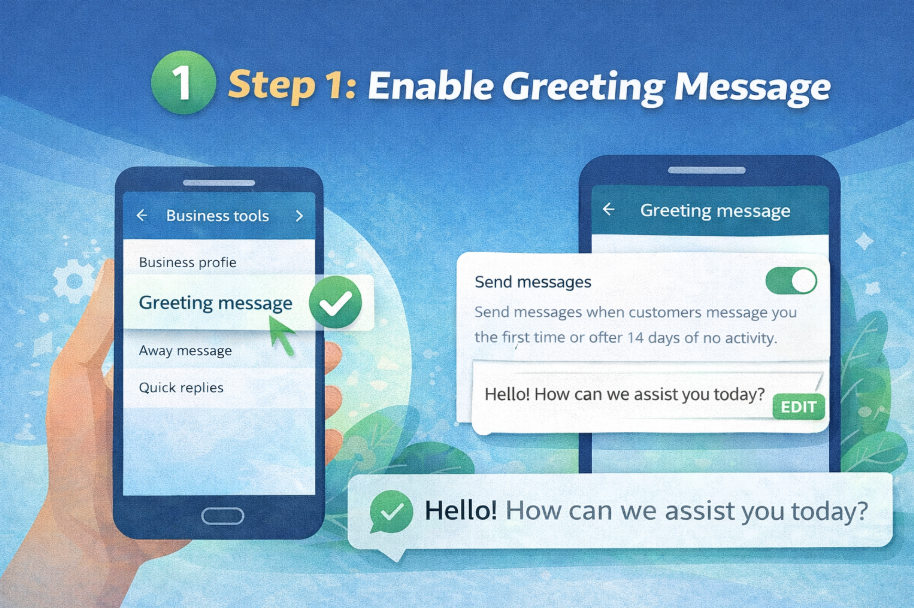
Write a message like:
“Hello! Welcome to our store. Thank you for contacting us. Please let us know how we can help you.”
Step 2: Add Structured Options
Instead of a simple message, you can guide users with options:
“Hello! Welcome to our store.
Reply with:
1 for Product Details
2 for Pricing
3 for Order Status”
This helps users navigate quickly and reduces confusion.
Step 3: Use Quick Replies for Fast Responses
Create shortcuts for common replies such as:
- Product information
- Pricing details
- Delivery timelines
This allows you to respond instantly without typing everything again.
Step 4: Combine Automation with Human Support
Automation should not replace human interaction completely. Once the user selects an option, you can step in personally to close the conversation.
This combination of automation and human touch creates the best experience.
Real-Life Use Cases of WhatsApp Automation
Automation is used across industries for different purposes.
Businesses use it to capture leads, send order confirmations, provide customer support, and remind users about appointments.
For example, a coaching institute can automatically send course details when a student shows interest. An e-commerce store can send order updates without manual effort.
Common Mistakes to Avoid
When learning how to automate WhatsApp messages in 2026, many people misuse automation, which leads to poor results or even account restrictions.
Avoid sending bulk spam messages without permission. Do not use unauthorized tools that violate WhatsApp policies. Always give users the option to stop receiving messages.
Over-automation is another common mistake. If everything is automated, users may feel they are talking to a machine, which reduces trust.
Best Practices for Effective WhatsApp Automation
To make automation work effectively, focus on user experience.
Keep messages simple and clear. Personalize responses whenever possible. Use automation to assist, not replace, human communication.
Timing is also important. Sending messages at the wrong time can annoy users.
Most importantly, always follow WhatsApp guidelines and use trusted tools.
Read Also:- Best WhatsApp Marketing Tools for Online Stores in India (2026 Advanced Guide)
Is WhatsApp Automation Safe?
Yes, automation is safe if you use official tools and follow proper practices.
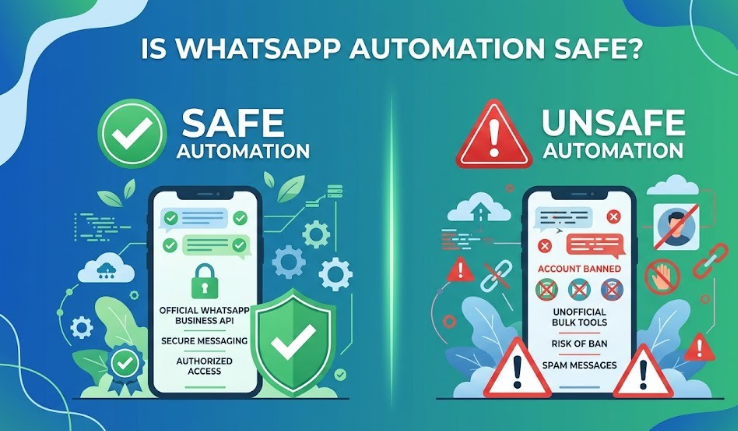
Using the WhatsApp Business app or approved APIs is completely safe. However, using third-party bulk messaging software without authorization can result in your number being banned.
Always prioritize long-term trust over short-term gains.
Frequently Asked Questions
Can I automate WhatsApp messages for free?
Yes, you can use the WhatsApp Business app to set up basic automation features without any cost.
Which method is best for beginners?
The WhatsApp Business app is the best starting point because it is simple and safe.
Note: If you want to learn AI tools, digital marketing strategies, and earning ideas on a daily basis, you can join our WhatsApp channel where we regularly share practical and actionable insights:
https://whatsapp.com/channel/0029VbAzT8fGpLHPT8I2Sf44
Can automation help increase sales?
Yes, faster responses and better engagement can significantly improve conversion rates.
Do I need coding knowledge for automation?
No, most tools are no-code. Coding is only required for advanced customization.
Conclusion
WhatsApp automation is a powerful way to save time, improve communication, and grow your business. Whether you are a beginner or an advanced user, there is a solution available for your needs.
Start with simple automation using the WhatsApp Business app. As your requirements grow, you can move to advanced tools and integrations.
The key is to use automation strategically while maintaining a human connection with your audience.