How to Run Google Ads in 2027:- Running Google Ads can put your business in front of people who are already searching for a product, service, course, or solution. But simply creating a campaign and adding money to your account does not guarantee leads or sales.
One of the biggest problems beginners face is spending money on clicks without understanding who they are targeting, which keywords they should use, how much they should spend, and what they actually want users to do after clicking the ad.
That is why a good Google Ads strategy starts before the campaign goes live.
This guide explains Google Ads from a practical perspective, including campaign selection, account setup, budget planning, keyword research, targeting, ad creation, tracking, and the common decisions that can help prevent unnecessary ad spend.
What Is Google Ads?
Google Ads is Google’s online advertising platform that allows businesses to promote their products and services across Google’s advertising network.
For example, if someone searches for:
“digital marketing course in Delhi”
a relevant business may appear as a sponsored result above or among the organic search results.
Depending on the campaign type, advertisements can also appear on platforms and properties such as YouTube, websites, apps, and shopping-related placements.
Google Ads is commonly associated with pay-per-click (PPC) advertising, where advertisers can pay when users interact with their advertisements according to the campaign and bidding setup.
The important point is that Google Ads is not simply about getting more visitors. The real objective should usually be something more meaningful, such as:
- Generating qualified leads
- Getting phone calls
- Increasing online sales
- Receiving course enquiries
- Getting bookings or appointments
- Driving users to an important page
- Promoting an app or other business objective
So before spending money, you should first decide what a successful campaign actually means for your business.
How Does Google Ads Work?
At a basic level, the process looks like this:
User searches → Google shows relevant ads → User clicks → Landing page opens → User takes an action
That action could be:
- Filling out a form
- Calling the business
- Purchasing a product
- Registering for a course
- Booking a consultation
- Signing up for a service
For example, imagine a coaching institute wants student enquiries.
Instead of showing its advertisement to everyone, it can create a campaign around relevant search terms. A person searching for a particular course may see the advertisement, click it, visit the institute’s landing page, and submit an enquiry form.
This is why relevance matters at every stage.
If the keyword is relevant but the advertisement is weak, the user may not click.
If the ad gets clicks but the landing page is confusing, the user may leave.
If users are converting but the business is not tracking those conversions, it becomes difficult to know whether the campaign is actually working.
Google Ads should therefore be treated as a complete journey rather than just an advertisement.
Is Google Ads Right for Your Business?
Before creating a campaign, ask a simple question:
“Is there a clear reason for someone to choose my business after seeing this ad?”
Google Ads can be useful for businesses that have a clear product, service, offer, or action they want users to take.
It can be particularly useful for:
Local Businesses
Businesses such as clinics, coaching institutes, agencies, repair services, salons, consultants, and other local service providers can use advertising to reach people searching for relevant services.
Service Businesses
If your business provides services such as SEO, web development, accounting, consulting, or marketing, search advertising can help you reach people actively looking for those services.
E-commerce Businesses
Online stores can use suitable Google Ads campaigns to promote products to potential customers.
Education and Training Businesses
Institutes, online course providers, and training businesses can target searches related to courses, skills, certifications, and training programs.
App Businesses
Businesses promoting mobile applications can use campaign types designed for app promotion.
However, Google Ads is not a magic solution.
If your website is difficult to use, your offer is unclear, your landing page does not answer the user’s question, or your conversion process is complicated, increasing ad traffic may simply increase the number of people who leave without converting.
More traffic is not automatically better traffic.
The goal should be to attract the right users and give them a clear reason to take the next step.
Google Ads vs Organic Search Results
It is important to understand the difference between paid advertising and organic search.
Google Ads can give businesses paid visibility for relevant searches and placements.
SEO focuses on improving a website’s visibility in unpaid organic search results.
They serve different purposes.
For example, a business may use Google Ads when it wants to test an offer or generate targeted traffic, while SEO can be used as a longer-term strategy for building organic visibility.
Using one does not mean you can completely ignore the other. Depending on the business, both can play different roles in a broader digital marketing strategy.
Choosing the Right Google Ads Campaign Type
One of the first major decisions is selecting the campaign type.
Choosing a campaign simply because it is available can lead to poor targeting and unnecessary spending. Your campaign should match your actual business objective.
Search Campaigns
Search campaigns are useful when people are actively searching on Google for products or services related to your business.
For example:
“SEO agency in Delhi”
“best digital marketing course”
“website development company near me”
When someone searches for these terms, it often means they already know what they need and are looking for the right solution.
Search campaigns can therefore be particularly useful for businesses that want to capture existing search demand.
Display Campaigns
Display advertising can help businesses reach users across suitable websites and placements within Google’s advertising network.
Display campaigns can be useful for awareness and reaching audiences beyond active search queries.
However, a person browsing a website is not necessarily looking for your service at that exact moment. That means the objective and targeting strategy should be different from a high-intent Search campaign.
Video Campaigns
Video advertising can help businesses promote their products, services, brand, or message through video placements.
This can be useful when explaining something visually or building awareness around a business.
For example, an education company may use video content to introduce its course, explain its teaching approach, or communicate its value to potential students.
Shopping Campaigns
Shopping advertising is designed for businesses selling products online.
Product information, pricing, and other relevant details can help users understand what is being offered before they visit the store.
For e-commerce businesses, this can provide a more product-focused advertising experience than a traditional text-only search advertisement.
App Campaigns
Businesses promoting mobile applications can use app-focused advertising campaigns to encourage users to install or engage with an application.
The right campaign depends on the business objective, audience, available assets, and conversion goal.
Which Campaign Should a Beginner Choose?
There is no universal campaign type that is best for every business.
A simple way to think about it is:
| Business Goal | Campaign Direction |
|---|---|
| Capture people actively searching for a service | Search |
| Build broader awareness | Display / Video |
| Promote products online | Shopping |
| Promote a mobile application | App |
| Explain a product or service visually | Video |
The important thing is not to choose a campaign because it sounds advanced. Choose the campaign that matches the behaviour you want from your audience.
How to Set Up a Google Ads Account
Once you understand your advertising objective, you can create your Google Ads account.
The basic process involves:
- Visit the Google Ads website.
- Sign in with your Google account.
- Enter your business information.
- Choose an appropriate advertising goal.
- Follow the account setup process.
- Add the required billing information.
- Review your account and campaign settings before spending money.
Google Ads provides different setup options, so the exact screens and available choices may change over time.
Do not rush through the setup simply because you want to launch the campaign quickly.
The settings you choose during setup can affect how your advertising budget is used.
How Much Does It Cost to Run Google Ads in 2027?
There is no single budget that works for every business.
A common beginner mistake is to ask:
“Is ₹500 per day enough?”
The better question is:
“What budget makes sense for my business, keywords, competition, and conversion goal?”
Your advertising cost can depend on factors such as:
- Industry
- Keyword competition
- Location
- Audience
- Campaign type
- Search demand
- Bid strategy
- Quality and relevance
- Conversion goal
- Competitor activity
For this reason, simply copying another business’s daily budget is not a reliable strategy.
Start With a Test Budget
If you are new to Google Ads, a controlled test can be more useful than spending a large amount immediately.
For example, suppose a business decides to test a campaign with a limited daily budget.
Read Also:- Google Ads 10 Secret Tips to Get More Clicks and Better Results
The objective should not be:
“Let’s spend this money and see what happens.”
Instead, define:
- What audience are we targeting?
- What keywords are we testing?
- What action counts as a conversion?
- What cost per lead or sale would be acceptable?
- How long will we collect meaningful data before making major decisions?
This turns your budget into a test-and-learn process rather than random spending.
Why a Fixed ₹500–₹1,000 Budget Isn’t a Universal Rule
Your existing guide used ₹500–₹1,000 per day as an initial budget example.
For the 2027 version, it is better to treat this only as an example rather than a recommendation for every advertiser.
A local business with lower-cost keywords and a narrow service area may have very different requirements from a highly competitive national business.
Your budget should be connected to your expected customer value and the amount of relevant traffic available.
Understand Your Goal Before Choosing Your Budget
Budget and objective should work together.
For example:
Goal: Generate course enquiries
You should know:
- How many enquiries do you want?
- What is an acceptable cost per enquiry?
- How many enquiries typically become paying students?
- How much is one new customer worth to the business?
This gives you a much better foundation for deciding whether your campaign is economically sensible.
A Simple Example
Suppose a business sells a service for ₹10,000.
If the business knows that only a certain percentage of enquiries become customers, it can work backwards to understand what it can reasonably afford to spend on acquiring a customer.
This does not mean Google Ads will automatically produce customers at that cost.
It simply gives you a framework for deciding whether your advertising results are financially sustainable.
Keyword Research: The Foundation of Search Advertising
Keywords are one of the most important parts of a Search campaign.
When users search on Google, their words provide clues about what they want.
Compare these searches:
“what is digital marketing”
and
“digital marketing course fees in Delhi”
Both are related to digital marketing, but their intent is different.
The second search may indicate a much stronger commercial or transactional interest.
This is why keyword research should not be about collecting the largest possible list of keywords.
It should be about finding relevant searches from people who are likely to take the action your business wants.
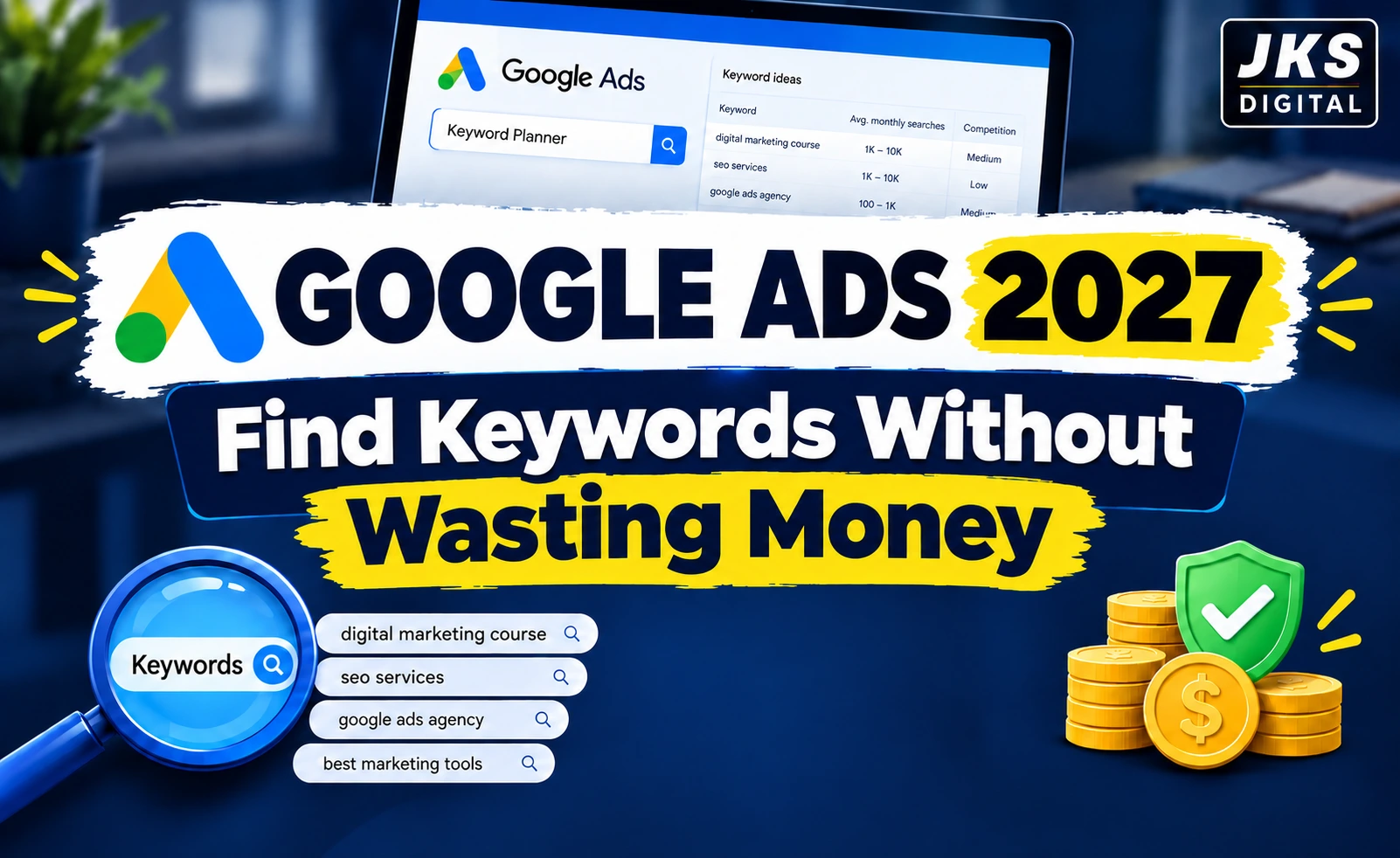
Use Google Keyword Planner
Google Keyword Planner can help advertisers research keywords and understand search-related information for planning campaigns.
You can use keyword research to discover:
- Relevant search terms
- Related keyword ideas
- Potential search demand
- Competition indicators
- Keyword variations
But tools alone cannot decide which keywords are right for your business.
You still need to understand the user’s intent.
Understand Search Intent Before Adding a Keyword
A useful way to classify keywords is by intent.
Informational Intent
The user wants to learn something.
Examples:
- What is SEO?
- How does Google Ads work?
- What is digital marketing?
These searches may not indicate immediate buying intent.
Commercial Intent
The user is researching options before making a decision.
Read Also:- Google Ads 10 Secret Tips to Get More Clicks and Better Results
Examples:
- Best digital marketing course
- Best SEO agency
- Google Ads agency reviews
Transactional Intent
The user is closer to taking an action.
Examples:
- Buy running shoes online
- Digital marketing course admission
- Hire SEO agency
The exact intent depends on the context, but thinking about it this way can help you avoid paying for traffic that is unlikely to convert.
Why Long-Tail Keywords Can Be Useful
Long-tail keywords are generally more specific search phrases.
For example:
“digital marketing”
is broad.
While:
“digital marketing course for beginners in Delhi”
is much more specific.
Specific searches may have lower search volume, but they can sometimes provide stronger relevance because the user’s requirement is clearer.
Do not assume that the keyword with the highest search volume is automatically the best keyword.
Relevance is more important than volume alone.
Negative Keywords: One of the Best Ways to Control Irrelevant Traffic
Negative keywords help prevent your ads from showing for searches that are not relevant to what you offer, depending on the campaign and matching behaviour.
Imagine you sell a paid digital marketing course.
You may not want to attract people searching for:
- Free digital marketing course
- Digital marketing course free PDF
- Free digital marketing training
If those searches are not useful for your business, adding appropriate negative keywords can help reduce irrelevant traffic.
This is especially important because getting clicks is not the same as getting valuable visitors.
A cheap click can still be an expensive mistake if the visitor has no intention of becoming your customer.
A Simple Keyword Selection Checklist
Before adding a keyword to your campaign, ask:
- Is this keyword directly related to my offer?
- Does the search intent match my business goal?
- Would I want this person to visit my website?
- Is the user likely to take the desired action?
- Could this keyword attract irrelevant searches?
- Do I need a negative keyword to filter unwanted traffic?
If you cannot explain why a keyword is useful, do not add it simply because a keyword tool suggested it.
The Core Principle Before Spending Your First Rupee
A successful Google Ads campaign starts with relevance and clarity, not with a large budget.
Before launching an advertisement, you should be able to clearly answer:
Who am I targeting?
What are they searching for?
Why should they choose my business?
What action do I want them to take?
How will I know whether the money I spent produced a useful result?
Once these questions are clear, campaign setup becomes much more meaningful. Your goal is not simply to buy traffic—it is to build a path from the right search to the right offer and, ultimately, to a measurable business outcome.
How to Set Up and Create a Google Ads Campaign
Creating a Google Ads campaign is not just about choosing a few keywords and writing an advertisement. Every setting should have a purpose.
A campaign can receive clicks and still fail to generate useful results if the targeting is too broad, the ad does not match the search, or the landing page gives users no clear reason to take action.
That is why campaign creation should be approached step by step.
Set the Right Targeting for Your Campaign
Once you have decided what you want to advertise, the next step is deciding who should see your ads.
Targeting tells Google which users or locations are relevant to your campaign.
Depending on the campaign, targeting can involve factors such as:
- Location
- Language
- Audience signals or audience segments
- Demographic information where applicable
- Devices and other campaign settings
The exact targeting options available can vary by campaign type.
Location Targeting
Location is particularly important for local businesses.
Suppose you operate a digital marketing institute in Delhi. Showing your advertisement to people across the entire country may not make sense if your business primarily serves students who can attend classes locally.
A more focused location strategy can help keep the campaign relevant.
Before launching, ask:
“Can someone from this location realistically become my customer?
Read Also:- Google Ads in 2026: Emerging Trends, Key Challenges, and Smart Solutions
If the answer is no, there may be little reason to spend your advertising budget reaching that person.
Language Targeting
Choose languages that make sense for the audience and the advertisement.
For example, a business targeting Indian customers may use English-language ads even when many potential customers also understand Hindi. The right choice depends on the audience, search behaviour, website experience, and the language used in the offer.
Do not choose targeting simply because it sounds broader.
Broader targeting is not always better targeting.
Match Your Targeting With Your Business Goal
Your targeting should reflect how your customers actually make decisions.
For example:
Local service business
Focus on people who can realistically use the service in your service area.
Online course
You may have a much wider geographic audience because the course can be accessed remotely.
E-commerce store
Your targeting may depend on where you can deliver your products and where your customers are located.
This simple exercise can prevent one of the most common advertising mistakes: paying for traffic from people who were never potential customers.
How to Create Google Ads That Match User Intent
After selecting your targeting, you need advertisements that give people a reason to click.
A good advertisement should answer a simple question:
“Why should I click this ad instead of another result?”
Your ad should be relevant to the search, communicate the value of your offer clearly, and lead the user toward the next step.
Write Headlines Around the User’s Need
Your headlines should be connected to what the person is actually searching for.
For example, if someone searches for:
“Digital Marketing Course in Delhi”
a headline such as:
Digital Marketing Course in Delhi
is more relevant than a generic headline such as:
Grow Your Business Today
The second headline may sound attractive, but it does not directly answer the searcher’s query.
What Can You Communicate in Your Headlines?
Depending on your business, you can highlight:
- The product or service
- Location
- Main benefit
- Course or service feature
- Experience
- A relevant offer
- A clear action
Do not try to put every selling point into one headline.
The goal is clarity, not complexity.
Write Useful Ad Descriptions
Your description should provide enough information for the user to understand what they can expect after clicking.
For example, instead of making a vague statement such as:
“We provide the best services at the best price.”
you could communicate something more specific about what the business actually offers.
A useful description can explain:
- What you offer
- Who it is for
- A key benefit
- What the user can do next
Avoid making claims that the landing page cannot support.
If the advertisement promises something that the website does not clearly provide, the user may lose trust quickly.
Use a Clear Call to Action
A call to action tells users what they can do next.
Depending on the campaign, examples can include:
- Enquire Now
- Book a Consultation
- Get a Quote
- Learn More
- Sign Up
- Shop Now
- Contact Us
The CTA should match the actual action available on the landing page.
If your ad says “Book a Consultation”, users should not land on a page where they have to search around to figure out how to contact you.
Why Ad-to-Landing-Page Relevance Matters
Getting a click is only one part of the process.
Imagine this journey:
Search → Ad → Landing Page
If all three are connected, the user immediately understands that they have reached the right place.
But imagine someone searches for:
“Google Ads course in Delhi”
clicks an ad about a specific course, and lands on a generic homepage containing dozens of unrelated services.
The user now has to search for the information they originally wanted.
That extra friction can reduce the chance of conversion.
Your Landing Page Should Clearly Answer:
- What is being offered?
- Who is it for?
- Why should the visitor choose it?
- What does it cost, if appropriate?
- What should the visitor do next?
- How can they contact or purchase?
You do not always need a complicated landing page.
You need a relevant and useful landing page.
Google Ads Assets: Make Your Advertisement More Useful
Google Ads provides different types of assets that can add useful information to your advertisement.
Your existing article refers to these as “ad extensions.”
The current terminology commonly used by Google Ads is assets, so the updated article should use that terminology.
Depending on the campaign and eligibility, relevant assets may include:
Read Also:- Google Ads vs Meta Ads in 2026: Which Platform Is Better for ROI, Leads and Sales?
Sitelink Assets
These can direct users to specific pages of your website.
For example:
- Courses
- Pricing
- About Us
- Contact
- Services
Call Assets
Useful for businesses where phone enquiries are important.
Location Assets
Useful for businesses with physical locations.
These can help users understand where the business is located and can support local discovery.
Don’t Add Assets Just to Fill Space
The purpose of an asset is to provide useful additional information.
Ask:
“Will this help the person decide what to do next?”
If yes, it may be worth using.
Understanding Bidding in Google Ads
Bidding determines how your advertising system participates in opportunities to show your ads.
Google Ads offers different bidding approaches depending on the campaign type and advertising objective.
Instead of thinking:
“I need the cheapest possible click.”
think:
“I need traffic that has a reasonable chance of producing my desired result.”
A very cheap click is not useful if it comes from someone who has no interest in your product or service.
Manual and Automated Bidding
Depending on the campaign, advertisers may have access to different bidding strategies and controls.
Automated bidding can use Google’s systems to adjust bids based on the advertiser’s selected objective and available signals.
The appropriate approach depends on:
- Campaign objective
- Conversion data
- Campaign type
- Available budget
- Business goals
- Amount of historical data
There is no single bidding strategy that should be used for every campaign.
A Common Beginner Mistake
One mistake is changing bidding settings repeatedly because the campaign did not produce an immediate result.
Advertising systems need meaningful data to evaluate performance.
Instead of changing multiple settings every day, make changes deliberately and monitor what happens afterward.
Conversion Tracking: Know What Your Ads Are Actually Producing
One of the most important parts of Google Ads is measuring conversions.
A click tells you that someone interacted with your advertisement.
A conversion tells you that the user completed an action that matters to your business.
Depending on the business, a conversion might be:
- Form submission
- Phone call
- Purchase
- Course registration
- Appointment booking
- Sign-up
- Other valuable action
Without proper conversion tracking, you may know that people clicked your ads but not whether those clicks produced business results.
Why This Matters
Suppose Campaign A receives:
1,000 clicks
while Campaign B receives:
300 clicks
At first glance, Campaign A appears better.
But imagine:
Campaign A → 1,000 clicks → 5 leads
Campaign B → 300 clicks → 25 leads
The campaign with fewer clicks may actually be much more valuable.
This is why click volume alone should not determine whether a campaign is successful.
Connect the Ad With the Right Landing Page
Before launching a campaign, decide exactly where the user will go after clicking.
Avoid sending every advertisement to the homepage simply because it is the easiest URL to use.
A better approach is to match the landing page with the advertisement.
For example:
Ad: Digital Marketing Course
Landing Page: Digital Marketing Course details
CTA: Enquire / Register
This creates a natural path for the visitor.
For a service business:
Ad: SEO Services
Landing Page: SEO Services page
CTA: Request a Quote
The closer the relationship between the user’s search, your ad, and your landing page, the easier it is for the visitor to understand what to do next.
Google Ads Pre-Launch Checklist
Before you activate your campaign, take a few minutes to review everything.
Campaign
- Is the campaign type suitable for the goal?
- Is the campaign objective clear?
- Is the daily budget appropriate for the test?
Keywords
- Are the keywords relevant?
- Does the search intent match your offer?
- Have you considered irrelevant searches?
- Are appropriate negative keywords included?
Targeting
- Is the location correct?
- Is the audience relevant?
- Are the language settings appropriate?
Advertisement
- Do the headlines match the user’s search?
- Is the description clear?
- Is there a relevant CTA?
- Are the claims accurate?
Landing Page
- Does the page match the advertisement?
- Is the main offer easy to understand?
- Is the CTA visible?
- Does the page work properly on mobile devices?
- Is there an easy way to contact or convert?
Tracking
- Is conversion tracking configured correctly?
- Are important actions being measured?
- Can you distinguish useful conversions from simple visits?
Billing and Settings
- Is billing information complete?
- Have you checked the campaign settings carefully?
- Have you reviewed the final targeting and budget?
This checklist is worth doing before launch because fixing an incorrect setting before spending money is much easier than discovering the problem after your budget has already been used.
How to Launch Your Google Ads Campaign
Once the campaign has been reviewed, you can submit it for Google’s review.
Before activating it, take one final look at:
Targeting → Keywords → Ads → Landing Page → Budget → Tracking
After submission, Google reviews advertisements and campaigns according to its advertising policies and other requirements.
The review process and timing can vary, so avoid treating a fixed review time as a guarantee.
Once the campaign is approved and begins serving, the work is not finished.
The next important step is to observe the data and understand what users are actually doing.
Don’t Judge a Campaign Too Quickly
One of the easiest ways to make Google Ads more expensive is to react emotionally to every small change.
For example:
Day 1: No leads
Day 2: Two clicks
Day 3: Higher CPC
A beginner may immediately change the keywords, budget, bidding, targeting, ads, and landing page all at once.
That creates another problem: you no longer know which change affected the campaign.
A better approach is to make changes based on evidence.
Ask:
- Are the right people seeing the ads?
- Are users clicking?
- Are they reaching the landing page?
- Are they completing the desired action?
- Which keywords or searches are producing useful traffic?
- Where is the biggest drop-off?
Good optimization starts with understanding the problem first.
How to Measure and Optimize Google Ads for Better Results
Launching a Google Ads campaign is only the beginning. Once your ads start receiving impressions, clicks, and other interactions, the next question becomes much more important:
Is the campaign actually helping the business?
A campaign can generate thousands of impressions and hundreds of clicks without producing enough leads or sales. On the other hand, a campaign with fewer clicks may bring highly relevant customers.
That is why Google Ads should be evaluated based on the quality and business value of the traffic, not just the number of clicks.
Important Google Ads Metrics You Should Understand
You do not need to become a data analyst to understand your campaign. Start with a few important metrics.
Impressions
Impressions tell you how many times your advertisement was shown.
If impressions are very low, possible areas to investigate include:
- Search demand
- Targeting
- Keyword selection
- Budget
- Bidding
- Campaign settings
Low impressions do not automatically mean the campaign is bad. It may simply mean that your targeting is very narrow or there is limited demand.
Clicks
Clicks show how many times users interacted with your advertisement and visited the destination associated with the ad.
Clicks can tell you whether people are responding to your advertisement, but they do not tell you whether those visitors became customers.
That is why clicks should always be considered alongside conversions and other relevant metrics.
Click-Through Rate (CTR)
CTR indicates how frequently users click an ad after seeing it.
A relatively low CTR can be a reason to examine:
- Keyword relevance
- Ad messaging
- Search intent
- Targeting
- Competition
However, there is no single CTR number that automatically means a campaign is successful or unsuccessful across every industry.
Context matters.
Cost Per Click (CPC)
CPC helps you understand how much you are paying for clicks.
A higher CPC is not automatically bad.
For example, suppose one keyword costs more per click but generates qualified enquiries, while another keyword is cheaper but generates visitors who never become customers.
The cheaper keyword may actually be less valuable.
So the better question is not:
“How can I get the cheapest clicks?”
It is:
“How can I get relevant clicks at a cost that makes sense for my business?”
Conversions
Conversions represent actions that you have defined as valuable to your business.
Depending on your business, these might include:
- Purchases
- Form submissions
- Phone calls
- Registrations
- Bookings
- Sign-ups
Conversions are often more meaningful than clicks because they connect advertising activity with a business objective.
Conversion Rate
Conversion rate helps you understand how frequently users who interacted with your advertising completed a tracked conversion.
If you are getting many clicks but very few conversions, investigate the complete user journey rather than immediately increasing your budget.
The problem could be related to:
- Search intent
- Ad relevance
- Landing page
- Offer
- Conversion process
- Tracking setup
Cost Per Lead or Cost Per Acquisition
For lead-generation campaigns, you may want to understand how much advertising spend is associated with each lead.
For sales-focused campaigns, acquisition cost can help you understand the efficiency of customer acquisition.
The acceptable number depends on your business economics.
A ₹500 lead might be excellent for one business and too expensive for another.
Return on Ad Spend (ROAS)
For businesses that can accurately track revenue from advertising, ROAS can help compare advertising revenue with advertising spend.
For example, if a campaign spends ₹10,000 and produces ₹30,000 in directly attributed revenue, the advertising revenue-to-spend relationship is different from a campaign that spends the same amount but produces ₹8,000.
However, ROAS should be interpreted carefully because revenue is not the same as profit.
What If Your Google Ads Get Clicks but No Leads?
This is one of the most frustrating situations for beginners.
You see that people are clicking the advertisements, but the enquiries or sales are not coming.
Before increasing the budget, investigate the reason.
1. Your Keywords May Not Match Buying Intent
Some searches may be related to your business but still have little commercial value.
For example, someone searching for:
“What is Google Ads?”
may simply want information.
Someone searching for:
“Google Ads agency for small business”
may have a more commercial intention.
The exact intent depends on the search and context, but understanding this difference can help you decide which traffic is worth paying for.
2. Your Advertisement May Be Attracting the Wrong People
If the ad makes a broad promise but the actual service is specific, you may attract users who are interested in something you do not offer.
Your ad should clearly communicate:
- What you offer
- Who it is for
- What makes it relevant
- What the user can expect after clicking
Do not write an advertisement simply to get more clicks.
Write it to attract the right clicks.
3. Your Landing Page May Be the Problem
A campaign can be correctly configured and still struggle because of the landing page.
Check whether:
- The page loads properly
- The page works well on mobile
- The headline matches the advertisement
- The offer is immediately understandable
- Important information is easy to find
- The CTA is clear
- The enquiry or purchase process works
If users have to search for the information they expected after clicking the ad, you are creating unnecessary friction.
4. Your Offer May Not Be Strong Enough
Advertising cannot fix every business problem.
If users understand your offer but still do not take action, consider whether the offer itself gives them a convincing reason to act.
Ask:
Why should someone choose this product or service instead of another option?
The answer could involve:
- Better value
- Relevant experience
- Useful features
- Convenience
- Service quality
- A suitable package
- A clear benefit
The right answer will be different for every business.
5. Conversion Tracking May Not Be Working Properly
Sometimes the campaign may be generating valuable actions, but the tracking setup is not recording them correctly.
That can lead to poor decisions because you may think:
“The campaign is not converting.”
when the real issue is:
“The campaign’s conversions are not being measured correctly.”
Always verify important conversion actions before making major optimization decisions.
How to Avoid Wasting Money on Google Ads
The title of this guide focuses on avoiding wasted ad spend because this is one of the biggest concerns for beginners.
You do not necessarily waste money only because your CPC is high.
Budget can also be wasted when the campaign attracts people who were never likely to become customers.
Avoid Irrelevant Keywords
Do not add keywords simply because they have high search volume.
A keyword should have a logical connection with your offer and objective.
Review Search Terms Regularly
The actual searches that trigger your ads can reveal useful information.
You may discover:
- Relevant searches you had not considered
- Irrelevant searches
- New keyword ideas
- Searches that should be excluded
This information can help you refine the campaign over time.
Use Negative Keywords Where Appropriate
If certain searches consistently attract irrelevant users, consider whether they should be excluded through appropriate negative keyword settings.
For example, a paid course provider may want to filter searches containing terms such as:
free
download
if those searches do not match its business model.
The right exclusions depend on what the business actually offers.
Don’t Send Every User to Your Homepage
A homepage usually contains many different options.
If a user searches for one specific service, sending them directly to the relevant service page can create a clearer experience.
For example:
Search: SEO services
Ad: SEO services for businesses
Landing page: SEO services page
This is more focused than:
Search → Ad → Generic homepage
Don’t Change Everything at Once
If you change the keyword list, budget, targeting, bidding, advertisement, and landing page simultaneously, it becomes difficult to understand what caused a performance change.
Make changes with a reason.
Then observe the results.
This creates a more reliable optimization process.
A Simple Google Ads Optimization Framework
When a campaign is not performing as expected, use this sequence:
Step 1: Check the Traffic
Ask:
Are the right people clicking?
If not, investigate keywords, search intent, targeting, and ad messaging.
Step 2: Check the Advertisement
Ask:
Does the ad clearly communicate what the business offers?
If not, improve the messaging.
Step 3: Check the Landing Page
Ask:
Does the landing page deliver what the ad promised?
If not, improve relevance and user experience.
Step 4: Check Conversion Tracking
Ask:
Are important actions being recorded correctly?
If not, fix tracking before making major performance decisions.
Step 5: Check the Economics
Ask:
Is the cost of acquiring a customer reasonable for this business?
This is where advertising data becomes a business decision rather than just a marketing report.
Google Ads Example: A Simple Local Campaign
Let’s consider a hypothetical example.
Suppose a digital marketing institute wants to generate enquiries from students in Delhi.
Campaign Objective
Generate enquiries for a digital marketing course.
Campaign Type
Search campaign.
Location
Delhi or another clearly defined service area, depending on the institute’s actual target audience.
Keywords
The institute could research relevant searches around:
- Digital marketing course
- Digital marketing course in Delhi
- Digital marketing training
- Digital marketing classes
The final keyword list should be based on actual search intent and the institute’s offer.
Advertisement
The advertisement could communicate:
- Course name
- Relevant location
- Key course benefit
- A clear enquiry action
Landing Page
Instead of sending every visitor to the website homepage, the campaign could direct users to a dedicated course page containing:
- Course details
- Curriculum
- Training format
- Relevant benefits
- Enquiry form
- Contact information
Conversion
A completed enquiry form or qualified phone call could be treated as a conversion, provided it is configured and measured appropriately.
What Should the Institute Monitor?
Instead of looking only at clicks, it should examine:
Search terms → Clicks → Landing page behaviour → Enquiries → Cost per enquiry → Qualified leads
This creates a much clearer picture of whether the advertising is contributing to the business.
Note: This is a hypothetical example. Actual costs, CPCs, conversion rates, and results can vary significantly by industry, location, competition, offer, landing page, and campaign setup.
Common Google Ads Mistakes Beginners Should Avoid
Many advertising problems are caused by basic setup or decision-making mistakes rather than the advertising platform itself.
Mistake 1: Choosing Keywords Without Understanding Intent
A keyword may look relevant but still attract users who are not potential customers.
Mistake 2: Using Too Many Broad or Unrelated Keywords
A large keyword list is not automatically a better keyword strategy.
Mistake 3: Ignoring Negative Keywords
Without appropriate exclusions, irrelevant searches can consume part of the advertising budget.
Mistake 4: Sending Traffic to an Unrelated Page
The landing page should make sense in relation to the advertisement and user’s search.
Mistake 5: Measuring Only Clicks
Clicks are useful, but business outcomes matter more.
Mistake 6: Launching Without Proper Conversion Tracking
Without reliable measurement, optimization becomes guesswork.
Mistake 7: Expecting Immediate Profits
Advertising can provide visibility and traffic quickly, but profitable results depend on many factors.
Mistake 8: Making Too Many Changes Too Quickly
Constantly changing campaigns can make performance difficult to interpret.
Mistake 9: Increasing the Budget Before Understanding Performance
More budget can increase traffic, but it can also increase waste if the underlying campaign has problems.
How to Optimize Google Ads Over Time
Optimization should be an ongoing process.
Once you have enough meaningful data, review the campaign and look for patterns.
Improve Keyword Quality
Remove or reconsider keywords that consistently attract poor-quality traffic.
Review Search Terms
Look for irrelevant searches and useful new opportunities.
Improve Ad Messaging
If the advertisement is not attracting the right users, test clearer messaging that better matches their intent.
Improve the Landing Page
If users click but do not convert, examine the landing page and conversion process.
Review Targeting
Check whether your location and audience settings are reaching the people your business actually wants.
Monitor Conversion Costs
Do not judge a campaign only by traffic volume.
Consider whether the cost of generating a lead, sale, booking, or other conversion makes business sense.
Scale Carefully
If a campaign is producing valuable results consistently, increasing its budget may be worth testing.
But scaling should come after understanding performance, not before.
Useful Tools for Google Ads
Different tools can help with different parts of the advertising process.
| Tool | What It Can Help With |
|---|---|
| Google Keyword Planner | Keyword research and campaign planning |
| Google Ads | Campaign creation and performance monitoring |
| Google Analytics | Website and user behaviour analysis |
| SEMrush | Keyword and competitive research |
| Landing page analytics tools | Understanding user behaviour on important pages |
You do not need every available tool.
Start with the tools that answer the questions you actually have.
Google Ads vs SEO: Which One Should You Use?
Google Ads and SEO are often compared, but they solve different problems.
| Google Ads | SEO |
|---|---|
| Paid advertising | Organic search visibility |
| Can provide paid visibility when campaigns serve | Usually requires time to build organic visibility |
| Budget is allocated to advertising | Investment is generally focused on content, technical SEO, links, and overall site quality |
| Useful for testing and capturing relevant demand | Useful for building longer-term organic visibility |
For many businesses, the choice does not have to be Google Ads or SEO.
A business can use paid advertising for targeted opportunities while continuing to build its organic search presence.
The better approach depends on the business model, competition, budget, timeline, and goals.
Frequently Asked Questions About Google Ads
How much money do I need to start Google Ads?
There is no universal starting budget.
Your budget should depend on factors such as your industry, location, keywords, competition, conversion goal, and customer value.
A controlled test budget can be more sensible than committing a large amount before understanding campaign performance.
Can I run Google Ads with a small budget?
Yes, a business can test advertising with a limited budget, but the amount of useful data you can collect may depend on search volume, CPC, targeting, and conversion activity.
A small budget does not automatically guarantee results.
The key is to keep the campaign focused and measure meaningful outcomes.
How long does it take to see results from Google Ads?
There is no fixed timeline that guarantees leads or sales.
Ads can begin generating visibility and traffic once they are eligible to serve, but meaningful business results depend on factors such as demand, competition, campaign setup, offer, landing page, and conversion tracking.
Why am I getting clicks but no leads?
Possible reasons include irrelevant search intent, weak ad messaging, a poor landing page, an unclear offer, a complicated conversion process, or incorrect conversion tracking.
Start by identifying where users are dropping out instead of immediately increasing your budget.
Are Google Ads worth it for a small business?
They can be, but it depends on the business.
A small business should consider its customer value, competition, available demand, conversion rate, and acceptable acquisition cost before deciding whether advertising is financially sensible.
Should beginners run Google Ads themselves?
Beginners can learn to create and manage campaigns, especially for straightforward advertising needs.
However, campaigns involving larger budgets, complex tracking, multiple campaign types, or complicated business goals may require more advanced knowledge.
The important thing is to understand the basics before spending significant money.
Does Google Ads improve SEO rankings?
Google Ads and organic search rankings are separate areas.
Running advertisements should not be treated as a direct method for buying higher organic rankings.
A business can use Google Ads and SEO together, but each should have its own strategy and objective.
Final Takeaway
Running Google Ads successfully is not about spending the largest budget or getting the highest number of clicks.
It is about creating a clear connection between:
The right search → The right advertisement → The right landing page → The right conversion → Measurable business value
Before launching a campaign, understand your audience, choose relevant keywords, set focused targeting, create useful advertisements, and make sure your landing page supports the promise made in the ad.
After launch, do not stop at impressions and clicks. Look at conversions, acquisition costs, search terms, landing-page performance, and the quality of the traffic you are paying for.
Most importantly, do not increase your budget simply because you want more traffic.
First understand what is working. Then improve it. Then scale carefully.
That approach can help turn Google Ads from a simple paid-traffic channel into a more controlled and measurable part of your digital marketing strategy.