Top 10 AI Tools for Social Media Management in 2026:- Are you still spending hours managing your social media accounts every day? From writing captions to designing posts, finding hashtags, and analyzing performance — the process can feel exhausting and never-ending. But in 2026, things have changed dramatically.
AI tools have transformed social media management to the point where tasks that once took five hours can now be completed in minutes. The real question is no longer whether you should use AI, but how effectively you can use it to grow faster than your competition. This guide will show you exactly how to do that.
2. Why AI is Important in Social Media (2026 Trend Section)
Social media is no longer just about posting content regularly. It has evolved into a highly competitive ecosystem where timing, quality, relevance, and data-driven decisions determine success.
In this environment, manual efforts alone are not sufficient.
Artificial Intelligence introduces a structured, efficient, and scalable approach to managing social media. It reduces human error, eliminates repetitive tasks, and enhances decision-making through data insights.
The Shift from Manual to AI-Driven Management
Traditional social media management relies heavily on assumptions. Creators often guess what content might perform well, when to post, or which hashtags to use. This approach is time-consuming and inconsistent.
AI changes this completely.
Instead of relying on guesswork, AI tools analyze audience behavior, engagement patterns, and historical performance to deliver precise recommendations. This allows you to make informed decisions rather than experimental ones.
Manual vs AI Comparison
Manual management often involves guesswork, inconsistent posting, and time-consuming tasks. In contrast, AI tools can automate repetitive work, analyze large amounts of data instantly, and provide actionable insights.
Key Benefits of AI in Social Media
- Auto content creation for captions, posts, and scripts
- Smart scheduling based on audience activity
- Advanced analytics to track performance
- Trend prediction to stay ahead of competitors
AI not only saves time but also improves the quality and effectiveness of your content strategy, positioning you as a more professional and consistent creator or brand.
The Shift from Manual to AI-Driven Management
Traditional social media management relies heavily on assumptions. Creators often guess what content might perform well, when to post, or which hashtags to use. This approach is time-consuming and inconsistent.
AI changes this completely.
Instead of relying on guesswork, AI tools analyze audience behavior, engagement patterns, and historical performance to deliver precise recommendations. This allows you to make informed decisions rather than experimental ones.
Manual vs AI: A Strategic Comparison
Manual workflows typically involve multiple disconnected steps—content ideation, writing, design, scheduling, and analysis—all handled separately. This not only consumes time but also creates inconsistency in quality and performance.

AI-powered systems, on the other hand, integrate these processes into a unified workflow. They can generate content, optimize it for engagement, schedule it at the right time, and track its performance—all within a single platform.
The result is a faster, more consistent, and more scalable system.
Key Benefits of AI in Social Media Management
1. Automated Content Creation
AI tools can generate high-quality captions, post ideas, video scripts, and even complete content calendars. This significantly reduces creative fatigue while maintaining consistency in tone and messaging.
2. Intelligent Scheduling
Instead of posting randomly, AI identifies when your audience is most active and schedules content accordingly. This improves reach and engagement without requiring constant monitoring.
3. Advanced Analytics and Insights
AI tools process large volumes of data instantly, providing clear insights into what is working and what is not. This helps you refine your strategy based on actual performance metrics rather than assumptions.
4. Trend Prediction and Adaptation
One of the biggest advantages of AI in 2026 is its ability to detect emerging trends early. By analyzing patterns across platforms, AI helps you create relevant content before trends become saturated.
The Bigger Advantage: From Consistency to Authority
AI is not just a tool for efficiency—it is a tool for positioning.
By using AI effectively, you can maintain consistent posting, improve content quality, and make smarter strategic decisions. Over time, this builds credibility, strengthens your brand presence, and positions you as an authority in your niche.
For beginners, AI simplifies the learning curve.
For professionals, it unlocks scalability and precision.
In both cases, the outcome is the same: faster growth with less effort and more impact.
3. How to Choose the Right AI Tool
A Practical Decision Framework for Beginners to Professionals
Selecting the right AI tool is not just a technical choice—it is a strategic decision that directly impacts your growth, efficiency, and content quality. With hundreds of tools available in 2026, the challenge is no longer access, but clarity.
Not every AI tool is designed for the same purpose. Some specialize in content creation, others in analytics, automation, or video production. Choosing the wrong tool can lead to wasted time, unnecessary costs, and fragmented workflows.
To make a smart decision, you need a structured approach.
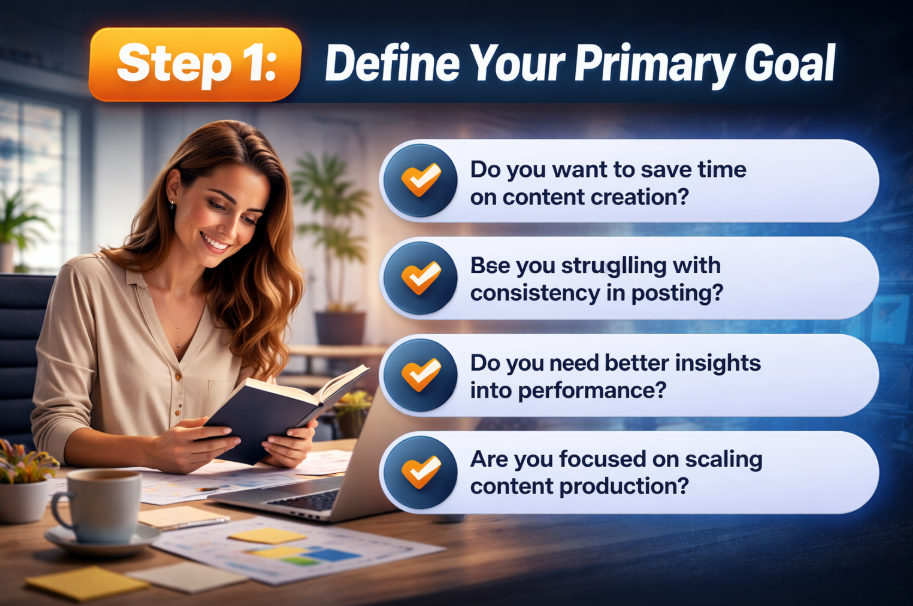
Step 1: Define Your Primary Goal
Before evaluating any tool, identify what you actually need.
Ask yourself:
- Do you want to save time on content creation?
- Are you struggling with consistency in posting?
- Do you need better insights into performance?
- Are you focused on scaling content production?
Your goal determines your tool category.
For example:
- Content-focused users should prioritize AI writing and design tools
- Growth-focused users should look for analytics and optimization tools
- Automation-focused users should invest in scheduling and workflow systems
Without this clarity, even the best tools will feel ineffective.
Step 2: Evaluate Budget vs Return on Value
Budget is important, but it should not be the only deciding factor.
Many beginners make the mistake of either:
- Spending too much on advanced tools they do not fully use, or
- Limiting themselves to free tools that restrict growth
A better approach is to think in terms of return on value.
Start with free or affordable tools to understand your workflow. As your content volume and revenue grow, gradually upgrade to premium tools that offer automation, deeper insights, and scalability.
Read Also:- AI Video Editing Tools 2026: Turn 5 Hours of Work into 5 Minutes! (Top Secret Tools)
Professionals should focus less on cost and more on efficiency gains. If a tool saves hours of work every week, it justifies the investment.
Step 3: Choose Based on Platform Focus
Every social media platform has a different content style, audience behavior, and algorithm.
A tool that works well for one platform may not perform equally well on another.
Identify where your audience is most active:
- Short-form content platforms require strong video and caption tools
- Professional platforms demand structured content and analytics
- Visual platforms need design and creative optimization features
Instead of using generic tools, prioritize those that are optimized for your primary platform. This ensures better performance and more relevant outputs.
Step 4: Match Features with Your Workflow
Avoid choosing tools based on popularity alone. Focus on features that directly solve your problems.
Key features to evaluate:
- Content generation (captions, scripts, ideas)
- Post scheduling and automation
- Hashtag and keyword optimization
- Analytics and performance tracking
- Video editing and reel creation
For beginners, simplicity is critical. A clean interface with guided workflows will help you stay consistent without feeling overwhelmed.
For advanced users, customization becomes more important. Look for tools that allow deeper control, integrations, and data-driven optimization.
Step 5: Beginner vs Advanced Tool Selection
Your experience level should influence your decision.
For Beginners
Choose tools that:
- Are easy to use with minimal setup
- Offer templates and ready-to-use formats
- Provide basic automation and scheduling
The goal is to build consistency and confidence.
For Professionals
Opt for tools that:
- Provide detailed analytics and insights
- Allow multi-platform management
- Support team collaboration and scaling
- Offer advanced automation and integrations
The focus here is efficiency, scalability, and performance optimization.
Step 6: Build a Smart AI Stack (Not Just One Tool)
One of the biggest mistakes users make is relying on a single tool for everything.
In reality, high-performing creators and brands use a combination of tools, each serving a specific purpose.
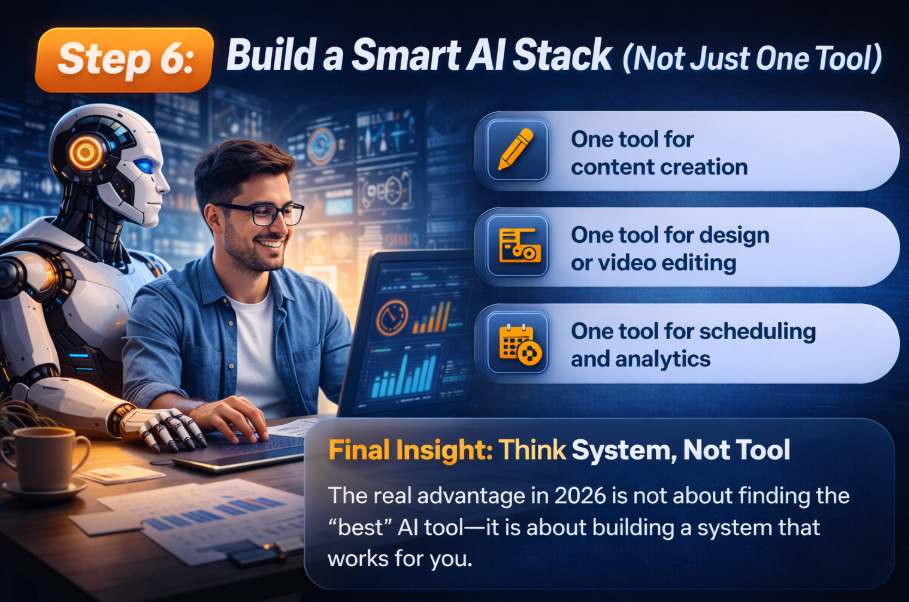
A practical AI stack may include:
- One tool for content creation
- One tool for design or video editing
- One tool for scheduling and analytics
This approach creates a more flexible and powerful system compared to depending on an all-in-one solution that may lack depth in key areas.
Final Insight: Think System, Not Tool
The real advantage in 2026 is not about finding the “best” AI tool—it is about building a system that works for you.
When your tools align with your goals, platform, and workflow, you create a streamlined process that saves time, improves quality, and accelerates growth.
Beginners should focus on simplicity and consistency.
Professionals should focus on optimization and scale.
In both cases, the right tool is the one that fits your strategy—not the one with the most features.
4. Top 10 AI Tools for Social Media Management (2026)
A Complete Beginner-to-Advanced Toolkit for Growth, Automation, and Performance
In 2026, successful social media management is no longer about using a single tool—it is about building a smart ecosystem. Each tool listed below solves a specific problem, and when used strategically, they can significantly improve your efficiency, creativity, and results.
This section provides a deeper, practical understanding of each tool, including how beginners can start and how professionals can maximize their potential.
1. ChatGPT
Overview
A highly versatile AI assistant that helps generate captions, content ideas, scripts, and even complete social media strategies. It acts as a creative partner rather than just a tool.
Key Capabilities
- High-quality caption and post generation
- Content ideation for multiple platforms
- Script writing for reels, shorts, and long-form videos
- Multi-language content creation
Best Use Cases
Ideal for content creators, marketers, and businesses that need consistent and scalable content production.
Beginner Approach
Start by using simple prompts like “Write 5 Instagram captions for a fitness page.” This helps you understand how AI responds and how to refine outputs.
Advanced Strategy
Professionals can build structured prompts, create monthly content calendars, and develop brand-specific tone guidelines for consistent messaging.
Pro Insight
AI-generated content should always be refined with your brand voice. Personalization is what separates generic content from high-performing content.
2. Canva AI
Overview
A design-focused AI platform that simplifies the creation of visually engaging social media posts, even for users with no design background.
Key Capabilities
- Smart templates optimized for different platforms
- AI-powered image and graphic generation
- Drag-and-drop editing for fast customization

Best Use Cases
Perfect for beginners, small business owners, and creators who want professional-looking visuals without hiring a designer.
Beginner Approach
Use pre-built templates and simply customize text, colors, and images.
Advanced Strategy
Create a consistent brand kit with predefined fonts, colors, and layouts to maintain visual identity across all platforms.
Pro Insight
Consistency in design builds recognition. Over time, your audience should be able to identify your content instantly without seeing your name.
3. Hootsuite
Overview
An all-in-one platform designed for managing multiple social media accounts, scheduling posts, and monitoring performance from a single dashboard.
Key Capabilities
- Automated scheduling across platforms
- Real-time performance tracking
- AI-driven recommendations for optimization
Best Use Cases
Best suited for agencies, teams, and businesses handling multiple accounts.
Read Also:- What Are Google AI Overviews? How to Protect Your Website Traffic in 2026
Beginner Approach
Start by scheduling posts in advance to maintain consistency without daily effort.
Advanced Strategy
Use analytics insights to adjust posting times, content formats, and platform-specific strategies.
Pro Insight
Consistency combined with timing optimization significantly improves reach. AI recommendations should guide your scheduling decisions.
4. Buffer
Overview
A simple and intuitive platform focused on content scheduling and performance tracking.
Key Capabilities
- Easy post scheduling
- Engagement tracking
- Clean and user-friendly analytics dashboard
Best Use Cases
Ideal for individuals, freelancers, and small businesses.
Beginner Approach
Plan and schedule posts for the entire week to avoid last-minute content stress.
Advanced Strategy
Analyze engagement data to refine your posting frequency and content type.
Pro Insight
Consistency builds trust. A predictable posting schedule increases audience retention over time.
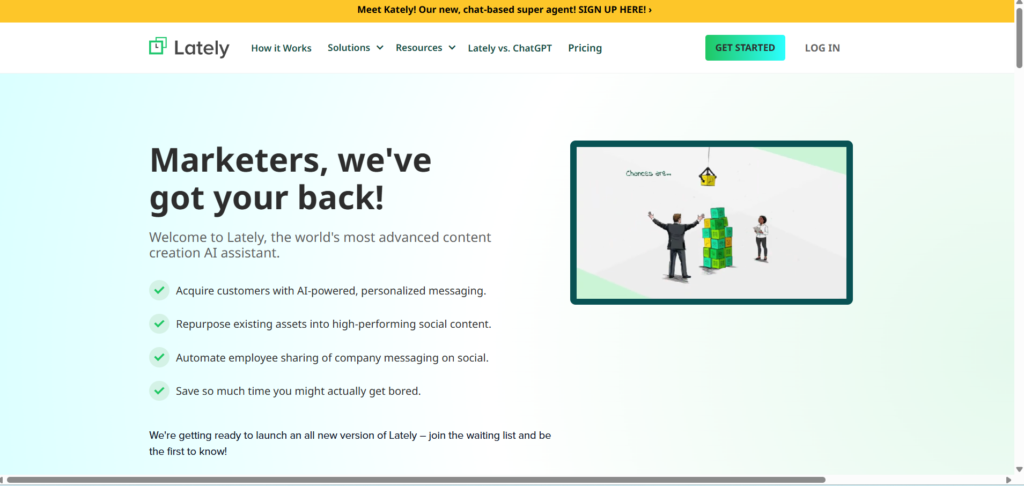
5. Lately AI
Overview
A specialized AI tool that converts long-form content into multiple short-form posts for social media.
Key Capabilities
- Automatic content repurposing
- Text-based post generation
- Content optimization for engagement
Best Use Cases
Best for bloggers, YouTubers, and educators who create long-form content.
Beginner Approach
Upload a blog or script and let the tool generate multiple posts.
Advanced Strategy
Create a content distribution system where one piece of content fuels multiple platforms.
Pro Insight
Content repurposing is one of the most efficient growth strategies. It maximizes output without increasing workload.
6. Predis.ai
Overview
A platform focused on generating social media posts, especially for visual platforms.
Key Capabilities
- AI-generated posts and captions
- Competitor analysis
- Hashtag recommendations
Best Use Cases
Highly effective for users focusing on visual content platforms.
Beginner Approach
Use it to generate ready-to-post creatives with captions.
Advanced Strategy
Analyze competitor performance to identify content gaps and opportunities.
Pro Insight
Understanding your competitors helps you position your content more effectively rather than copying trends blindly.
7. Flick
Overview
A niche tool designed to improve content discoverability through better hashtag strategies.
Key Capabilities
- Hashtag research and grouping
- Trend analysis
- Performance tracking
Best Use Cases
Creators aiming to improve reach and organic visibility.
Beginner Approach
Use suggested hashtags relevant to your niche.
Advanced Strategy
Build hashtag clusters based on performance and rotate them strategically.
Pro Insight
A mix of trending, medium-competition, and niche hashtags delivers better reach than relying on only popular ones.
8. Copy.ai
Overview
An AI writing assistant focused on marketing content such as captions, ads, and product descriptions.
Key Capabilities
- Fast content generation
- Marketing-focused templates
- Multiple variations for testing
Best Use Cases
Businesses and marketers running campaigns or promotions.
Beginner Approach
Generate captions and refine them slightly before posting.
Advanced Strategy
Create multiple versions of the same content and run A/B testing.
Pro Insight
Testing variations helps identify what resonates most with your audience, improving overall engagement rates.
9. SocialBee
Overview
A structured tool that organizes content into categories and automates posting accordingly.
Key Capabilities
- Category-based scheduling
- Content organization
- Automated posting workflows
Best Use Cases
Creators and brands with structured content strategies.
Beginner Approach
Divide content into simple categories such as educational, entertaining, and promotional.
Read Also:- AI Agents for Digital Marketing: How to Build Your First Automated Campaign (Step-by-Step)
Advanced Strategy
Build a balanced content mix aligned with business goals and audience needs.
Pro Insight
A balanced content strategy prevents audience fatigue and improves long-term engagement.
10. Metricool
Overview
A powerful analytics and reporting tool that helps track performance across platforms.
Key Capabilities
- Detailed performance insights
- Competitor analysis
- Automated reporting
Best Use Cases
Professionals and data-driven marketers.
Beginner Approach
Review basic metrics such as likes, reach, and engagement.
Advanced Strategy
Use data trends to refine content strategy, posting time, and campaign planning.
Pro Insight
Regular analysis is what transforms average content into high-performing content. Data should guide every decision.
Final Perspective: Building Your AI Workflow
The real power of these tools is unlocked when they are used together as a system.

A practical setup could look like:
- Content creation with ChatGPT or Copy.ai
- Design with Canva AI
- Scheduling with Buffer or Hootsuite
- Optimization with Flick or Predis.ai
- Analytics with Metricool
Beginners should start with 2–3 tools and focus on consistency.
Professionals should build a complete workflow that automates creation, publishing, and analysis.
The goal is not to use more tools—it is to use the right combination efficiently.
5. Pro Tips & Hidden Strategies
How to Extract Maximum Value from AI Tools
Using AI tools alone is not enough. The real advantage comes from how intelligently you integrate them into your workflow. Most users operate at a basic level, while high-performing creators apply layered strategies that combine automation with human creativity.
1. Blend AI Efficiency with Human Creativity
AI can generate captions, ideas, and scripts quickly, but it lacks personal experience and emotional depth. Always refine AI-generated content by adding your perspective, tone, and storytelling.
Content that feels human performs better because it builds trust and relatability.
2. Align Content with Platform Trends
AI can help generate visuals and captions, but pairing them with platform-specific trends significantly increases reach. Use trending audio, formats, and hooks to amplify visibility while keeping your message aligned with your brand.
3. Use Hashtags Strategically, Not Randomly
Hashtags are not just add-ons—they are discovery tools. Instead of using generic or overly popular hashtags, focus on relevance and intent.
A strong hashtag strategy includes:
- Niche-specific keywords
- Medium-competition hashtags
- A few trending tags for reach
This balance improves both visibility and targeting.
4. Implement Content Batching
One of the most powerful productivity techniques is batching. Instead of creating content daily, dedicate specific time blocks to produce multiple posts at once.
AI tools can assist in:
- Generating multiple captions in one session
- Designing posts in bulk
- Scheduling content for the entire week or month
This approach ensures consistency without daily pressure.
5. Build a Repeatable Workflow
Professionals do not rely on random posting. They follow a system:
- Idea generation
- Content creation
- Scheduling
- Performance analysis
AI tools should be integrated into each stage, creating a streamlined and repeatable process.
6. Real Use Case
How AI Transformed a Small Business in 30 Days
A small business struggling with inconsistent posting and low engagement decided to restructure its social media strategy using AI tools.
Initial Challenges
- Irregular posting schedule
- Lack of content ideas
- Minimal audience engagement
- No clear performance tracking
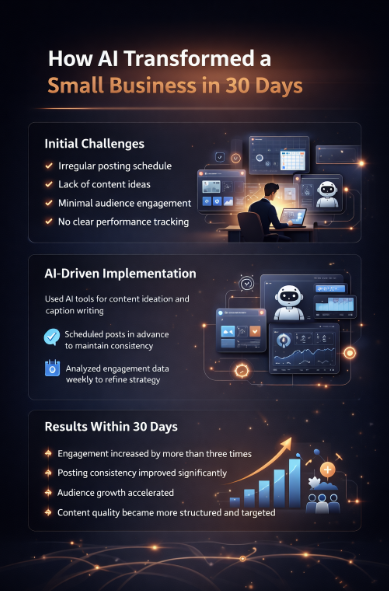
AI-Driven Implementation
The business adopted a simple but effective system:
- Used AI tools for content ideation and caption writing
- Scheduled posts in advance to maintain consistency
- Analyzed engagement data weekly to refine strategy
Results Within 30 Days
- Engagement increased by more than three times
- Posting consistency improved significantly
- Audience growth accelerated
- Content quality became more structured and targeted
This transformation was not accidental. It was the result of consistent execution supported by data and automation.
Key Takeaway
AI does not replace effort—it enhances it. When combined with discipline and strategy, it creates measurable growth.
7. Common Mistakes to Avoid
Where Most Users Go Wrong
Even with access to advanced tools, many users fail to achieve results due to avoidable mistakes.
1. Over-Reliance on AI
Publishing AI-generated content without editing often results in generic and repetitive posts. This reduces authenticity and weakens audience connection.
2. Ignoring Data and Analytics
Creating content without analyzing performance leads to stagnation. Growth depends on understanding what works and optimizing accordingly.
3. Poor Hashtag Usage
Using irrelevant or overly competitive hashtags limits reach. Hashtags should align with your niche and audience intent.
4. Excessive Automation
Automation improves efficiency, but overusing it can make your brand feel impersonal. Social media is built on interaction, and ignoring comments or messages reduces trust.
5. Lack of Strategy
Using multiple tools without a clear plan creates confusion rather than results. Tools should support a defined content and growth strategy.\
8. Future of AI in Social Media (2026–2030)
What to Expect in the Next Phase of Growth
The role of AI in social media is expanding rapidly. The next few years will introduce more advanced, predictive, and automated systems.
Emerging Trends
1. AI-Generated Influencers
Virtual influencers powered by AI will become more common, offering brands scalable and controlled marketing opportunities.
2. Fully Automated Video Creation
AI tools will handle scripting, editing, voiceovers, and publishing with minimal human input, reducing production time significantly.
3. Predictive Content Strategy
Instead of reacting to trends, AI will forecast what content is likely to perform before it becomes popular.
4. Hyper-Personalization
Content will be tailored to individual user behavior, increasing engagement and conversion rates.
Strategic Advantage
Early adopters of these technologies will gain a significant edge in building authority, scaling content, and dominating their niche.
9. Conclusion
From Automation to Authority
AI has transformed social media management into a faster, smarter, and more scalable process. However, tools alone do not guarantee success.
The real difference lies in how you use them.
When you combine automation with creativity, data with intuition, and consistency with strategy, you create a system that drives long-term growth.
If your goal is to:
- Save time
- Improve content quality
- Increase engagement
- Stay ahead of competitors
Then the next step is clear—start implementing AI tools into your workflow today.
Growth is no longer limited by effort alone. It is driven by smart execution.
10. SEO Optimization Checklist
Ensure Your Article Ranks and Performs
To maximize visibility and search performance, apply the following optimization practices.
Primary Keyword
AI tools for social media management 2026
Secondary Keywords
- Best AI social media tools
- AI content creation tools
- Social media automation tools
On-Page Optimization Strategy
1. Keyword Placement
Include your primary keyword in:
- Title
- Introduction
- At least one main heading
Use secondary keywords naturally throughout the content to maintain readability.
2. Content Structure
- Use clear headings (H2, H3)
- Keep paragraphs concise and readable
- Maintain logical flow between sections
3. Internal Linking
Link to related articles or services to improve user engagement and website structure.
4. Image Optimization
- Use high-quality visuals
- Add keyword-rich alt text
- Compress images for faster loading speed
5. Add FAQ Section
Include frequently asked questions to target voice search and improve search engine visibility. SEO is not just about keywords—it is about delivering value. When your content is informative, structured, and user-focused, rankings follow naturally.