AI Agents for Digital Marketing:- What AI agents actually are (versus what most articles claim), which tools matter in 2026, and a concrete step-by-step system for building your first fully automated marketing campaign — from strategy to execution to optimization.
The Honest Starting Point: Most Marketers Are Doing This Wrong
If you have spent any time searching for guides on AI agents and marketing in 2026, you have probably encountered one of two extremes. Either the content is laughably shallow — “just use ChatGPT to write your captions!” — or it reads like a computer science textbook that never connects theory to your actual Tuesday morning workload.
This article is going to try to be something different: practically useful for someone who understands marketing at a professional level, genuinely curious about AI, but not particularly interested in memorizing the architecture of transformer models. You do not need to know how a car engine works to drive well. You do need to know when to fill the gas tank and which roads to take.
There is, however, one fundamental concept you need to understand before any of the tactical advice will make sense. It is the distinction between AI that responds and AI that acts.
Section 1: What an AI Agent Actually Is (And Why the Distinction Matters More Than You Think)
Most of the “AI in marketing” conversation over the past few years has been about AI that responds. You ask it something. It answers. You copy the output into a document or platform. You manually take the next step. The human is still the bridge between every action.
An AI agent is architecturally different. An AI agent is a small software program that relies on language models — GPT, Claude, Gemini, or similar — to complete a specific task autonomously. An AI agent for marketing can automatically generate performance summaries of digital campaigns from dashboards and analytics tools, check that numbers in the text match the underlying data, and link each insight to its source.
The critical phrase there is autonomously. The agent does not wait for you to prompt it again. It takes an action, evaluates the result, and either continues or adjusts.
Here is a concrete way to think about the difference:
Traditional AI workflow:
You open ChatGPT → paste last week’s ad data → ask it to analyze performance → it gives you a summary → you manually write the recommendations → you email them to your team → your team decides what to change → someone logs into Meta Ads Manager and makes the changes.

AI agent workflow:
Every Monday at 9 AM, an agent pulls your Meta Ads data automatically, identifies campaigns with a click-through rate below 2%, generates new headline variants for those campaigns, logs the recommendations into a shared Notion document, sends a Slack notification to your team, and flags anything that needs human approval before it acts.
You are not involved in steps 1 through 5. You review the output, approve what makes sense, and the agent handles execution.
Traditional marketing automation is like a train on a fixed track. AI agentic workflows are more like a self-driving vehicle: they observe data, decide on actions, execute via APIs, learn from results, and repeat.
This is why the conversation in 2026 is fundamentally different from the AI conversation of 2023 or 2024. We have moved from tools that make individual tasks faster to systems that run entire workflows without continuous human involvement.
Section 2: Why 2026 Is the Inflection Point for Agentic Marketing
This is not hype. There are three structural shifts happening simultaneously that make AI agents genuinely practical for professional marketers right now, when they were not two years ago.
Shift 1: The Tools Became No-Code
Building an AI agent in 2023 required either hiring a developer or learning Python well enough to wire together APIs, vector databases, and language model calls. It was technically accessible in theory and practically inaccessible for most marketing professionals.
Workflow orchestration is gaining serious momentum through platforms like Zapier, Make, and n8n, which allow marketers to connect systems, coordinate actions, and automate work across environments that do not natively integrate. These automation layers help teams experiment with AI-supported operational flow.
Today, non-developers can build genuinely sophisticated multi-step agent workflows using visual, drag-and-drop interfaces. The barrier has shifted from “do you know how to code?” to “do you understand your own marketing workflow well enough to map it?”
Shift 2: The Business Case Became Provable
Anthropic ran growth marketing — paid search, social, email, and SEO — with one non-technical person plus Claude-based agents for ten months, achieving ten times the creative output. That is a real-world proof point from a company whose core product is the AI being used, which makes the incentives for exaggeration run in both directions — but the result is documented.
Read Also:- Surfer SEO vs Semrush 2026: Which Tool Actually Gets You Ranked? (An Honest, Hands-On Comparison)
More broadly, teams implementing automation have reported 30 to 200 percent first-year ROI and up to 300 percent long-term returns, but only when platforms handle sophisticated multi-step workflows without exponential cost increases.
The returns are real, but the caveat matters: they require building systems that actually close the loop, not just automating one step in an otherwise manual process.
Shift 3: The Competitive Gap Is Opening
AI-native competitors do not “use AI more” — they organize around it. They treat autonomy, data flows, and decision latency as competitive advantages.
According to Gartner, AI agents will take over many routine customer engagements — from notifications to reorders to personalized guidance — shifting marketing from channel-based execution to fluid, autonomous, agent-driven journeys.
The teams that start building agent-based workflows now are developing operational muscle memory and institutional knowledge that will be difficult to replicate in 12 months. The time to start is not when this becomes obvious. It is before.
Section 3: The Four Types of Marketing AI Agents You Should Know
Not all AI agents work the same way, and understanding the categories will help you make smarter decisions about what to build first.
1. Reactive Agents (Trigger → Action)
These are the simplest category and the right starting point. Something happens — a new lead fills out a form, a competitor publishes a blog post, a campaign metric crosses a threshold — and the agent takes a predefined action in response.
Example: A new contact is added to your CRM tagged as “enterprise inquiry.” The reactive agent automatically researches the company using web search tools, writes a personalized outreach email draft based on the company’s recent news, and drops it into a queue for human review before sending.
These are easy to build, reliable, and immediately useful. Start here.
2. Scheduled Agents (Time-Triggered Autonomous Actions)
These run on a recurring schedule — hourly, daily, weekly — and execute a workflow without any human trigger. They are the backbone of automated reporting, content pipelines, and performance monitoring.
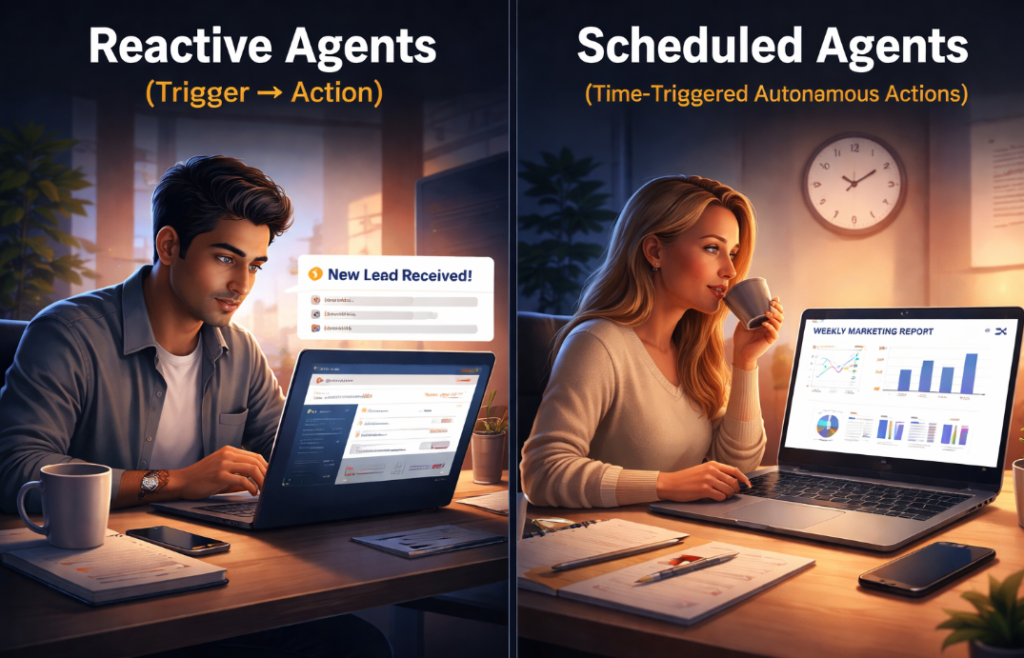
Example: Every Friday at 4 PM, a scheduled agent pulls data from Google Analytics, Google Search Console, and your email marketing platform, synthesizes a weekly performance summary, formats it in your standard reporting template, and posts it to a designated Slack channel with a plain-English “what happened and why” narrative.
Nobody had to ask for the report. Nobody had to collect the data. The report just appears.
3. Goal-Directed Agents (Multi-Step Reasoning)
These are more sophisticated. Rather than executing a fixed sequence of steps, the agent is given a goal and has to reason about how to achieve it, using available tools and data to make decisions along the way.
An AI-powered ad bidding system is a classic goal-directed agent: it decides how much to bid for an ad impression based on conversion probability, budget limits, and campaign goals. This type of agent is useful for determining the optimal decision when there are competing priorities.
Goal-directed agents require more careful design because they make judgment calls. You need to define guardrails — limits on what actions they can take without human approval — before deploying them in production.
4. Learning Agents (Continuously Improving)
Learning agents learn from experience, feedback, and data rather than fixed rules or models, improving their behavior over time. These are the most sophisticated category making headlines in 2026. Netflix’s recommendation system is a classic example — it gets better at suggesting shows the more you watch.
For most marketing teams, true learning agents are a 2027 project. The infrastructure requirements are significant, and the current generation of no-code tools does not fully support them. Be skeptical of vendors claiming their platform offers “self-learning agents” out of the box — the reality is usually a reactive or goal-directed agent with some basic personalization logic
Section 4: Choose Your Platform — The Honest 2026 Breakdown
This section will save you significant time and money. The platform decision determines almost everything about your workflow’s power, flexibility, and long-term cost.
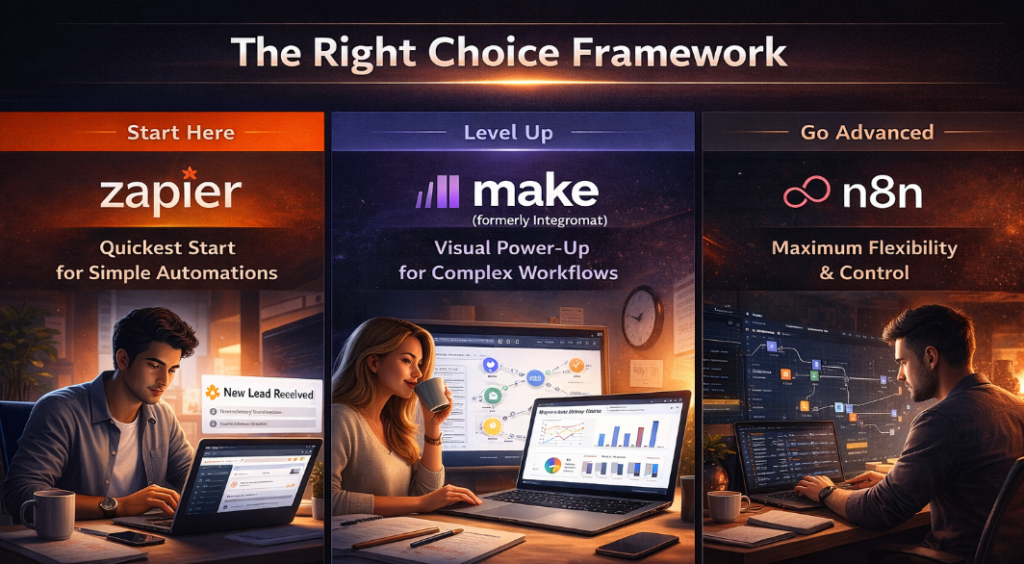
Zapier: The Right Starting Point for Most Marketers
For most small businesses and marketing teams, start with Zapier. It has the gentlest learning curve, the broadest app integration library — over 7,000 apps — and built-in AI capabilities that eliminate the need to manage API keys and model configurations separately.
Zapier’s architecture is linear, which is actually a feature at the beginning: the constraints force you to think clearly about your workflow logic before building. Its AI Agents product (part of the AI orchestration package) allows you to create multi-step agentic workflows without code, though branching logic and feedback loops require a paid plan.
Best for: Marketers new to automation, teams with straightforward linear workflows, organizations prioritizing breadth of integrations over depth of customization.
Pricing: Free plan includes 100 tasks/month and 5 Zaps. Paid plans start at $19.99/month for 750 tasks/month.
The honest limitation: Zapier charges per task, and a complex workflow with 10 steps counts as 10 tasks. At high volume, this becomes prohibitively expensive compared to alternatives.
Make.com: The Visual Power-Up
Make (formerly Integromat) sits between Zapier’s simplicity and n8n’s power. Its visual scenario builder is genuinely excellent — you can see the entire workflow as a connected diagram, which makes debugging and iteration significantly faster than working with text-based logic.
Make excels at complex journey mapping with multiple branching paths based on customer behavior. Its per-operation pricing (rather than per-task) also makes it more cost-efficient for most professional workflows than Zapier at comparable complexity levels.
Best for: Teams that have outgrown Zapier’s linear model but do not have engineering resources for n8n. Agencies managing multiple client workflows. Marketers who think visually about systems.
Pricing: Free plan includes 1,000 operations/month and 2 active scenarios. Paid plans start at $9/month for 10,000 operations.
n8n: Maximum Power for Technical Teams
n8n prioritizes technical flexibility with LangChain integration capabilities via nodes and multi-agent system support. It provides custom code nodes for complex logic and HTTP Request nodes for connecting to any REST API, including custom AI services.
n8n is open source, which means you can self-host it — keeping all your data on your own infrastructure, which matters enormously if you work with regulated industries or have strict data governance requirements. Its execution-based pricing model (charges per workflow execution regardless of the number of steps within it) makes it dramatically more cost-effective than Zapier at scale.
Read Also:-Facebook Account Disabled 2026: Ultimate Guide to Reasons, Hidden Causes & Instant Recovery Tricks
n8n has removed active workflow limits across all its cloud plans, meaning you can have unlimited workflows, steps, and users in each plan.
Best for: Agencies and advanced teams with some technical capacity, anyone building programmatic SEO pipelines or high-volume content automation, organizations with data sovereignty requirements.
Pricing: Cloud plans include unlimited workflows. Self-hosting is free.
The Right Choice Framework
If you are reading this and trying to decide: start with Zapier for your first agent, because the faster you get something running, the faster you learn what you actually need. If you are still using it in six months and hitting walls, move to Make. If you need deep customization or self-hosting, start with n8n from day one.
Section 5: The Anatomy of an Automated Marketing Campaign
Before we walk through the step-by-step build, let us define what a “fully automated marketing campaign” actually consists of. Understanding the structure prevents you from building only part of the system and wondering why results are not improving.
A complete automated campaign has four stages, each of which can be partially or fully handled by AI agents:
Stage 1 — Intelligence: Research, competitive monitoring, audience analysis, trend detection. Agents here are gathering and synthesizing information to inform decisions.
Stage 2 — Creation: Content drafting, ad copy generation, subject line testing, creative briefs. Agents here are producing assets based on the intelligence gathered in Stage 1.
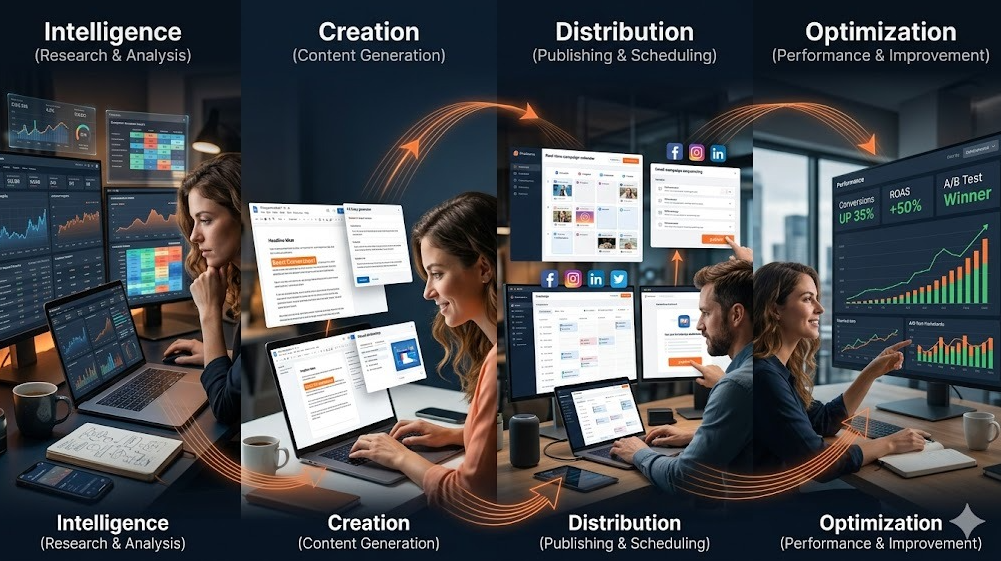
Stage 3 — Distribution: Publishing, scheduling, placement, sending. Agents here are moving finished assets into the channels where audiences will see them.
Stage 4 — Optimization: Performance monitoring, A/B test analysis, budget reallocation, iteration recommendations. Agents here are closing the feedback loop and improving future cycles.
Most teams that “use AI for marketing” are only automating Stage 2. They are using AI to write faster but still doing Stages 1, 3, and 4 manually. This is like buying a faster chef but still making your customers wait for a table, order food by hand, and bus their own tables. The individual improvement does not transform the operation.
A truly automated campaign runs all four stages with minimal human intervention, and humans are involved primarily at the strategy and approval level rather than the execution level.
Section 6: Step-by-Step — Building Your First Automated Marketing Campaign
This walkthrough uses a concrete example: an automated content marketing campaign for a B2B SaaS company. The specific context does not matter much — the structural logic applies to e-commerce, agencies, local businesses, and media publishers with minor adjustments.
Step 1: Map Your Current Workflow Before Touching Any Tool (Days 1–3)
This is the step most people skip, and it is the primary reason most agent projects fail.
Before you open Zapier, Make, or n8n, spend time documenting exactly what your current campaign workflow looks like. Not the idealized version — the actual version, including the tedious manual steps, the spreadsheets you check every morning, the reports that take three hours every Friday.
Write down every repetitive task that happens more than five times per week. Be specific. Not “content creation” — but “researching trending topics in our niche every Monday morning, writing briefs for the content team, distributing drafts to reviewers, and posting approved content to WordPress.”
For each task, score it on three dimensions: how much time it consumes weekly, how rules-based the decisions are (could you write a clear decision tree for this?), and how consequential a mistake would be if the agent got it wrong.
Read Also:- Customer Value Journey (5A Framework): Complete Guide for Modern Digital Marketing
Tasks that are high time cost, highly rules-based, and low consequence if imperfect are your first targets. Tasks that require significant judgment or where errors have real customer-facing consequences should stay human-controlled until you have built enough confidence in your agent infrastructure.
Step 2: Define Your First Agent’s Scope With Uncomfortable Specificity (Day 4)
Most first-time agent builders fail because they try to automate too much at once. “Automate my content marketing” is not an agent specification. It is a wish.
A real agent specification looks like this:
“Every Monday at 8 AM, search Google News and Twitter/X for articles and posts about [your industry keywords] published in the last 7 days. Filter for items with more than 100 shares or from recognized publications in our niche. For each item, extract the headline, URL, key argument, and why it is relevant to our audience. Compile these into a brief research document in Google Docs. Send a Slack notification to the content team with a summary and a link to the document.”
That is a specific, buildable agent. It has a clear trigger, a clear process, a clear output, and a clear delivery mechanism. You can build this in Zapier or Make in an afternoon.

Step 3: Choose Your Platform and Set Up Your Accounts (Day 5)
For this walkthrough, we will use Make.com for the middle tier of complexity — enough power to handle multi-step workflows without requiring you to write code.
Sign up for a Make.com account and connect the apps you need. For our content intelligence agent, this means connecting: your Google News or RSS feed reader, a web scraping tool (Make has native HTTP request modules for this), Google Docs or Notion for output, and Slack for notifications.
You will also need an API key for whatever AI model you use as the “brain” of your agent. OpenAI’s GPT-4o and Anthropic’s Claude are the two primary options for production marketing workflows. Both offer pay-per-use API pricing that is significantly cheaper than subscription products once you understand your volume.
Step 4: Build the Trigger and Data Collection Layer (Day 6)
In Make.com, every scenario starts with a module that triggers the workflow. For our Monday morning intelligence agent, the trigger is a Schedule module set to fire every Monday at 8 AM.
The next set of modules handles data collection. Connect an RSS reader module to your target publication feeds, or use HTTP Request modules to query search APIs for recent mentions of your target keywords. If you are using Google News, the simplest approach is to set up Google Alerts (free) and have them delivered to a dedicated Gmail inbox, then use Make’s Gmail module to pull new alerts every Monday morning.
You should now have a workflow that fires on Monday, collects recent articles from your defined sources, and passes the raw data to the next stage.
Step 5: Add the AI Brain — The Analysis and Synthesis Layer (Day 7)
This is where the agent becomes intelligent rather than just automated.
Add an OpenAI or Claude module to your Make scenario. In the system prompt, define the agent’s role and behavior: “You are a content intelligence analyst for [company]. Your job is to review recent articles and posts about [topic area] and identify the 5 to 7 most strategically relevant pieces for our content team. For each item, write a 2-sentence summary, explain why it is relevant to our audience, and suggest one content angle we could take in response. Be specific and practical.

In the user message field, pass in the raw article data collected in the previous step.
The AI module will process the articles and return a structured analysis. At this stage, you should test the output carefully. Run the scenario manually three or four times, review what the AI produces, and refine your system prompt until the output reliably matches what a strong junior analyst on your team would produce.
This prompt engineering phase is not glamorous, but it is where most of the real value gets created. Weak prompts produce generic output. Precise, context-rich prompts produce content intelligence that your team actually wants to read.
Read Also:- Best Automated Marketing Tools for Financial Advisors in 2026
Step 6: Build the Output and Delivery Layer (Day 8)
The analysis is only useful if it reaches the right people in the right format.
Add a Google Docs module to create a new document each week with the AI’s analysis formatted cleanly — a date-stamped title, the list of recommended items, and the strategic context for each. Use Make’s text formatting tools to structure this document properly, not just dump raw text.
Add a Slack module to send a notification to your content team’s channel. The notification should include a direct link to the new Google Doc and a one-line summary of the week’s most important finding. Keep it short — if your team has to read a long Slack message to decide whether to click the link, you have designed the wrong notification.
Test the full scenario end-to-end. Run it manually, check the Google Doc, check the Slack notification, and review the output quality. If anything looks off, trace backward through the scenario to identify where the problem is.
Step 7: Build the Content Creation Agent That Uses Your Intelligence (Days 9–12)
Now you have a system that delivers weekly content intelligence automatically. The next agent uses that intelligence to do something with it.
Build a second scenario — the content creation agent. This one is triggered not by a schedule but by a webhook: when a team member approves an item in the Google Doc (you can use a simple emoji reaction or a checkbox field to signal approval), the webhook fires and the content creation agent begins.
The content creation agent takes the approved article and strategic angle, researches additional context using a web search tool (Make’s HTTP Request module can call search APIs), pulls your brand voice guide from a Google Doc or Notion page, and generates a full content brief or first draft in your preferred format.
This is where the two-agent architecture becomes powerful. Your intelligence agent runs on autopilot and surfaces opportunities. Your creation agent executes on approved opportunities. You are in the loop at the approval stage — the strategic decision point — but not involved in the mechanical research and drafting work.
Step 8: Build the Performance Monitoring and Optimization Loop (Days 13–18)
This is the stage that makes the system genuinely self-improving, and it is what separates a basic automation from a true agentic campaign.
Build a third agent that connects to your analytics infrastructure — Google Analytics, Google Search Console, and your social media or email platform — and pulls performance data for the content you have published. Run this agent weekly, on Thursdays, so you have performance data before your Monday intelligence brief arrives.

The AI brain in this agent should be prompted to compare current content performance against your historical benchmarks, identify what is working (which topics, which formats, which distribution channels), flag anything that is significantly underperforming, and generate specific, actionable recommendations for the coming week.
Feed these recommendations back into your Monday intelligence brief as context. Over time, your intelligence agent will have access to a growing body of data about what resonates with your specific audience, and the content it surfaces will become increasingly well-calibrated to what actually drives results for your business.
Marketing automation will move from scheduled workflows to self-optimizing systems that plan, execute, and adjust campaigns across channels in real time. You have just built the early version of that system.
Section 7: The Multi-Agent Architecture — Scaling Beyond a Single Workflow
Once your first three agents are running reliably, you are ready to think about orchestration: multiple specialized agents working together on complex tasks.
In more complex scenarios, multiple AI agents can work together, each specializing in a different task. For example, one agent might be responsible for data analysis, another for content personalization, and a third for channel selection — all collaborating to deliver a seamless customer experience.
The most sophisticated agencies are no longer thinking about individual tools — they are designing agent workflows that span multiple tools and data sources. Orchestration platforms like n8n, Zapier, and purpose-built agent frameworks are the connective tissue that turns a collection of AI tools into a coordinated marketing system.
For a full content marketing operation, a mature multi-agent stack might look like this:
The Researcher — Monitors competitor content, trending topics, and search demand. Delivers a weekly briefing.
The Strategist — Takes the Researcher’s briefing plus performance data and recommends the week’s content priorities. This agent needs the most sophisticated prompting because it is making judgment calls.
The Writer — Drafts content based on the Strategist’s recommendations and approved briefs.
The Editor — Reviews the Writer’s drafts for factual accuracy, brand voice, and structural quality. Flags issues for human review.
The Distributor — Handles scheduling and publishing to relevant channels once content is approved.
The Analyst — Monitors performance, generates weekly insights, and feeds data back to the Strategist for the next cycle.
Each agent has a narrow, well-defined job. None of them tries to do everything. The system is robust because if one agent produces poor output on a given week, the others continue functioning and the problem is isolated and fixable.
Section 8: The Mistakes That Will Sink Your First Agent Project
Based on what practitioners are running into in 2026, these are the failure modes worth anticipating.
Building without measuring. If you do not establish baseline metrics before deploying an agent, you cannot demonstrate ROI, and you cannot tell whether the agent is actually improving outcomes or just changing how they happen. Before you deploy anything, document your current time costs, content volume, and performance metrics. Check back in 60 days.
Skipping the human-in-the-loop design. CMOs will need to invest in taking the time and upfront investment to identify the optimal approach, define a rollout plan, and develop an appropriate change plan to ensure they do not disrupt talent and processes. Without this, things will get worse before they get better. Agents that act without any human checkpoint create liability and erode team trust. Design approval gates into every workflow that has customer-facing output.

Over-trusting the AI output. Start small and simple before attempting to build complex multi-step workflows. Do not forget to incorporate guardrails to validate outputs before using them in production. AI language models hallucinate. They make up statistics, misattribute quotes, and sometimes reason incorrectly about nuanced business situations. Every agent output that reaches your customers should have a human validation checkpoint until you have high confidence in its reliability for that specific task.
Treating the agent as a set-and-forget system. Agents degrade over time as the information landscape changes, as competitor behavior shifts, and as your business evolves. Schedule a monthly audit of each agent’s output quality. When output starts drifting from what you expect, update the system prompt.
Automating a broken process. If your current content strategy is not working, building an agent around it will produce bad content faster. AI agents amplify whatever process they execute — good process amplifies into great results, broken process amplifies into expensive mistakes.
Section 9: The Emerging Frontier — AI Agents and the New Customer Journey
There is a larger strategic context worth understanding, because it will shape where agent-based marketing is heading over the next 18 months.
In 2026, a meaningful share of customer interactions will happen agent-to-agent. Shoppers will use AI assistants to check stock, confirm delivery times, and verify returns. Brands will respond with their own AI agents that can read order data and act instantly. Conversations that used to take minutes will collapse into a single automated exchange.
Despite industry optimism, consumer-facing shopping agents will see limited adoption in the near term due to low trust and fears of biased recommendations. Even AI-enthusiastic consumers hesitate to let digital agents make autonomous purchase decisions. As a result, AI tools will support early-stage discovery and research more than actual transactions, keeping revenue contribution relatively small initially.
This means the near-term opportunity is not replacing the human buying decision — that trust has not been established yet. The opportunity is in the research, discovery, and consideration stages: getting your brand and content in front of both human buyers and their AI assistants when they are gathering information.
According to Adobe’s 2026 research, nearly half of consumers say they would use AI to get personalized product recommendations, and 44 percent would rely on AI for instant customer service. Customers prefer AI-enabled interactions for reminders, notifications, answering simple questions, scheduling, and discovery — areas where speed, convenience, and relevance matter most.
The implication for your agent strategy: automate the parts of the customer journey where speed and convenience are the primary values. Keep humans in the loop where trust, judgment, and relationship are the primary values.
Section 10: Your 90-Day Launch Plan
Theory without execution is just reading. Here is a concrete timeline for moving from zero to a running, useful agent system.
Days 1–7: Foundation
Map your current workflow and identify your highest-value automation targets. Sign up for Make.com or Zapier. Connect your primary marketing tools. Build your first reactive agent — something simple like a new-lead notification with AI-generated context. Get one thing working before planning the next.
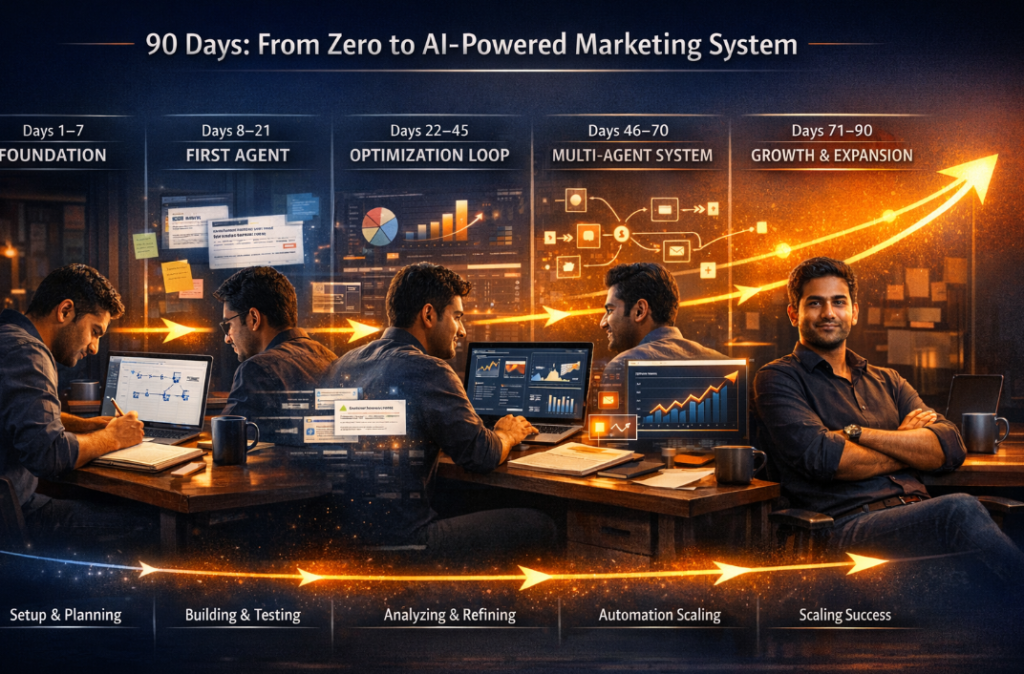
Days 8–21: First Agent Running
Build your content intelligence agent using the step-by-step process in Section 6. Run it manually for two weeks before switching to automatic scheduling. Review every output and refine your prompts until the quality is reliable. Document what works.
Days 22–45: Closing the Loop
Add the performance monitoring agent. Connect its output to your intelligence workflow. You now have a system that learns from results, not just one that executes tasks.
Days 46–70: Second Campaign Component
Build your content creation agent, triggered by approvals from the intelligence workflow. You now have three connected agents running together. Measure the time you are saving versus your pre-automation baseline.
Days 71–90: Evaluate and Expand
Review the ROI of what you have built. What is working well? What is producing low-quality output? What tasks are still consuming disproportionate time? Use this data to prioritize the next agent to build. If you have hit the limits of Make.com, evaluate whether moving to n8n makes sense for your next project.
The Mindset Shift That Makes All of This Work
There is something deeper going on than just tool adoption, and it is worth naming directly before you close this article.
If you run marketing like a relay race between specialized teams, you will be outperformed by organizations that run it like a control room overseeing agentic AI workflows. As AI scales execution, leadership judgment becomes the primary differentiator.
The marketers who will win over the next few years are not the ones who automate the most tasks. They are the ones who redesign their operations around a new assumption: that execution is increasingly cheap and scalable, so the value has shifted to strategy, judgment, and the quality of the systems they design.
Your job is changing. Not disappearing — changing. The administrative and analytical work is being absorbed by agents. What remains distinctly human is the ability to set the right goals, ask the right questions, build systems that reflect genuine understanding of your audience, and know when the agent is wrong.
That combination of strategic thinking and technical fluency is the most valuable skill in marketing right now. Building your first AI agent is not just about saving time on Monday mornings. It is about developing the operational intelligence to run marketing at a level that was not practically achievable two years ago.