AI Video Editing Tools in 2027:- Video content has become an important part of digital marketing, online education, entertainment, and business promotion. From YouTube videos and Instagram Reels to product demonstrations and online advertisements, businesses and creators are using videos to reach their audiences. However, editing videos manually can take hours, especially when a project requires subtitles, background music, transitions, visual effects, and multiple versions for different platforms.
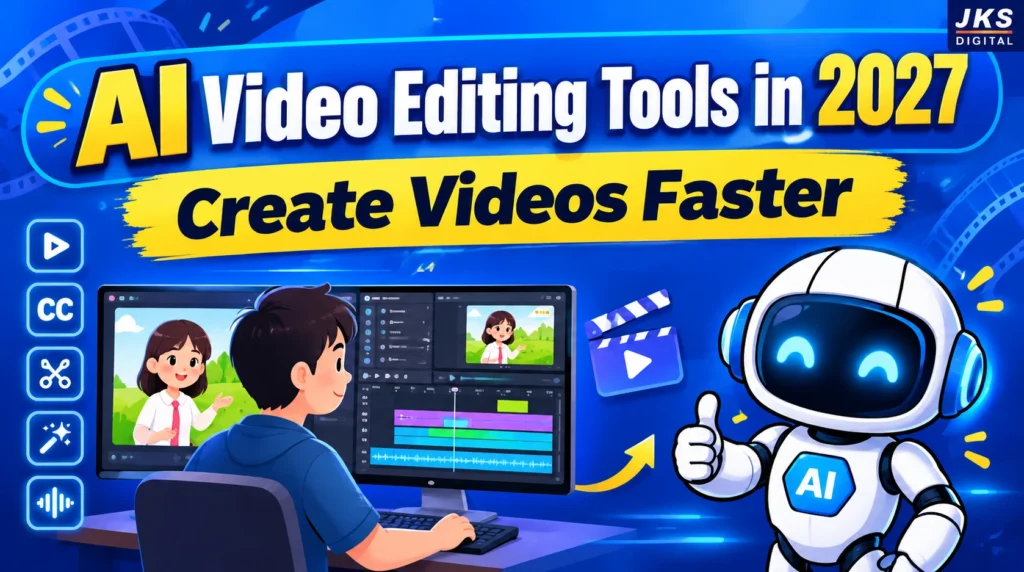
This is where AI video editing tools can help. These tools use artificial intelligence to automate repetitive editing tasks, generate video clips, remove unwanted pauses, create subtitles, improve audio, and turn existing content into shorter videos. In 2027, AI-powered video workflows are becoming increasingly useful for content creators, digital marketers, freelancers, and businesses that want to produce videos more efficiently.
The biggest advantage of AI video editing is not simply that it makes editing faster. It also helps beginners create professional-looking content without mastering every traditional editing technique. However, the final quality still depends on the original footage, the editing decisions, and human creativity.
In this guide, we will explore the best AI video editing tools in 2027, their key features, practical uses, pricing considerations, and how to choose the right tool for your needs.
What Are AI Video Editing Tools?
AI video editing tools are software applications that use artificial intelligence to simplify or automate different stages of video production. Instead of performing every task manually, users can rely on AI features to complete selected editing tasks with fewer steps.
For example, an AI video editor may automatically generate subtitles from speech, identify important moments in a long video, remove background noise, or convert a written script into a video with visuals and voice-over.
Some tools focus on traditional video editing with AI-powered features, while others specialize in generating videos from text prompts, creating animated scenes, or repurposing long videos into short-form content.
These tools can be particularly useful for:
- YouTubers who publish videos regularly.
- Digital marketers creating promotional videos and advertisements.
- Businesses producing product demonstrations and explainer videos.
- Freelancers offering video editing services to clients.
- Educators creating tutorials and online learning materials.
- Social media managers producing Reels, Shorts, and other short videos.
AI tools do not eliminate the need for creative decisions. They make certain tasks easier, allowing creators to spend more time on storytelling, content quality, and audience engagement.
10 Best AI Video Editing Tools in 2027
Choosing the right AI video editor depends on the type of content you create, your editing experience, your budget, and the features you need. Some tools are designed for quick social media videos, while others provide advanced editing controls for professional projects.
The following tools are useful options to consider for different video editing workflows in 2027.
1. Adobe Premiere Pro
Adobe Premiere Pro is a professional video editing application used for YouTube content, marketing campaigns, interviews, documentaries, and commercial productions. It combines traditional timeline editing with AI-powered features that help editors complete repetitive tasks more efficiently.
Its AI capabilities include text-based editing, automatic transcription, object masking, speech enhancement, and Generative Extend for extending certain clips. These features can help editors refine footage without performing every adjustment manually.
Adobe India
+1
Key features:
- AI-assisted editing and transcription.
- Automatic subtitles and text-based editing.
- Object masking and tracking.
- Audio enhancement and colour correction.
- Advanced timeline controls for professional projects.
Best for: Professional video editors, YouTubers, agencies, and businesses producing high-quality video content.
Limitation: Beginners may need time to learn its interface, and a paid subscription is required for the full application.
Official website: Adobe Premiere Pro
2. CapCut
CapCut is a popular option for creators who produce short-form videos for Instagram Reels, YouTube Shorts, and other social platforms. Its editing workflow combines templates, visual effects, text animations, automatic captions, and AI-assisted features.
Creators can use it to add subtitles, adjust video formats, improve presentation, and create engaging clips without learning a complex professional editing interface. Feature availability can vary by device, region, and subscription plan.
Key features:
- Automatic captions and subtitle styling.
- Templates, transitions, and visual effects.
- Background removal and reframing features.
- Music, text animations, and social media editing.
- Desktop, browser, and mobile workflows, where available.
Best for: Beginners, social media managers, content creators, and digital marketers.
Limitation: Some advanced features require payment, and availability differs by region. Creators should also check export settings before publishing client projects.
Official website: CapCut
3. Descript
Descript takes a different approach to video editing by allowing users to edit spoken content through a transcript. Instead of searching through an entire recording to find a sentence, an editor can locate the relevant words in the transcript and make changes to the video more easily.
This approach is particularly helpful for interviews, podcasts, tutorials, presentations, and talking-head videos. Descript also offers AI-assisted audio cleanup, captioning, and tools for repurposing content.
Key features:
- Transcript-based video editing.
- Automatic transcription and captions.
- Removal of unwanted words and pauses.
- AI-assisted audio enhancement.
- Tools for creating shorter clips from longer recordings.
Best for: Podcasters, educators, interview-based channels, and YouTube creators.
Limitation: It is less suited to projects that require extensive cinematic effects or highly detailed visual compositing.
Official website: Descript
4. Runway
Runway is an AI-powered creative platform that focuses on generating and transforming visual content. It is useful when a project requires AI-generated scenes, creative visual effects, or footage that would be difficult or expensive to produce using a traditional camera.
Read Also:- How to Earn Money with Inflio in 2027: Make Money from Instagram Reels and YouTube Shorts
For example, a marketer could use generative video features to develop visual concepts for an advertisement, while a creator could experiment with cinematic scenes for a storytelling project.
Key features:
- AI-generated video content.
- Visual transformation and generative effects.
- Creative experimentation with scenes and footage.
- Tools for developing promotional and storytelling visuals.
Best for: Creative professionals, advertisers, filmmakers, and content creators experimenting with generative video.
Limitation: Generative features can consume credits, and AI-generated scenes may require several attempts to achieve the desired result.
Official website: Runway
5. OpusClip
OpusClip is designed to turn long videos into shorter clips for social media. Instead of manually reviewing an entire podcast, interview, webinar, or YouTube video, creators can use its AI-assisted workflow to identify potential highlights and prepare short-form content.
This can help businesses and creators reuse existing footage across multiple platforms rather than producing every video from scratch.
Key features:
- AI-assisted highlight detection.
- Automatic creation of short clips.
- Vertical video reframing.
- Caption generation and clip formatting.
- Workflows for repurposing long-form content.
Best for: Podcasters, YouTubers, agencies, and social media teams that regularly publish short videos.
Limitation: AI-selected clips may miss important context or choose weak opening moments, so human review is still necessary.
Official website: OpusClip
6. VEED
VEED is a browser-based video editing platform that helps users edit footage without relying entirely on desktop software. It is especially useful for creating social media content, subtitles, marketing videos, and simple business presentations.
Its online workflow can be convenient for teams that want to make quick edits and prepare content from different devices.
Key features:
- Automatic subtitles and transcription.
- Browser-based video editing.
- AI-assisted audio and visual tools.
- Video resizing for different platforms.
- Features for preparing marketing and presentation videos.
Best for: Freelancers, small businesses, marketing teams, and beginners who prefer online editing.
Limitation: Advanced features and export options may depend on the selected subscription plan.
Official website: VEED
7. InVideo AI
InVideo AI is useful for people who want to create videos from written prompts or scripts. Rather than assembling every scene manually, users can describe their video idea and use the platform to generate an initial draft with visuals, narration, and other elements, depending on the available features.
For example, a digital marketer could develop a first draft for a product explainer, while a content creator could turn a written outline into a video concept.
Key features:
- Prompt-based video creation.
- Script-to-video workflows.
- AI voice-over options.
- Visual selection and scene arrangement.
- Editing and customization of generated drafts.
Read Also:- 10 Best Earning Platforms for Students in India in 2027: Earn Money Online Without Investment
Best for: Beginners, marketers, educators, and creators who need to produce videos from written ideas.
Limitation: Generated visuals, narration, and factual details should be reviewed carefully before publishing. Some plans also have usage limits.
Official website: InVideo
8. DaVinci Resolve
DaVinci Resolve combines video editing, colour correction, visual effects, and audio post-production in one application. Its free version makes it an option for creators who want substantial editing control without immediately paying for professional software.
The application also offers AI-assisted features, with some advanced Neural Engine capabilities available in the paid Studio edition.
Key features:
- Professional timeline editing.
- Advanced colour grading.
- Audio editing and post-production.
- Visual effects and compositing.
- AI-assisted tools in supported editions.
Best for: Serious content creators, filmmakers, and editors who want detailed control over video quality.
Limitation: Its extensive features can be challenging for beginners, and demanding projects may require a capable computer.
Official website: DaVinci Resolve
9. Canva
Canva is useful for creating simple, visually consistent videos without a complicated editing process. Its template-based workflow makes it easier to combine text, images, animations, brand elements, and video clips for marketing purposes.
Businesses can use it to create promotional videos, educational content, product announcements, and branded social media posts.
Key features:
- Ready-made video templates.
- Text animations and design elements.
- Brand assets and reusable layouts.
- Social media video creation.
- AI-assisted creative features, depending on the plan.
Best for: Small businesses, marketers, educators, and creators who prioritize design and speed.
Limitation: Editors who need detailed timeline control or advanced cinematic effects may prefer dedicated video editing software.
Official website: Canva
10. Wondershare Filmor
Wondershare Filmora combines a beginner-friendly editing interface with AI-assisted tools. It is intended for users who want more control than a basic template editor provides without immediately moving to a complex professional application.
Creators can use it for YouTube videos, tutorials, promotional content, and personal projects that require transitions, titles, effects, and audio adjustments.
Key features:
- Timeline-based video editing.
- AI-assisted editing and content tools.
- Effects, transitions, and animated titles.
- Audio editing and subtitle workflows.
- Export options for common video formats.
Best for: Beginner and intermediate editors, YouTubers, and freelancers.
Limitation: Certain AI features may use credits or require a paid plan, and the free export experience may include restrictions.
Official website: Wondershare Filmora
How to Choose the Right AI Video Editing Tool
The best AI video editing software depends on your primary goal. A creator who publishes daily Reels may need a different workflow from a professional editor producing a commercial advertisement.
| Your requirement | Tools to consider |
|---|---|
| YouTube videos and professional editing | Adobe Premiere Pro, DaVinci Resolve |
| Instagram Reels and YouTube Shorts | CapCut, VEED |
| Podcasts and talking-head videos | Descript |
| Turning long videos into short clips | OpusClip |
| AI-generated scenes and visual effects | Runway |
| Creating videos from scripts | InVideo AI |
| Branded promotional videos | Canva |
| Beginner-friendly timeline editing | Filmora |
These are recommendations based on each tool’s primary strengths, not a universal ranking. Features and pricing can change, so check the official websites before purchasing a subscription.
Free vs Paid AI Video Editing Tools: Which Is Better?
When choosing an AI video editor, one of the most important decisions is whether to use a free tool or invest in a paid subscription. Both options can be useful, but the right choice depends on your editing requirements, publishing frequency, and budget.
Free AI video editing tools are suitable for beginners, students, and creators who want to learn video editing without spending money. They often provide basic editing features, templates, transitions, and selected AI-powered functions. However, some free plans may include export limitations, watermarks, restricted AI credits, or limits on video quality.
Read Also:- How to Make Money Creating AI Product Demo Videos for SaaS Companies in 2027
Paid AI video editing software generally offers more advanced features, higher usage limits, and additional control over the editing process. Depending on the tool and subscription plan, users may get access to premium effects, advanced audio tools, faster workflows, and more AI-generated content.
Here is a comparison of the two options.
| Feature | Free AI Tools | Paid AI Tools |
|---|---|---|
| Basic video editing | Usually available | Available |
| Automatic captions | May have limits | Often more options |
| AI video generation | Limited credits or access | Higher limits on eligible plans |
| Export quality | May be restricted | More export options |
| Watermark-free export | Depends on the tool | Depends on the plan |
| Advanced effects | Limited selection | More features |
| Commercial use | Check individual licence | Check subscription and licence terms |
| Best for | Beginners and occasional creators | Regular creators and businesses |
Before purchasing a subscription, check the latest pricing, AI credit limits, export restrictions, and commercial-use terms on the official website. A paid plan does not automatically mean unlimited AI generation or unrestricted usage rights.
Best AI Video Editing Tools for YouTube Videos
YouTube videos often require more than basic cuts and transitions. Creators may need to remove pauses, improve audio quality, add subtitles, create engaging introductions, and maintain a consistent editing style.
The following tools can help with different parts of the YouTube production process.
Adobe Premiere Pro
Adobe Premiere Pro is suitable for creators who want detailed control over their video projects. It supports advanced timeline editing and AI-assisted features that can help with transcription, audio enhancement, masking, and other editing tasks.
It is a strong option for educational videos, product reviews, interviews, documentaries, and professional YouTube content.
Descript
Descript is especially useful for videos where spoken content is the main focus. Its transcript-based editing workflow makes it easier to find and remove unnecessary sections from interviews, tutorials, podcasts, and talking-head videos.
For creators who record long videos, this can reduce the time spent searching through footage.
DaVinci Resolve
DaVinci Resolve is useful for creators who want advanced editing and colour-grading controls. Its free version provides substantial functionality, while the Studio version adds further professional and AI-assisted capabilities.
It is particularly valuable when video quality, colour consistency, and detailed post-production matter.
Wondershare Filmora
Filmora offers a more approachable editing workflow for beginners and intermediate creators. It includes timeline editing, effects, transitions, and AI-assisted features that can help creators produce polished YouTube videos.
The best choice depends on your editing experience. Beginners may prefer a simpler interface, while professional editors may need more advanced controls.
Best AI Video Editing Tools for Instagram Reels and YouTube Shorts
Short-form videos require a different editing approach. The opening seconds matter, captions need to be readable on mobile screens, and the final video should fit the platform’s vertical format.
CapCut
CapCut is a useful option for creating short-form videos with captions, transitions, effects, and text animations. It can help creators prepare engaging Reels and Shorts without building every visual element manually.
OpusClip
OpusClip is designed to identify potential highlights from longer videos and convert them into short clips. It can be useful for repurposing podcasts, interviews, webinars, and existing YouTube content.
VEED
VEED provides browser-based editing features for captions, resizing, and social media content creation. It can be useful when creators want to edit and prepare videos online.
Canva
Canva works well for short promotional videos that rely on branded layouts, animated text, product visuals, and templates. It is particularly suitable for businesses that need consistent social media designs.
One important point: automatically generated clips should always be reviewed before publishing. A short clip may contain missing context, an awkward cut, or a weak opening that reduces viewer engagement.
Best AI Video Editing Tools for Business Marketing
Businesses use video content for product demonstrations, advertisements, customer education, service explanations, and social media promotion. The ideal tool depends on whether the business is editing existing footage or generating videos from scripts.
InVideo AI
InVideo AI can help users create an initial video draft from a written prompt or script. It is useful for explainer videos, promotional concepts, and content where a text-to-video workflow saves time.
Businesses should review the selected visuals, voice-over, and factual information before using the final video in a campaign.
Runway
Runway is suitable for creative projects that need generated scenes or AI-assisted visual effects. Marketing teams can use generative video workflows to explore concepts and develop visuals that may be difficult to film directly.
Read Also:- Best Affiliate Marketing Platforms in 2027: Which Is Right for You?
Canva
Canva is useful for businesses that want to maintain consistent brand colours, fonts, and layouts across promotional videos. Its template-based approach can simplify the creation of product announcements, educational content, and social media advertisements.
Adobe Premiere Pro
For campaigns that require detailed editing, precise audio control, and professional finishing, Premiere Pro provides a more comprehensive editing workflow.
Businesses should also confirm that the music, footage, AI-generated assets, and other elements they use are licensed appropriately for their intended commercial purpose.
Important Features to Check Before Choosing an AI Video Editor
Not every AI video editor provides the same capabilities. Before selecting a tool, consider the following features.
1. Automatic Captions and Subtitles
Automatic captioning converts spoken words into text. This can make videos easier to follow, especially when people watch without sound.
However, AI transcription may make mistakes with names, technical terms, accents, and background noise. Always proofread captions before publishing.
2. Background Removal
Background removal helps separate a person or object from its original background. This can be useful for product demonstrations, presentations, and promotional videos.
The quality depends on the footage, lighting, movement, and the tool’s capabilities.
3. AI Audio Enhancement
Audio enhancement tools can reduce certain types of background noise and make speech clearer. This is valuable for interviews, educational videos, and business presentations.
AI enhancement cannot always repair severely distorted or poorly recorded audio, so recording quality remains important.
4. Automatic Reframing
Automatic reframing adjusts a video’s composition for different screen sizes. For example, a landscape video may be adapted to a vertical format for Reels or Shorts.
Creators should check the result manually to ensure that faces, products, and important text remain visible.
5. Text-to-Video Generation
Text-to-video features can generate footage from written descriptions. These tools are useful for visual concepts, promotional drafts, and creative storytelling.
Generated footage may contain visual inconsistencies or inaccurate details. It should be checked carefully, especially when a video represents a real product, business, or event.
6. Export Quality and File Formats
Check whether the editor supports the resolution, frame rate, aspect ratio, and file format required for your project. If you publish regularly, export restrictions can significantly affect your workflow.
7. Commercial Usage Rights
If you create videos for clients, advertisements, or business websites, review the tool’s licensing terms. Confirm the permitted use of generated videos, music, stock footage, fonts, and other assets.
Pros and Cons of AI Video Editing Tools
AI video editing tools can simplify video production, but they also have limitations.
Advantages
- Reduce the time required for repetitive editing tasks.
- Help beginners produce videos with less technical experience.
- Make captions and content repurposing easier.
- Support faster creation of social media content.
- Provide new ways to generate and experiment with visuals.
Disadvantages
- Some advanced features require paid subscriptions.
- AI-generated content may contain errors or visual inconsistencies.
- Automatic editing can miss context and storytelling details.
- Subscription limits and AI credits can increase production costs.
- Generated content may require additional manual editing to meet professional standards.
AI is most useful when it supports a clear editing process rather than replacing human judgement entirely.
How to Edit Videos Using AI Tools in 2027
Creating a professional video with AI does not always require advanced editing skills. With the right workflow, beginners can turn raw footage, written scripts, or existing videos into polished content. However, the results depend on the quality of the source material and the amount of editing and review involved.
Here is a step-by-step process for creating videos with AI tools.
Step 1: Decide the Purpose of Your Video
Before opening an editing tool, decide what you want to create. Your goal will determine the video format, editing style, length, and features you need.
For example, a YouTube tutorial may require screen recordings and detailed explanations, while an Instagram Reel may need quick cuts, readable captions, and an engaging opening.
Define your target audience and the main message before starting the editing process.
Step 2: Choose the Right AI Video Editing Tool
Select software based on the type of video you want to produce.
- For professional timeline editing, consider Adobe Premiere Pro or DaVinci Resolve.
- For short-form social media videos, consider CapCut.
- For transcript-based editing, consider Descript.
- For turning long videos into short clips, consider OpusClip.
- For creating videos from written prompts, consider InVideo AI.
- For AI-generated visual scenes, consider Runway.
You do not need to purchase several subscriptions immediately. Start with one tool that meets your primary requirement and explore its available features.
Step 3: Prepare Your Footage or Script
If you are editing recorded footage, organise your video clips, voice recordings, images, and music before importing them into the editor.
If you are creating a video from a script, write a clear introduction, organise the main points, and prepare a conclusion. You can also divide the script into scenes to make the visual planning easier.
For example, a product demonstration might include an introduction to the problem, a product overview, a demonstration of its main features, and a final call to action.
Step 4: Use AI to Complete Repetitive Editing Tasks
Once your material is ready, use the AI features available in your chosen software.
Depending on the tool, you may be able to generate subtitles, remove unwanted pauses, improve speech clarity, reframe footage, or identify useful clips.
Review the results instead of accepting every automatic edit. AI may remove a pause that is important to the meaning of a sentence or select a clip that does not make sense without additional context.
Step 5: Add Captions, Music, and Visual Elements
Captions help viewers follow spoken content, while suitable background music and visual elements can improve the overall presentation.
Keep subtitles readable, use transitions consistently, and avoid unnecessary effects. If you are creating branded content, use the correct logo, colours, and fonts.
Make sure that music, stock footage, and other assets are licensed for your intended use.
Step 6: Export and Review the Final Video
Before publishing, watch the complete video from beginning to end. Check for incorrect subtitles, abrupt cuts, audio problems, spelling mistakes, and visual inconsistencies.
Confirm that the video uses the correct aspect ratio and resolution for its intended platform. Also check the final file for unwanted watermarks or export restrictions.
After completing these checks, publish the video and review audience feedback to identify improvements for future projects.
How to Choose the Best AI Video Editing Tool for Beginners
Beginners should focus on usability and essential features rather than choosing software simply because it has the largest number of AI capabilities.
Consider these five factors before making a decision.
Ease of use: Choose an editor that you can learn without spending too much time understanding its interface.
Budget: Start with a free plan or free version when available. Upgrade only when you need specific features or higher usage limits.
Editing requirements: Identify whether you mainly create short videos, long YouTube videos, interviews, tutorials, or AI-generated scenes.
Computer compatibility: Check the system requirements and whether the tool works in a browser, on a desktop, or on a mobile device.
Export and licensing: Confirm video quality, watermark restrictions, AI usage limits, and commercial-use rights before relying on a tool for client projects.
A simple editor that fits your workflow can be more useful than a sophisticated application whose features you rarely use.
How Digital Marketers Can Use AI Video Editing Tools
AI video editing can support several digital marketing activities. Businesses and marketing agencies can use these tools to improve their content production process without creating every video entirely from scratch.
Social Media Marketing
Marketing teams can use AI-assisted editing to prepare Reels, Shorts, product announcements, and educational videos. Automatic captions and resizing can help adapt existing content for different platforms.
YouTube Marketing
Creators can use transcription, audio enhancement, and editing assistance to prepare tutorials, interviews, reviews, and educational videos. Long-form content can also be repurposed into shorter clips.
Advertising Campaigns
Businesses can produce different versions of a promotional video to test alternative hooks, messages, and calls to action. Each version should be reviewed for accuracy, brand consistency, and platform requirements.
Client Projects
Freelancers and agencies can use AI to speed up repetitive tasks, allowing more time for storytelling, creative direction, and client revisions.
However, AI tools alone do not guarantee better marketing results. Video performance also depends on the offer, audience, creative quality, distribution strategy, and campaign objectives.
Common Mistakes to Avoid When Using AI Video Editors
Even powerful editing tools can produce poor results when they are used without proper planning.
- Relying entirely on automatic editing: Always review the final video for context and accuracy.
- Ignoring captions: Incorrect subtitles can make a professional video appear careless.
- Adding too many effects: Excessive transitions, animations, and text can distract viewers.
- Ignoring licensing: Check permissions for generated assets, music, and stock footage.
- Choosing tools without checking costs: AI credits, export restrictions, and subscription renewals can affect your budget.
- Publishing without testing: Watch the exported file before uploading it to your website or social media account.
Avoiding these mistakes can help you produce clearer, more consistent videos.
Frequently Asked Questions About AI Video Editing Tools in 2027
1. Which is the best AI video editing tool in 2027?
There is no single best tool for everyone. Adobe Premiere Pro and DaVinci Resolve are options for advanced editing, CapCut is useful for short-form content, Descript supports transcript-based editing, and Runway focuses on generative video workflows. The best choice depends on your requirements and budget.
2. Are there free AI video editing tools?
Yes. Some applications offer free versions or free plans, including DaVinci Resolve and selected features of other editors. However, AI credits, premium features, export options, and usage limits vary. Check the official website before starting a project.
3. Can beginners create professional videos using AI?
Yes, beginners can use AI-assisted editing to create polished videos. However, professional results still require planning, appropriate footage, good audio, accurate captions, and careful review.
4. Which AI video editor is best for YouTube?
Adobe Premiere Pro, DaVinci Resolve, Descript, and Filmora are options for different YouTube workflows. The right choice depends on whether you need advanced editing, colour grading, transcript-based editing, or a beginner-friendly interface.
5. Which AI tools are useful for Instagram Reels?
CapCut, VEED, and Canva are useful options for creating short-form social media content. OpusClip can help turn longer recordings into shorter clips. Feature availability and pricing should be checked before selecting a tool.
6. Can AI automatically add subtitles to videos?
Yes. Many video editing tools can transcribe speech and generate subtitles automatically. However, users should review the captions because AI can misinterpret names, accents, technical terms, and unclear speech.
7. Can AI turn text into a video?
Yes. Platforms such as InVideo AI and Runway offer text-based video generation workflows. The capabilities differ, so users should check whether a tool generates complete videos, individual scenes, or supporting visuals.
8. Are AI-generated videos suitable for commercial use?
They can be, but commercial usage depends on the tool’s licence, the subscription plan, and the rights associated with any included assets. Review the applicable terms before using AI-generated content in advertisements or client projects.
9. Will AI replace human video editors?
AI can automate repetitive tasks and simplify parts of the editing process, but human judgement remains important for storytelling, pacing, accuracy, creative decisions, and client requirements. Editors who learn to use AI effectively may be able to improve their workflows.
10. How much do AI video editing tools cost?
Costs vary widely. Some tools have free versions, while others charge monthly or annual subscription fees. Certain platforms also use credits for AI generation. Compare current plans and calculate the cost based on your expected monthly video production.
Conclusion
AI video editing tools in 2027 are helping creators, businesses, freelancers, and digital marketers simplify video production. From automatic subtitles and audio enhancement to text-based editing and generative video, these tools provide different ways to save time and improve creative workflows.
The key is to select software that matches your requirements instead of paying for features you do not need. Beginners can start with a free editor, while professionals may benefit from advanced timeline controls and specialised AI features.
Most importantly, AI should support human creativity rather than replace careful editing. Review every video, verify its content, respect licensing requirements, and focus on delivering value to your audience.
As AI video technology continues to evolve, learning how to combine these tools with strong storytelling and effective content strategy can help creators produce better videos and build more efficient workflows.