Google Search Console vs Google Analytics:- This is one of the most common points of confusion for website owners, bloggers, and SEO professionals. You may see thousands of clicks in Google Search Console but a noticeably different number of sessions in Google Analytics. At first, it can look like one of the tools is reporting incorrect data.
If you have ever checked your website traffic in Google Search Console and then opened Google Analytics and wondered, “Why are these numbers different?”, you are not alone.
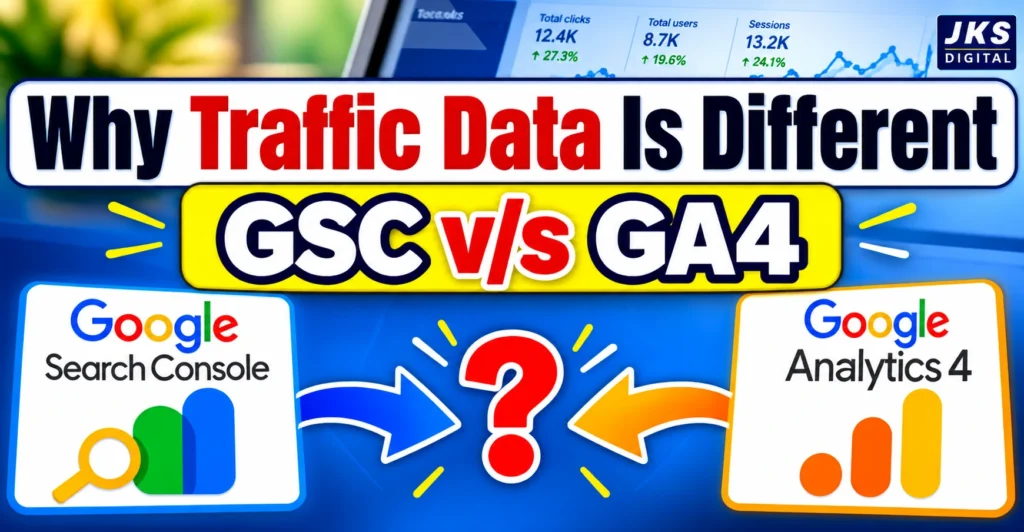
The reality is more straightforward: Google Search Console and Google Analytics are designed to measure different stages of a user’s journey.
Search Console mainly helps you understand how your website performs in Google Search. Google Analytics, on the other hand, helps you understand what happens when people reach your website.
So, the real question is not simply which tool is “right.” It is which data is appropriate for the question you are trying to answer.
Google Search Console and Google Analytics Do Different Jobs
Before comparing numbers, it helps to understand why these two platforms exist in the first place.
Google Search Console is focused on your website’s presence in Google Search. It can show you how often your pages appeared in search results, which queries brought clicks, your average position, and how users interacted with your search listings.
Google Analytics is focused on activity on your website. It can help you understand users, sessions, engagement, traffic sources, conversions, and what visitors do after arriving on your site.
Think of it this way:
Search Console answers:
“Did people find my website through Google Search, and how did my site perform there?”
Google Analytics answers:
“What happened when people arrived on my website?”
Both questions matter, but they are not the same question.
What Does Google Search Console Actually Measure?
Google Search Console provides data about your website’s performance in Google Search.
Some of its most important metrics include:
- Clicks
- Impressions
- Click-through rate (CTR)
- Average position
- Search queries
- Top-performing pages
- Search appearance
For example, suppose one of your blog posts appears 20,000 times in Google Search during a particular period and receives 800 clicks.
Search Console can help you understand that search performance.
You can investigate which queries generated those impressions, which queries produced clicks, which pages performed best, and how your average position changed over time.
This makes Search Console particularly useful for SEO analysis.
What Is a Search Console Click?
A click in Search Console generally represents a user’s click from a Google Search result to your website.
Imagine someone searches:
“How to improve website traffic”
Your article appears in the results, and the person clicks your result.
That interaction can be reflected as a click in Search Console.
However, a Search Console click should not automatically be treated as exactly the same thing as a Google Analytics session.
That difference is important when comparing the two platforms.
What Does Google Analytics Measure?
Google Analytics looks at activity associated with your website or app.
For a website, you can use it to understand things such as:
- Users
- Sessions
- Engagement
- Landing pages
- Traffic acquisition
- Events
- Conversions
- User journeys
For example, someone may discover your article through Google Search, arrive on your website, read the article, visit another page, and submit a form.
Analytics is designed to help you understand what happened during that visit and what actions the visitor took.
This is why GA4 is particularly useful when you want to understand on-site behaviour rather than just search visibility.
GSC Clicks vs GA4 Sessions: Why Are They Not the Same?
This is where most of the confusion starts.
Suppose you see:
Google Search Console: 5,000 clicks
Google Analytics: 4,300 organic sessions
It is tempting to think that 700 clicks have somehow disappeared.
But that conclusion is too simple.
A click reported by Search Console and a session reported by Analytics are based on different measurement systems. They are not designed to produce identical numbers.
Several factors can contribute to the difference.
1. A Click Is Not the Same as a Session
The first thing to remember is that these are different metrics.
A Search Console click describes an interaction with a Google Search result.
A Google Analytics session represents a period of activity recorded by Analytics on your website.
Because the definitions are different, comparing the numbers as if they were identical measurements can lead to the wrong conclusion.
For SEO reporting, Search Console clicks can be useful for understanding search traffic performance.
For website behaviour, GA4 sessions provide a different type of information.
2. Search Console Is Focused on Google Search
Search Console is specifically connected to your site’s Google Search performance.
This means you can use it to answer questions such as:
- Which search queries bring visibility?
- Which pages receive the most clicks?
- How many impressions did my pages receive?
- Is my CTR changing?
- Which pages are gaining or losing search visibility?
Google Analytics has a much broader scope.
It can include traffic from:
- Organic search
- Direct visits
- Referrals
- Social platforms
- Paid campaigns
- Other configured sources
So if you are trying to understand how your website performs in Google Search, Search Console is the more directly relevant source.
If you are trying to understand what visitors do on the website, Analytics becomes much more useful.
3. Tracking Problems Can Affect Analytics
Another important reason for differences is website tracking.
Google Analytics depends on its measurement setup working correctly. If the Analytics tag is not properly implemented on a page, some visits may not be recorded as expected.
For example, imagine that a website has 100 important articles, but the Analytics tracking setup is missing from a small group of pages.
Search users may still reach those pages from Google, and Search Console can record their search activity. But Analytics may not record every visit in the same way.
This is why checking the technical implementation of GA4 is important before assuming that a reporting difference means your SEO data is wrong.
4. Consent and Privacy Settings Can Influence Measurement
Modern websites often use cookie consent systems and privacy controls.
Depending on how a website’s consent and measurement setup works, some Analytics data may not be collected in the same way as it would for a fully measurable visit.
This is particularly important for websites receiving visitors from different countries, because privacy requirements and consent behaviour can vary.
As a result, the numbers you see in Analytics should always be interpreted in the context of your website’s measurement setup.
Why Search Console Is Important for SEO
If your main goal is improving organic search performance, Search Console gives you information that Analytics alone cannot replace.
For example, imagine that your article is receiving more impressions but fewer clicks.
Search Console can help you investigate:
- Whether your average position changed
- Which queries are producing impressions
- Whether CTR declined
- Which pages are affected
- Whether search visibility is changing for particular queries
This can reveal an SEO problem before you even start looking at user behaviour.
For example, a page might continue receiving 100,000 impressions but experience a drop in clicks.
That could indicate a change in CTR, search positioning, SERP features, or the way users interact with the search results.
Analytics by itself would not provide the same search-performance detail.
Why Google Analytics Is Important After the Click
Now consider a different situation.
Your website receives 10,000 visitors from different sources, but you want to know what they actually do once they arrive.
This is where Analytics becomes more useful.
You can investigate questions such as:
- Which landing pages attract visitors?
- How engaged are visitors with the content?
- Which traffic sources bring valuable visitors?
- Which pages lead to conversions?
- What actions do visitors take?
- Which marketing channels contribute to your goals?
For a business website, this information can be just as important as search traffic itself.
Getting visitors is one thing. Understanding whether those visitors take meaningful actions is another.
A Simple Example
Imagine you publish an article called:
“How to Improve Website Traffic Without Paid Ads.”
After a month, you check your data.
Search Console shows:
- 30,000 impressions
- 1,500 clicks
- 5% CTR
You then open Google Analytics and notice that the number of sessions attributed to organic search is different.
Should you immediately assume that one report is wrong?
No.
The first step should be to remember that the platforms are answering different questions.
Search Console is telling you about the article’s performance in Google Search.
Analytics is telling you about the activity that Analytics was able to measure on your website and how that traffic was attributed.
Instead of trying to force the numbers to match exactly, use each platform for the type of analysis it was built to provide.
Google Search Console vs Google Analytics: A Practical Comparison
| Metric or Purpose | Google Search Console | Google Analytics |
|---|---|---|
| Google Search clicks | Yes | Not its primary metric |
| Search impressions | Yes | No |
| Average search position | Yes | No |
| Search queries | Yes | Limited |
| Website sessions | No | Yes |
| User behaviour | Limited | Yes |
| Traffic source analysis | Search-focused | Multiple channels |
| Engagement analysis | Limited | Yes |
| Conversions | Not its primary purpose | Yes |
| SEO performance | Strong | Supporting role |
| Website behaviour | Limited | Strong |
The table makes one thing clear: these platforms overlap in some areas, but they are not interchangeable.
Which Number Should You Use in an SEO Report?
The answer depends on what you are reporting.
If you are reporting Google Search performance, Search Console data is generally the relevant data to use.
For example:
“Organic search clicks increased by 18%.”
Search Console can provide the appropriate search-performance measurement for that statement.
If you are reporting website sessions or user behaviour, Analytics is the appropriate place to look.
For example:
“Organic visitors generated 2,400 sessions and completed 150 conversions.”
That is a different type of measurement.
The mistake is not using either platform. The mistake is treating every metric from the two platforms as if they were interchangeable.
What If Your Website Traffic Suddenly Drops?
This is where using both tools together becomes particularly useful.
Suppose your Analytics report shows that organic traffic has fallen.
Instead of immediately changing your SEO strategy, open Search Console as well.
If Search Console also shows a significant decline in clicks and impressions, you may be looking at a change in search visibility.
But if Search Console looks relatively stable while Analytics shows a decline, it is worth investigating your Analytics setup, attribution, consent settings, filters, or reporting configuration before concluding that Google Search traffic has disappeared.
This simple comparison can prevent unnecessary SEO changes.
The Most Important Difference to Remember
You do not need to choose between Google Search Console and Google Analytics.
They answer different questions.
Search Console helps you understand the search result before the visitor reaches your website.
Google Analytics helps you understand the activity associated with the visitor after they reach your website.
Once you understand that distinction, seeing different numbers becomes much less alarming.
The goal should not be to make every number identical.
The goal is to understand why the numbers differ and what each number is actually telling you.
GSC and GA4 Data Doesn’t Match? Here’s What to Check
When the numbers in Google Search Console and Google Analytics look very different, the best approach is not to compare the totals and immediately decide that something is broken.
Instead, check the reporting conditions first.
Check the Same Date Range
It may seem like a small detail, but checking the date range is an easy step to miss when comparing reports.
Make sure both reports are using the same start and end dates. Even a one-day difference can matter when you are analysing a sudden traffic change.
For websites with fast-changing traffic, comparing different reporting periods can make a normal difference look much larger than it actually is.
Check the Correct Property
Make sure you are comparing the same website.
This is worth checking carefully if your website includes any of the following:
- Multiple domains
- Subdomains
- HTTP and HTTPS versions
- Separate Analytics properties
- Different Search Console properties
A reporting comparison is only useful when the underlying website and reporting scope are aligned.
Check the Traffic Source in GA4
Google Analytics can receive traffic from many channels.
If your goal is to compare organic search activity, don’t simply look at the overall website traffic.
Instead, examine the relevant organic search traffic in GA4.
Your total Analytics traffic may include visitors from social media, referrals, direct visits, email campaigns, paid advertising, and other sources.
Comparing that total with Google Search Console clicks would not be an equal comparison.
Check Your Analytics Tracking
If you notice an unusually large difference, inspect your GA4 implementation.
A tracking problem can affect the data Analytics receives.
Things worth checking include:
- Whether the Google tag is installed correctly
- Whether important landing pages are being tracked
- Whether recent website changes affected the implementation
- Whether tags are firing as expected
- Whether multiple tracking configurations are causing reporting issues
It is especially important to review your tracking setup after making major changes to your website, such as a redesign or migration.
Review Consent and Privacy Settings
Your measurement setup can also influence the amount of data available in Analytics.
If visitors reject analytics cookies or your consent configuration limits measurement, Analytics may not record activity in exactly the same way as a fully measurable visit.
Therefore, a difference between GSC and GA4 should not automatically be treated as an SEO problem.
Do GSC and GA4 Really Need to Show the Same Numbers?
Not necessarily.
This is one of the most important points for anyone creating SEO reports.
Trying to force two different measurement systems to produce identical numbers can lead to unnecessary troubleshooting.
A better approach is to establish a clear reporting purpose.
For example:
SEO visibility: Use Search Console.
Search clicks and CTR: Use Search Console.
Website sessions: Use GA4.
Engagement and website behaviour: Use GA4.
Conversions: Use GA4 and your configured conversion systems.
This makes reporting much easier because every metric has a clear source.
How SEO Professionals Can Use Both Platforms Together
The most useful approach is not GSC versus GA4.
It is GSC plus GA4.
Consider a simple SEO investigation.
You notice that an article has started receiving fewer visitors.
First, look at Search Console.
If impressions have also fallen, you have evidence that the page’s visibility in Google Search has changed.
If impressions remain similar but clicks have fallen, examine CTR, average position, search queries, and the search results themselves.
Now look at GA4.
You can investigate what happened after users reached the website and whether the change affected engagement or conversions.
This creates a much more complete picture than relying on one platform alone.
A Practical SEO Reporting Method
If you manage a blog or business website, you can create a simple monthly reporting process.
Step 1: Review Search Visibility
Look at:
- Impressions
- Clicks
- CTR
- Average position
- Top pages
- Important search queries
The purpose is to understand how your website performed in Google Search.
Step 2: Review Organic Traffic in GA4
Then examine:
- Organic sessions
- Landing pages
- Engagement
- Conversions
- Important user actions
This helps you understand what happened after visitors reached your website.
Step 3: Compare Trends, Not Just Totals
Instead of asking:
“Why are these two numbers not identical?”
ask:
“Are both platforms showing a similar direction of change?”
For example, if both sources show a decline around the same period, that deserves investigation.
If one remains stable while the other changes significantly, look more closely at measurement, attribution, configuration, and reporting differences.
This trend-based approach is often more useful than trying to reconcile every individual number.
What Should Bloggers Look at First?
For bloggers, Search Console can be especially valuable because search visibility is often a major source of traffic.
You can use it to identify:
- Pages gaining impressions
- Pages losing clicks
- Queries with growing visibility
- Pages with high impressions but weak CTR
- Content that is appearing for new searches
GA4 then helps answer a different question:
Are those visitors actually engaging with the content?
For example, an article may receive a large amount of search traffic but contribute very few meaningful actions.
Another article may receive fewer visitors but generate more newsletter sign-ups or enquiries.
Traffic volume alone cannot tell you that difference.
What Should Businesses Look at?
For a business website, conversions may matter more than raw traffic.
Imagine two landing pages:
Page A: 5,000 organic sessions
Page B: 1,500 organic sessions
At first glance, Page A appears to attract more traffic.
But suppose Page B generates significantly more enquiries.
That changes the business interpretation of the data.
This is why SEO reporting should eventually move beyond:
“How much traffic did we get?”
and also ask:
“What did that traffic accomplish?”
Search Console and Analytics can help answer different parts of that question.
Google Search Console vs Google Analytics in 2027: What Should Website Owners Watch?
Search behaviour continues to evolve, and website owners need to pay attention to more than traditional blue-link rankings.
AI-powered search experiences, changing search result layouts, richer SERP features, privacy-related measurement limitations, and evolving attribution can make traffic analysis more complicated.
That makes it increasingly important to separate search visibility data from website behaviour data.
In 2027, a blogger may see strong visibility for a topic but not necessarily receive the same proportion of clicks that similar visibility produced in earlier years.
That does not automatically mean the content has become worse.
The search experience itself can influence how users interact with results.
For this reason, SEO reporting should consider several signals together rather than relying on a single traffic number.
Why Search Impressions Still Matter
Clicks are important, but impressions can provide another useful signal.
A page that is appearing for more relevant searches may be building visibility even if the increase in clicks is modest.
For example, a page might move from:
10,000 impressions → 18,000 impressions
while clicks increase only slightly.
That deserves further investigation rather than an immediate conclusion that the page is failing.
You may need to examine ranking positions, CTR, query changes, SERP features, and the type of searches generating those impressions.
Why Website Traffic Alone Is Not Enough
The opposite situation can also happen.
A website can receive substantial traffic without generating meaningful business results.
This is why modern SEO measurement should connect search data with website outcomes wherever possible.
For a commercial website, that could mean enquiries, purchases, registrations, downloads, or another clearly defined conversion.
For a blog, it might be newsletter subscriptions, returning visitors, affiliate clicks, or another meaningful action.
Common Mistakes When Comparing GSC and GA4
Mistake 1: Treating Clicks and Sessions as Identical
They are different measurements.
A difference does not automatically indicate an error.
Mistake 2: Comparing GSC Clicks With Total GA4 Traffic
Search Console focuses on Google Search.
GA4 can contain traffic from many different channels.
The comparison needs to use a relevant traffic segment.
Mistake 3: Judging SEO Only by Sessions
Traffic matters, but rankings, impressions, CTR, engagement, and conversions can tell you much more.
Mistake 4: Changing SEO Strategy Because of One Bad Day
Daily fluctuations are normal.
Look at a meaningful period and compare trends before making major changes.
Mistake 5: Ignoring Technical Tracking
A sudden Analytics change does not always mean a sudden SEO change.
Tracking implementation, consent settings, filters, and configuration should also be considered.
Frequently Asked Questions
Is Google Search Console more accurate than Google Analytics?
Neither should be treated as universally more accurate. Each platform measures different aspects of the user’s journey.
Search Console is the relevant source for Google Search performance, while Analytics is designed to measure activity on the website.
Why are Google Search Console clicks higher than Google Analytics sessions?
There can be several reasons, including differences in measurement definitions, Analytics tracking, consent and privacy settings, attribution, and reporting configuration.
Clicks and sessions should not be expected to match exactly.
Should I use GSC clicks or GA4 sessions in an SEO report?
Use the metric that matches the purpose of the report.
Use GSC clicks when reporting Google Search performance and GA4 sessions when reporting website activity.
Why does Google Analytics show less organic traffic?
A difference can occur for several reasons, including measurement and attribution differences or issues with Analytics implementation and consent settings.
Check the configuration before concluding that organic search traffic has actually disappeared.
Can Google Search Console and Google Analytics show exactly the same number?
They can sometimes show similar numbers, but exact matching should not be the expectation.
The platforms have different measurement methods and purposes.
Which tool is better for measuring website traffic?
That depends on what you mean by traffic.
For Google Search performance, Search Console is the appropriate source.
For website activity and user behaviour, Google Analytics provides broader measurement.
Does Google Search Console track every visitor to my website?
No. Search Console is not a general website analytics platform. It focuses on your site’s performance and visibility in Google Search.
How often should I compare GSC and GA4?
For most websites, a weekly or monthly review is more useful than repeatedly checking small differences throughout the day.
The appropriate frequency depends on how quickly your website’s traffic changes and how important the data is to your business.
Final Takeaway
Google Search Console and Google Analytics should not be treated as competing sources where one must be right and the other must be wrong.
They provide different views of the same broader customer journey.
Search Console helps you understand what is happening around your website’s presence in Google Search. Analytics helps you understand the activity that occurs on your website and the outcomes associated with that traffic.
So when the numbers do not match, don’t panic and don’t immediately change your SEO strategy.
First, check what each metric actually represents, make sure you are comparing the right date range and traffic source, and review your tracking setup.
For long-term SEO reporting, the most useful approach is to look at search visibility, clicks, website behaviour, and conversions together.
The goal is not to make every number match.
The goal is to understand what each number is telling you and use that information to make better decisions about your website.