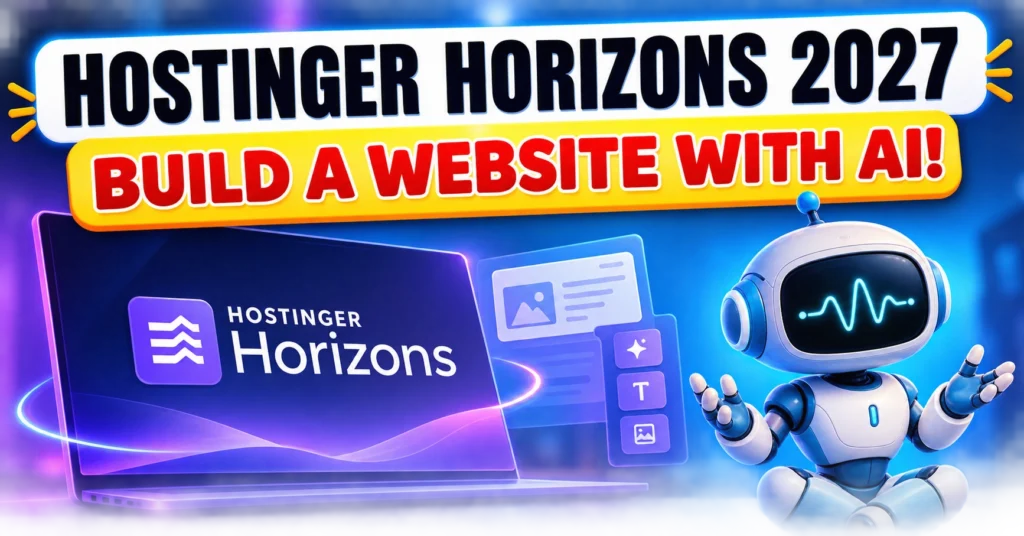
Hostinger Horizons Review 2027:- Building a website used to sound like a technical project. You needed to understand hosting, domains, website design, coding, plugins, databases, and sometimes even hire a developer just to get a basic idea online.
That process is changing quickly.
AI-powered website builders are making it possible to describe what you want in normal language and get a working website or web application without writing traditional code. One of the platforms built around this idea is Hostinger Horizons, which has now been brought together with Hostinger’s Website Builder under the broader Hostinger AI Builder platform. Hostinger’s current documentation uses AI Builder as the product name while still referring to Horizons in some of its existing resources.
But what does that actually mean for someone who has never coded before?
Can you really build something useful just by explaining your idea to AI? What can you create with it, and where does it make sense to use it?
This first part of our guide focuses on understanding the platform before we move into the actual website-building process, features, pricing, and practical considerations in the next parts.
What Is Hostinger Horizons?
Hostinger Horizons was introduced as an AI-powered way to create websites and browser-based web applications using natural-language instructions.
In simple terms, instead of telling a developer exactly what code to write, you can describe the result you want.
For example, imagine you want to create a simple website for a digital marketing agency. Instead of starting with HTML, CSS, JavaScript, hosting configuration, and database setup, you could explain the business, pages, design style, services, contact form, and other requirements in ordinary language.
The AI then helps turn that description into a functional project.
Hostinger’s current AI Builder combines two ways of working: a visual Manual mode and an AI-driven Agentic mode. Manual mode is based around visual editing, while Agentic mode allows users to describe changes and functionality through conversation with the AI.
This distinction is important because not everyone wants the same website-building experience.
Some people prefer dragging elements around a page and editing them visually. Others would rather explain what they want and let AI handle much of the technical work.
Hostinger Horizons vs Hostinger AI Builder: What’s the Difference?
This is one point that can easily confuse beginners in 2027.
If you search for Hostinger Horizons, you may still find official Hostinger documentation and older guides using that name. However, Hostinger’s current terms explain that the services previously offered under the names Hostinger Horizons and Hostinger Website Builder are now covered by the Hostinger AI Builder service.
So, for this article, when we discuss Hostinger Horizons, we are referring to the AI-powered website and web-app building experience that Hostinger now presents through its AI Builder platform.
That change in branding is worth understanding before comparing plans or features, because an older article may use terminology that no longer matches Hostinger’s current product pages.
How Does Hostinger AI Builder Work?
The basic idea is surprisingly simple.
You start with an idea and explain it to the AI.
For example:
Create a professional website for a small digital marketing agency. Include Home, About, Services, Portfolio, Blog and Contact pages. Use a clean professional design with a dark blue and white color scheme.
Instead of manually creating every page from scratch, the AI can use your description to generate an initial version of the project.
You can then continue refining it.
Maybe the homepage feels too crowded. You can ask for a simpler layout.
Maybe you want another section explaining your SEO services. You can request it.
Maybe you want a contact form, customer login, booking feature, calculator, or another supported function. Depending on the project and mode, you can continue describing what you need and refine the result.
Hostinger describes Agentic mode as an AI development workflow where the user communicates requirements through natural-language prompts and the system generates the code, file structure, and backend required for the project.
That is the main idea behind AI-assisted website development: you explain the outcome, while the AI handles much of the technical implementation.
Do You Need Coding Skills?
For basic projects, you do not necessarily need traditional coding knowledge.
Hostinger currently positions its AI Builder as a no-code platform, with Manual mode for visual editing and Agentic mode for conversational building.
That can be useful for people such as:
- Beginners creating their first website
- Small business owners
- Freelancers
- Students
- Content creators
- People testing a new online idea
- Entrepreneurs who want to build an early version of a web product
However, “no coding required” does not mean “no thinking required.”
This is an important distinction.
You still need to know what you want your website to accomplish. You need to check the generated content, test forms and buttons, review the mobile version, verify links, check SEO settings, and make sure the final website represents your business accurately.
AI can speed up the building process, but you are still responsible for the finished website.
What Can You Build With Hostinger AI Builder?
The platform is not limited to a simple five-page business website.
According to Hostinger’s current product information, AI Builder can be used for websites as well as browser-based web applications. Examples include business websites, portfolios, booking pages, online stores, customer portals, calculators, custom CRM-style tools, membership projects, and other interactive web applications.
This opens up more possibilities than a traditional beginner might expect.
1. Business Websites
A local business could create a website containing:
- Business information
- Services
- About page
- Contact details
- Inquiry forms
- Customer-facing information
- Blog or content section
2. Portfolio Websites
Freelancers, designers, marketers, photographers, developers, and other professionals can use a website to present their work, skills, projects, and contact information.
3. Landing Pages
If you are promoting a particular service, product, course, event, or campaign, you can create a focused landing page rather than building a large website.
4. Online Stores
Hostinger’s current AI Builder information includes ecommerce use cases, although the exact features available can depend on the plan and building mode.
5. Interactive Web Applications
This is where the platform becomes more interesting.
Instead of only creating pages that display information, you can work toward browser-based tools such as calculators, dashboards, customer portals, productivity tools, and other interactive projects.
That does not mean every complex application can automatically be created perfectly with one prompt. The more complicated the project becomes, the more important testing, refinement, technical understanding, and clear instructions become.
Can You Start With Something You Already Have?
Another useful feature is that you do not necessarily have to begin with a completely blank project.
Hostinger currently says AI Builder can work from existing material such as a website URL, image, or PDF, giving users a starting point that can then be edited.
This could be useful if you already have:
- An older website
- A design reference
- A business document
- A PDF containing information
- A visual mockup
- An existing page that needs to be recreated or improved
For a beginner, this can reduce the “blank page” problem.
Instead of thinking, “I have no idea where to start,” you can give the system something to work from and then refine the result.
JKS Digital Affiliate Offer: If you’re planning to purchase Hostinger, you can use our official JKS Digital affiliate link below. Eligible plans may be available at a discounted/promotional price through the link, depending on Hostinger’s current offers. We may also earn a commission from your purchase at no extra cost to you.
👉 Get Hostinger at the Best Available Price
Can You Build a Website in Your Own Language?
AI website creation becomes more accessible when you do not have to write complicated technical instructions in English.
Hostinger’s current AI Builder documentation states that prompts can be entered in more than 80 languages.
That means the concept is not simply about generating a website. It is also about making the website-building process easier to communicate.
For example, a business owner can describe the type of website they want in language they are comfortable using and then refine the result through additional instructions.
Still, it is a good idea to review the final website manually, especially when your business depends on accurate product names, prices, contact information, legal details, or other important information.
Is Hostinger AI Builder the Same as Traditional Website Development?
Not exactly.
Traditional development gives a developer direct control over the code and technical architecture. With an AI-assisted builder, much of the initial work can be generated from instructions.
That changes the workflow.
Traditional approach:
Idea → Design → Coding → Database/Backend → Testing → Hosting → Launch
AI-assisted approach:
Idea → Prompt → AI-generated project → Human editing → Testing → Launch
The second process can be faster for many simple and medium-sized projects, but it does not remove the need for human review.
For a simple business website, the difference may be significant.
For a highly specialized web application with complicated requirements, security needs, or unusual functionality, the situation can be very different.
That is why choosing an AI website builder should depend on what you are actually trying to build, not simply whether the platform says “no coding.”
Who Should Consider Hostinger AI Builder?
Hostinger AI Builder may be worth exploring if you:
- Have a website idea but don’t know how to code
- Need a business website quickly
- Want to test an online idea before investing heavily in development
- Want to create a portfolio or landing page
- Want to experiment with a web-based tool
- Prefer explaining requirements rather than starting with code
- Want hosting and website-building tools in one environment
It can also be useful for people who already understand websites but want AI to handle some of the repetitive development work. Hostinger specifically describes Agentic mode as useful for developers who want to move faster while retaining access to code and integrations.
What Should You Keep in Mind Before Using It?
Before choosing any AI website builder, there are a few questions worth asking.
What exactly do you want to build?
A five-page business website is very different from a customer-management platform.
How much control do you need?
If you want complete control over every technical detail, a traditional development environment may suit you better.
Will you check the AI-generated result?
Always review the final content, links, forms, layout, mobile experience, SEO settings, and functionality.
What happens when your project becomes more complicated?
A platform may be excellent for launching an initial idea but require more technical work as the project grows.
These questions will help you judge the platform based on your actual needs rather than simply following the “AI can build it for you” message.
Final Thoughts on Hostinger Horizons
Hostinger Horizons represents a broader shift in how websites and web applications can be created.
The biggest change is not simply that AI can generate a webpage. The more interesting change is that someone without traditional coding experience can start with an idea, describe it in natural language, receive a working starting point, and continue improving it.
At the same time, AI should not be treated as a replacement for human judgment.
A website still needs a clear purpose, useful information, good design, accurate content, proper testing, SEO, security, and regular maintenance.
So the real question is not simply:
“Can AI build my website?”
A better question is:
“Can AI help me build the website I actually need?”
Hostinger Horizons Review 2027: What It Is Really Like to Build a Website With AI
The interesting part of an AI website builder starts after the first version of a website appears on the screen.
Getting a homepage generated is not the difficult part anymore. The real work is deciding what should stay, what needs to change, what information is missing, and whether the finished website is actually useful to a visitor.
That is where your instructions become important.
Instead of treating Hostinger Horizons as a tool that creates a finished website in one click, think of it as a workspace where you can gradually turn an idea into a working website.
Start With the Visitor, Not the Design
A common mistake is to begin with colours, fonts and animations.
A better starting point is the visitor.
Imagine someone arrives at your website for the first time. Within a few seconds, they should understand:
- What does this business do?
- Is this website relevant to me?
- What can I do here?
- Where should I click next?
For example, a local photography business does not necessarily need a complicated homepage.
Read More
Hostinger vs Bluehost (2026–2027): Which Web Hosting is the Best Choice for You?
It may need:
A clear introduction → examples of work → services → customer information → enquiry option
Once that journey is clear, the design becomes much easier to plan.
This approach also gives the AI a better brief because you’re describing the purpose of the website rather than simply asking for something that “looks professional.”
Give the AI a Proper Brief
Think of your first instruction as giving a designer a project brief.
Instead of:
Make a website for my business.
Try something closer to:
I run a home tutoring service for students in Delhi. The website should help parents understand the available subjects, teaching options and enquiry process. Create a simple homepage, courses section, tutor information, frequently asked questions and contact page. Keep the design clean and trustworthy rather than flashy.
The difference is not about using complicated words.
The second request gives the builder a business context.
That context can influence the structure, copy and calls to action.
You can then improve individual sections instead of trying to explain the entire website again every time.
Build the Website in Layers
You don’t have to solve everything at once.
A useful approach is to build the project in layers.
Layer 1: Structure
First decide which pages and sections are required.
For example:
- Home
- About
- Services
- Portfolio
- FAQ
- Contact
Layer 2: Information
Then make sure every section contains useful information.
A services page should explain the service rather than simply displaying a large heading saying “Our Services.”
Layer 3: Conversion
Next ask:
What should the visitor do?
Depending on the website, that could be:
- Call
- Send an enquiry
- Book an appointment
- Request a quotation
- Purchase something
- Sign up
- Read another page
Layer 4: Visual refinement
Only after the structure works should you spend time adjusting colours, spacing, images and other visual details.
This order can save a lot of unnecessary editing.
Your First AI-Generated Version Is a Draft
This is probably the most important practical lesson.
Don’t judge the platform only by what appears after the first prompt.
AI may produce a page that looks polished but contains:
- Generic marketing language
- Repeated phrases
- Unnecessary sections
- Incorrect assumptions about the business
- Weak calls to action
- Stock-style content that doesn’t sound like the actual company
That’s why the first version should be treated like a draft from a very fast assistant.
You still have to become the editor.
For example, if the generated text says:
“We provide innovative, cutting-edge solutions to take your business to the next level.”
Ask yourself what that actually tells the customer.
Often, a much simpler sentence is more useful:
“We provide local SEO and Google Ads services for small businesses in Delhi.”
The second sentence tells the visitor what the business actually does.
Don’t Let AI Invent Your Business
This is particularly important for commercial websites.
AI does not automatically know:
- Your real prices
- Your actual experience
- Your service area
- Your customer policies
- Your return conditions
- Your qualifications
- Your contact details
- Your business history
If information wasn’t provided, don’t assume that the generated version is accurate.
For example, if you have never offered 24/7 customer support, don’t leave a sentence claiming that you do simply because the AI included it.
The same applies to testimonials.
A website should never contain invented customer reviews presented as genuine experiences.
AI can help you organise information, but your business facts should come from you.
Ask for Small Changes Instead of Rebuilding Everything
Suppose you like 90% of the homepage but dislike the hero section.
You don’t need to start again.
Give the AI a narrowly defined task:
Rewrite only the homepage hero section for first-time customers. Keep the existing layout, colours and buttons unchanged.
This is a much safer instruction than:
Redesign my homepage.
The more specific the requested change, the easier it becomes to maintain control over the website.
This is particularly useful when you’ve already spent time getting the layout right.
You Can Also Work on One Section at a Time
JKS Digital Affiliate Offer: If you’re planning to purchase Hostinger, you can use our official JKS Digital affiliate link below. Eligible plans may be available at a discounted/promotional price through the link, depending on Hostinger’s current offers. We may also earn a commission from your purchase at no extra cost to you.
👉 Get Hostinger at the Best Available Price
Imagine your homepage contains:
Hero → Services → About → Testimonials → FAQ → Contact
You can work through it sequentially.
First improve the hero.
Then check the services section.
Then improve the FAQ.
Then review the contact section.
This gives you an opportunity to ask a simple question after each change:
Does this make the website clearer for the visitor?
If the answer is no, don’t add the change just because AI suggested it.
Think About Mobile While Building
A website that looks good on a large monitor may feel completely different on a phone.
And for many small businesses, mobile visitors can represent a significant portion of their audience.
Check things such as:
Navigation: Can someone find the menu easily?
Buttons: Are they large enough to tap?
Text: Can the main information be read without zooming?
Images: Are important parts of an image being cropped?
Forms: Is completing the form comfortable on a small screen?
Spacing: Are there huge empty areas or sections that feel cramped?
A simple mobile experience is often more useful than a complicated desktop design.
Don’t Forget the Actual Business Journey
Here’s a practical example.
Suppose you create a website for a local salon.
A visitor may arrive because they want a haircut.
They don’t necessarily want to read three long paragraphs about the salon before finding the booking option.
The useful journey might be:
Services → Prices → Location → Available appointment option → Contact/Booking
Now compare that with a generic website where the booking button is hidden at the bottom of the page.
The second website may look attractive, but the first one is designed around what the visitor came to accomplish.
That’s the kind of thinking AI cannot completely replace.
Add Features Only When They Solve a Problem
AI builders can make it tempting to keep adding features.
You might think:
“Let’s add a chatbot.”
Then:
“Let’s add a membership system.”
Then:
“Let’s add a dashboard.”
Then:
“Let’s add animations.”
But every additional feature creates another thing that needs to work correctly.
Before adding something, ask:
What problem does this feature solve?
A booking system makes sense for an appointment-based business.
A calculator makes sense when customers need to estimate something.
A customer login area makes sense when users need access to personal information.
But a feature shouldn’t exist simply because an AI builder can create it.
Read Also:- Bluehost vs GoDaddy: Which Web Hosting Is Better in 2026?
Check Every Important Interaction
A website is more than its appearance.
Click the buttons.
Open the menu.
Submit the forms.
Try the links.
Test the search function if there is one.
Check whether emails arrive where they are supposed to.
If there is an account system, test both successful and unsuccessful login attempts.
If there is a payment-related feature, test the complete flow before allowing real customers to use it.
This sounds obvious, but it is easy to overlook when you’re excited about seeing a new website come together.
SEO Starts With the Website’s Information Architecture
You don’t need to turn every sentence into a keyword.
Instead, make the relationship between your pages clear.
For example, a digital marketing website might have:
Digital Marketing
→ SEO
→ Google Ads
→ Social Media Marketing
→ YouTube SEO
→ Website Development
Each service can then have its own useful page.
This creates a clearer structure for visitors and search engines than putting every service into one enormous paragraph.
Internal links can also connect related pages.
For example, an article about local SEO can naturally link to the site’s Local SEO service page.
The goal is not to add links everywhere.
The goal is to help someone move from one useful piece of information to another.
Give Each Page a Clear Search Purpose
Before publishing a page, ask:
What question or need does this page answer?
For example:
Service page: What does this business offer?
Pricing page: How much does it cost?
FAQ: What questions might a potential customer have?
Blog article: What information is the reader searching for?
Contact page: How can someone reach the business?
This prevents the website from becoming a collection of pages that look different but provide almost the same information.
AI Content Still Needs a Human Voice
This is especially important if you’re building a business website.
AI-generated writing can sometimes sound polished but strangely similar to hundreds of other websites.
Phrases such as:
“Take your business to the next level.”
or
“Unlock your full potential.”
can appear everywhere.
A real business usually has something more specific to say.
Read More:- How to Earn Money from Facebook Without Monetization: 7 Genuine Ways
Instead of:
“We deliver innovative digital solutions.”
Say what you actually do:
“We help local businesses improve Google visibility through SEO and Google Ads.”
Specific information makes a website feel more trustworthy.
You can use AI to organise or improve your writing without allowing it to erase the personality of the business.
What Should You Do Before Publishing?
Before pressing the publish button, run a simple human check.
Content check
Are all names, prices, addresses and contact details correct?
Design check
Does the website look consistent from page to page?
Mobile check
Does it remain easy to use on a phone?
Link check
Do buttons and internal links actually work?
Form check
Can visitors successfully submit information?
SEO check
Does every important page have a clear topic, title and useful content?
Trust check
Would you personally feel comfortable contacting or buying from this business after visiting the website?
That final question is surprisingly useful.
If the website looks impressive but you still wouldn’t trust the business, more design work isn’t the answer. More useful information is.
A Better Way to Think About Hostinger Horizons
The easiest way to understand an AI website builder is not:
“AI builds everything for me.”
Think of it as:
“I explain what I need, AI helps create it, and I decide what stays.”
That difference matters.
The person who gives vague instructions and never checks the result may end up with a website that looks acceptable but doesn’t serve its visitors particularly well.
Someone who understands their audience, gives specific instructions and reviews every important part can use the same technology much more effectively.
What Comes Next?
At this stage, we know how to approach the actual building process and what to check before a website goes live.
But there’s still one major question before deciding whether to use the platform:
How much does it cost, what do the different plans include, and where are the limitations?
Hostinger Horizons Review 2027: What It Is Really Like to Build a Website With AI
The interesting part of an AI website builder starts after the first version of a website appears on the screen.
Getting a homepage generated is not the difficult part anymore. The real work is deciding what should stay, what needs to change, what information is missing, and whether the finished website is actually useful to a visitor.
That is where your instructions become important.
Instead of treating Hostinger Horizons as a tool that creates a finished website in one click, think of it as a workspace where you can gradually turn an idea into a working website.
Start With the Visitor, Not the Design
A common mistake is to begin with colours, fonts and animations.
A better starting point is the visitor.
Imagine someone arrives at your website for the first time. Within a few seconds, they should understand:
- What does this business do?
- Is this website relevant to me?
- What can I do here?
- Where should I click next?
For example, a local photography business does not necessarily need a complicated homepage.
It may need:
A clear introduction → examples of work → services → customer information → enquiry option
Once that journey is clear, the design becomes much easier to plan.
This approach also gives the AI a better brief because you’re describing the purpose of the website rather than simply asking for something that “looks professional.”
Give the AI a Proper Brief
Think of your first instruction as giving a designer a project brief.
Instead of:
Make a website for my business.
Try something closer to:
I run a home tutoring service for students in Delhi. The website should help parents understand the available subjects, teaching options and enquiry process. Create a simple homepage, courses section, tutor information, frequently asked questions and contact page. Keep the design clean and trustworthy rather than flashy.
The difference is not about using complicated words.
The second request gives the builder a business context.
That context can influence the structure, copy and calls to action.
You can then improve individual sections instead of trying to explain the entire website again every time.
Build the Website in Layers
You don’t have to solve everything at once.
A useful approach is to build the project in layers.
Layer 1: Structure
First decide which pages and sections are required.
For example:
- Home
- About
- Services
- Portfolio
- FAQ
- Contact
Layer 2: Information
Then make sure every section contains useful information.
A services page should explain the service rather than simply displaying a large heading saying “Our Services.”
Layer 3: Conversion
Next ask:
What should the visitor do?
Depending on the website, that could be:
- Call
- Send an enquiry
- Book an appointment
- Request a quotation
- Purchase something
- Sign up
- Read another page
Layer 4: Visual refinement
Only after the structure works should you spend time adjusting colours, spacing, images and other visual details.
This order can save a lot of unnecessary editing.
Read Also:- 7 AI Tools That Can Help You Earn Money Online in 2027 – No Investment Required
Your First AI-Generated Version Is a Draft
This is probably the most important practical lesson.
Don’t judge the platform only by what appears after the first prompt.
AI may produce a page that looks polished but contains:
- Generic marketing language
- Repeated phrases
- Unnecessary sections
- Incorrect assumptions about the business
- Weak calls to action
- Stock-style content that doesn’t sound like the actual company
That’s why the first version should be treated like a draft from a very fast assistant.
You still have to become the editor.
For example, if the generated text says:
“We provide innovative, cutting-edge solutions to take your business to the next level.”
Ask yourself what that actually tells the customer.
Often, a much simpler sentence is more useful:
“We provide local SEO and Google Ads services for small businesses in Delhi.”
The second sentence tells the visitor what the business actually does.
Don’t Let AI Invent Your Business
This is particularly important for commercial websites.
AI does not automatically know:
- Your real prices
- Your actual experience
- Your service area
- Your customer policies
- Your return conditions
- Your qualifications
- Your contact details
- Your business history
If information wasn’t provided, don’t assume that the generated version is accurate.
For example, if you have never offered 24/7 customer support, don’t leave a sentence claiming that you do simply because the AI included it.
The same applies to testimonials.
A website should never contain invented customer reviews presented as genuine experiences.
AI can help you organise information, but your business facts should come from you.
Ask for Small Changes Instead of Rebuilding Everything
Suppose you like 90% of the homepage but dislike the hero section.
You don’t need to start again.
Give the AI a narrowly defined task:
Rewrite only the homepage hero section for first-time customers. Keep the existing layout, colours and buttons unchanged.
This is a much safer instruction than:
Redesign my homepage.
The more specific the requested change, the easier it becomes to maintain control over the website.
This is particularly useful when you’ve already spent time getting the layout right.
You Can Also Work on One Section at a Time
Imagine your homepage contains:
Hero → Services → About → Testimonials → FAQ → Contact
You can work through it sequentially.
First improve the hero.
Then check the services section.
Then improve the FAQ.
Then review the contact section.
This gives you an opportunity to ask a simple question after each change:
Does this make the website clearer for the visitor?
If the answer is no, don’t add the change just because AI suggested it.
Think About Mobile While Building
A website that looks good on a large monitor may feel completely different on a phone.
And for many small businesses, mobile visitors can represent a significant portion of their audience.
Check things such as:
Navigation: Can someone find the menu easily?
Buttons: Are they large enough to tap?
Text: Can the main information be read without zooming?
Images: Are important parts of an image being cropped?
Forms: Is completing the form comfortable on a small screen?
Spacing: Are there huge empty areas or sections that feel cramped?
A simple mobile experience is often more useful than a complicated desktop design.
Don’t Forget the Actual Business Journey
Here’s a practical example.
Suppose you create a website for a local salon.
A visitor may arrive because they want a haircut.
They don’t necessarily want to read three long paragraphs about the salon before finding the booking option.
The useful journey might be:
Services → Prices → Location → Available appointment option → Contact/Booking
Now compare that with a generic website where the booking button is hidden at the bottom of the page.
The second website may look attractive, but the first one is designed around what the visitor came to accomplish.
JKS Digital Affiliate Offer: If you’re planning to purchase Hostinger, you can use our official JKS Digital affiliate link below. Eligible plans may be available at a discounted/promotional price through the link, depending on Hostinger’s current offers. We may also earn a commission from your purchase at no extra cost to you.
👉 Get Hostinger at the Best Available Price
That’s the kind of thinking AI cannot completely replace.
Add Features Only When They Solve a Problem
AI builders can make it tempting to keep adding features.
You might think:
“Let’s add a chatbot.”
Then:
“Let’s add a membership system.”
Then:
“Let’s add a dashboard.”
Then:
“Let’s add animations.”
But every additional feature creates another thing that needs to work correctly.
Before adding something, ask:
What problem does this feature solve?
A booking system makes sense for an appointment-based business.
A calculator makes sense when customers need to estimate something.
A customer login area makes sense when users need access to personal information.
But a feature shouldn’t exist simply because an AI builder can create it.
Check Every Important Interaction
A website is more than its appearance.
Click the buttons.
Open the menu.
Submit the forms.
Try the links.
Test the search function if there is one.
Check whether emails arrive where they are supposed to.
If there is an account system, test both successful and unsuccessful login attempts.
If there is a payment-related feature, test the complete flow before allowing real customers to use it.
This sounds obvious, but it is easy to overlook when you’re excited about seeing a new website come together.
SEO Starts With the Website’s Information Architecture
You don’t need to turn every sentence into a keyword.
Instead, make the relationship between your pages clear.
For example, a digital marketing website might have:
Digital Marketing
→ SEO
→ Google Ads
→ Social Media Marketing
→ YouTube SEO
→ Website Development
Each service can then have its own useful page.
This creates a clearer structure for visitors and search engines than putting every service into one enormous paragraph.
Internal links can also connect related pages.
For example, an article about local SEO can naturally link to the site’s Local SEO service page.
The goal is not to add links everywhere.
The goal is to help someone move from one useful piece of information to another.
Give Each Page a Clear Search Purpose
Before publishing a page, ask:
What question or need does this page answer?
For example:
Service page: What does this business offer?
Pricing page: How much does it cost?
FAQ: What questions might a potential customer have?
Blog article: What information is the reader searching for?
Contact page: How can someone reach the business?
This prevents the website from becoming a collection of pages that look different but provide almost the same information.
AI Content Still Needs a Human Voice
This is especially important if you’re building a business website.
AI-generated writing can sometimes sound polished but strangely similar to hundreds of other websites.
Phrases such as:
“Take your business to the next level.”
or
“Unlock your full potential.”
can appear everywhere.
A real business usually has something more specific to say.
Instead of:
“We deliver innovative digital solutions.”
Say what you actually do:
“We help local businesses improve Google visibility through SEO and Google Ads.”
Specific information makes a website feel more trustworthy.
You can use AI to organise or improve your writing without allowing it to erase the personality of the business.
What Should You Do Before Publishing?
Before pressing the publish button, run a simple human check.
Content check
Are all names, prices, addresses and contact details correct?
Design check
Does the website look consistent from page to page?
Mobile check
Does it remain easy to use on a phone?
Link check
Do buttons and internal links actually work?
Form check
Can visitors successfully submit information?
SEO check
Does every important page have a clear topic, title and useful content?
Trust check
Would you personally feel comfortable contacting or buying from this business after visiting the website?
That final question is surprisingly useful.
If the website looks impressive but you still wouldn’t trust the business, more design work isn’t the answer. More useful information is.
A Better Way to Think About Hostinger Horizons
The easiest way to understand an AI website builder is not:
“AI builds everything for me.”
Think of it as:
“I explain what I need, AI helps create it, and I decide what stays.”
That difference matters.
The person who gives vague instructions and never checks the result may end up with a website that looks acceptable but doesn’t serve its visitors particularly well.
Someone who understands their audience, gives specific instructions and reviews every important part can use the same technology much more effectively.
What Comes Next?
At this stage, we know how to approach the actual building process and what to check before a website goes live.
But there’s still one major question before deciding whether to use the platform:
How much does it cost, what do the different plans include, and where are the limitations?
Hostinger Horizons Review 2027: Pricing, Limitations, SEO, and Who Should Actually Use It
Building a website with AI sounds easy when you see the first version appear on your screen within minutes. But a website is not successful simply because it exists.
The more important question is what happens after the AI creates it.
Can you actually make the website look like your brand? Can visitors understand what you offer? Can you edit the content without starting everything again? Can the site support your SEO goals? And most importantly, is an AI website builder practical for your particular project?
That is where the real Hostinger Horizons experience becomes more interesting.
Is Hostinger Horizons Worth It in 2027?
The answer depends less on the technology itself and more on what you expect from your website.
If your goal is to create a professional-looking website without learning HTML, CSS, JavaScript, or other coding languages, an AI-powered builder can remove a major barrier.
For example, a freelancer may need a simple portfolio, a local business may need a service website, or a new business may want a landing page before investing heavily in development.
In these situations, the biggest advantage is not simply that AI writes code.
The bigger advantage is that you can explain what you want in ordinary language and then work from the generated result.
That changes the starting point for beginners.
Instead of opening a blank website editor and wondering where to begin, you have something to work with.
But there is an important catch.
AI can create the starting point. It cannot automatically understand your business as well as you do.
Your website still needs your decisions, your information, your experience, and your final review.
The Most Important Thing to Understand About AI Website Builders
There is a common misconception that an AI website builder means:
“Give it one prompt and your complete website is finished.”
Realistically, that is not how good websites are built.
Think of the first AI-generated version as your first draft.
You may get the layout, sections, colors, buttons, text structure, and other elements much faster than you would manually. But you will probably notice things that need changing.
Maybe the headline sounds too generic.
Maybe the homepage has too many sections.
Maybe the button does not say exactly what you want.
Maybe the website looks good on a desktop but needs more attention on mobile.
Maybe the AI describes your service in a way that sounds polished but does not actually sound like you.
This is normal.
The quality of your final website depends heavily on what you do after the first generation.
Don’t Let AI Write Your Business Story Without Checking It
This is one area where human involvement matters enormously.
AI can produce convincing sentences very quickly, but convincing does not always mean accurate.
For a business website, you should personally check:
- Company information
- Service descriptions
- Prices
- Contact details
- Business locations
- Opening hours
- Product specifications
- Customer claims
- Testimonials
- Guarantees
- Experience or qualification statements
Never publish information simply because it sounds professional.
If you have five years of experience, say five years.
If you have not worked with a particular client type, do not let AI imply that you have.
If you have genuine customer feedback, use it.
If you do not have testimonials yet, it is better to leave the section out than to create artificial praise.
This is one of the biggest differences between a website that merely looks finished and one that feels trustworthy.
What About SEO?
An AI-built website can give you a technical starting point, but that does not automatically mean it will rank well on Google.
SEO still depends on the quality and usefulness of the website.
Before publishing, think about what a visitor would actually search for to find your business.
Then make sure the website clearly answers that search intent.
For example, a local photographer should not rely only on a homepage saying:
“Welcome to our creative photography studio.”
That sounds nice, but it tells search engines and potential customers very little.
A stronger website structure might clearly explain:
- Which photography services are offered
- Which locations are covered
- Who the service is for
- What makes the service different
- How customers can enquire
- What questions customers commonly have
The same principle applies to almost every industry.
AI can help you create the structure, but you still need to provide the substance.
Don’t Add Every AI Feature Just Because You Can
Another trap with AI website tools is getting excited about possibilities.
You might start with a simple service website and then keep adding forms, animations, sections, buttons, integrations, pop-ups, galleries, and other elements.
After a while, the website becomes more complicated than the original project required.
Ask one simple question before adding a feature:
“What problem does this solve for my visitor?”
If the answer is unclear, you probably do not need it.
A small website with clear information and an obvious next step can be more useful than a complicated website that tries to do everything.
How Much Editing Will You Really Need?
This will vary from project to project.
Some websites may require only minor adjustments after the initial generation. Others may need considerably more editing.
Your own preparation makes a difference.
If you give the AI a vague instruction such as:
“Create a website for my business.”
the result has very little information to work with.
Compare that with a detailed brief containing your target audience, services, tone, preferred sections, business information, colors, call-to-action and website goals.
The second approach gives you a much stronger starting point.
So one practical lesson from AI website building is:
Better instructions usually produce a better first draft.
Hostinger Horizons vs Traditional Website Development
This is not really a question of which technology is universally better.
They solve different problems.
Traditional development can make sense when a project needs highly specific functionality, complex systems, unusual interactions, or extensive custom development.
An AI website builder can make more sense when the priority is getting a professional website online without spending weeks learning development tools.
For a beginner, the difference may be particularly noticeable.
Instead of learning how a website is coded before making progress, you can describe changes and work visually around the result.
That can make experimentation much less intimidating.
Who Is Hostinger Horizons Suitable For?
The platform can be particularly interesting for people who want to build without becoming developers first.
Potential use cases include:
Freelancers
A freelancer can create a portfolio or service website and spend more time improving the actual presentation of their work.
Small Businesses
A local business may need a website that explains its services, location, contact information, and customer journey without requiring a large development project.
Personal Brands
Creators, consultants, coaches, marketers, and professionals can use an AI-assisted workflow to establish an online presence.
New Businesses
If you are testing a business idea, creating a website quickly can help you establish an online home before committing to a larger development project.
Beginners
Someone who has never written website code may find a conversational building process much easier to approach than starting with traditional development.
Who Should Think Twice?
AI website building is not automatically the right choice for every project.
You may need a different approach if your website requires highly specialised functionality, extensive custom programming, unusual backend systems, or very specific technical architecture.
You should also think carefully if you want complete control over every technical aspect of the website.
The important point is not to choose a tool simply because it uses AI.
Choose according to the actual requirements of your project.
A Practical Pre-Publishing Checklist
Before pressing publish, take a few minutes to look at the website as a customer rather than its creator.
Ask yourself:
Can I understand the business within a few seconds?
Is the main service or purpose obvious?
Can I find the contact option quickly?
Does the website work properly on my phone?
Are all buttons and forms working?
Is the written information accurate?
Are there any AI-generated claims that I have not verified?
Does every important page have a clear purpose?
Would I trust this website if I found it through Google?
That final question is surprisingly useful.
A website can be technically complete while still feeling unfinished to a real visitor.
My Take After Looking at the Complete Workflow
The biggest appeal of Hostinger’s AI-powered website approach is not that it eliminates every part of website creation.
It is that it can make the first difficult step much easier.
For someone who feels that website development is too technical, being able to describe an idea and then refine the generated result can remove a lot of hesitation.
But users should not confuse convenience with automation of everything.
You still need to decide what your website should say.
You still need to check the facts.
You still need to think about your visitors.
You still need to review the mobile experience.
And if organic traffic matters to you, you still need a proper SEO strategy.
That is why I would treat an AI website builder as a building partner rather than a replacement for human thinking.
Final Verdict: Should You Try Hostinger Horizons in 2027?
If your main goal is to create a website without becoming a coding expert first, Hostinger’s AI website-building approach is worth exploring.
Its strongest appeal is the reduced barrier between having an idea and turning that idea into an actual website.
But the final quality will depend on how much effort you put into refining the result.
Do not publish the first version blindly.
Give the AI clear instructions. Improve the structure. Replace generic wording. Add your real business information. Test everything on mobile. Review every important claim. Then make the website genuinely useful for the people you want to reach.
That is where the human touch still matters.
And honestly, that may be the most important lesson from AI website building in 2027:
AI can help you build faster. You still have to decide what is worth building.
If you want to explore Hostinger’s current AI website-building options and see whether they fit your project, you can check the available plans before getting started.
Disclosure: This article may contain affiliate links. If you purchase through an eligible link, we may receive a commission at no additional cost to you.
JKS Digital Affiliate Offer: If you’re planning to purchase Hostinger, you can use our official JKS Digital affiliate link below. Eligible plans may be available at a discounted/promotional price through the link, depending on Hostinger’s current offers. We may also earn a commission from your purchase at no extra cost to you.