Meta Account Disabled in 2027:- Social media has become an important part of everyday life. Millions of people use Facebook and Instagram to communicate with friends, promote businesses, build personal brands, run advertisements, and earn money online. For many users, these platforms are not just a source of entertainment but also an important part of their professional and financial activities.
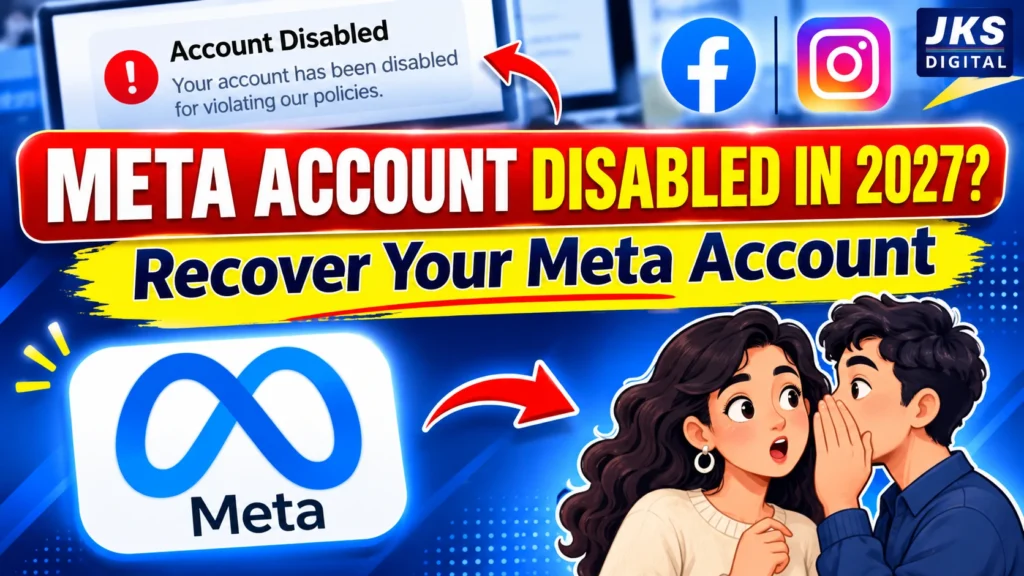
However, one problem that can create serious difficulties is having a Meta account disabled without expecting it. Imagine spending years building an Instagram audience, managing a Facebook business page, or running advertising campaigns, only to discover that you can no longer access your account. Even worse, some users may not immediately understand which activity caused the restriction or what steps they should take to recover their accounts.
In 2027, understanding Meta’s account policies, security systems, and recovery procedures is increasingly important for both individual users and businesses. Meta operates several connected services, including Facebook and Instagram, and its enforcement systems can restrict accounts when they detect suspected policy violations or security concerns.
But does every disabled account mean that the user deliberately broke a rule? Not necessarily. Sometimes suspicious login activity, compromised accounts, identity verification problems, or automated security checks can also contribute to account restrictions.
The important thing is to understand what has happened before taking action. Repeatedly attempting to log in, submitting incorrect information, or trusting unofficial account recovery services can make an already difficult situation more complicated.
This guide explains why Meta accounts get disabled, how to identify the type of restriction, and which official recovery methods users can explore to regain access to their Facebook or Instagram accounts.
What Does a Disabled Meta Account Actually Mean?
A disabled Meta account means that Meta has restricted a user’s ability to access or use an account because of a policy, security, or eligibility-related issue.
When this happens, users may see a notification while attempting to log in. The message generally explains that the account has been disabled or that access has been restricted. Depending on the situation, Meta may also provide an option to request a review or complete an identity verification process.
However, it is important to understand that disabled, suspended, restricted, and hacked accounts are not necessarily the same thing. Each situation can require a different recovery approach.
1. Disabled Account
A disabled account is one that Meta has deactivated access to, usually because its systems or review teams identified a potential violation of platform rules.
For example, an account repeatedly sharing prohibited content or engaging in serious policy violations may face disabling.
When an account is disabled:
- The user may be unable to log in.
- The account profile may become unavailable to other users.
- Some connected services or account features may stop working.
- Meta may provide an appeal or review option, depending on the case.
A disabled account does not automatically mean that recovery is impossible. The available options depend on the reason for the decision and the account’s eligibility for review.
2. Suspended Account
A suspended account is generally subject to a temporary restriction or enforcement action. The user may receive instructions to verify their identity, complete a security check, or submit additional information.
Read Also:- Best Facebook Ads Secrets in 2027: Hidden Strategies to Boost Your Ad Performance and Get More Sales
For instance, if Meta detects unusual login behaviour from an unfamiliar device or location, it may temporarily restrict certain activities until the account owner confirms their identity.
The distinction matters because a suspension may involve a different process from a permanent disabling decision.
3. Restricted Account
A restricted account is not necessarily completely disabled. Instead, Meta may limit specific features while allowing the user to access the account.
Some examples include:
- Being temporarily blocked from commenting.
- Restrictions on sending friend requests.
- Limitations on advertising activities.
- Reduced access to certain business tools.
- Temporary restrictions on posting or sharing content.
These restrictions may apply to personal accounts, professional profiles, advertising accounts, or business assets.
4. Hacked or Compromised Account
A hacked account is different from an account disabled because of a confirmed policy violation.
In this situation, someone other than the legitimate owner may have gained unauthorized access. The attacker could change account information, send spam messages, publish suspicious content, or perform activities that trigger Meta’s security systems.
For example, imagine a business owner whose Instagram account suddenly starts sending promotional messages to hundreds of people. If the account owner did not perform these actions, the account may have been compromised.
Meta may restrict access to protect the account and other users.
Important distinction: Before starting the recovery process, identify whether your account was disabled for a policy reason, temporarily restricted for security reasons, or accessed by someone else. Choosing the wrong recovery approach can waste valuable time.
10 Major Reasons Why Meta Disables Facebook and Instagram Accounts in 2027
Meta does not disable accounts randomly as a standard enforcement practice. Account restrictions can result from different activities, policy violations, security signals, and verification issues.
Understanding these reasons can help users avoid common mistakes and identify what may have happened to their accounts.
1. Violating Meta Community Standards
One of the major reasons an account may be disabled is a violation of Meta’s Community Standards.
These standards explain what users can and cannot share across Facebook and Instagram. They cover areas such as harmful content, harassment, threats, scams, exploitation, and other prohibited activities.
For example, repeatedly publishing content that promotes violence, targets individuals with harassment, or violates serious platform safety rules can result in enforcement action.
Users should understand that deleting a post after receiving a warning does not necessarily remove the violation from the platform’s enforcement history.
The best approach is to review Meta’s Community Standards before publishing content that could create policy concerns.
2. Using Fake Names or Misleading Identity Information
Meta expects users to provide accurate account information and follow the identity requirements applicable to their accounts.
Problems can arise when users create profiles using misleading identities, impersonate other people, or provide false information during verification.
For example:
- Creating an account using another person’s identity.
- Pretending to represent a well-known public figure or business.
- Using misleading identity documents during verification.
- Creating accounts intended to deceive other users.
Some users also experience difficulties when their account information does not match the identity documents they submit.
If Meta requests identity verification, users should provide genuine and accurate information through the official verification process.
3. Suspicious Login Activity and Unusual Account Behaviour
Account security is another important factor in Meta’s enforcement systems.
When a login attempt appears unusual, Meta may request additional verification or temporarily limit account access.
Consider this example: A person normally accesses Facebook from one device but suddenly receives multiple login attempts from unfamiliar devices. Such activity may trigger security checks.
Other potentially suspicious signals include:
- Multiple unsuccessful login attempts.
- Login activity from unfamiliar devices.
- Unexpected password or email changes.
- Unusual account activity following a security breach.
- Repeated access attempts that appear automated.
However, logging in from a new device or travelling to another country does not automatically mean an account will be disabled. Security systems consider different signals rather than relying on one activity alone.
4. Spam Comments, Messages, and Repetitive Actions
Many users unknowingly engage in activities that resemble spam.
For example, repeatedly posting the same comment under hundreds of posts, sending identical promotional messages, or performing large numbers of repetitive actions in a short period can create problems.
This is particularly relevant for businesses, marketers, influencers, and social media managers.
Consider a digital marketing agency managing multiple client accounts. If its team repeatedly sends identical promotional messages to large numbers of users, the activity may trigger spam-related restrictions.
Instead of focusing only on the number of posts or messages, users should pay attention to the quality, relevance, and authenticity of their interactions.
Genuine communication is safer and more sustainable than aggressive promotional activity.
5. Using Unauthorized Automation Tools and Third-Party Applications
Automation can save time, but not every third-party tool is safe to use with Facebook or Instagram.
Some applications request access to account credentials or perform actions that may violate Meta’s platform rules.
Examples include:
- Automated liking and commenting services.
- Fake follower and engagement generators.
- Unofficial applications promising instant Instagram growth.
- Tools that automatically send large numbers of direct messages.
- Applications that collect login credentials without proper authorization.
One important detail many users overlook is that a third-party application can create security problems even when the account owner is not intentionally violating any rule.
For example, an application with excessive permissions may continue accessing account information even after the user stops using it.
Users should regularly review connected applications and remove access from services they no longer trust or need.
Meta’s official developer platform and approved integrations are preferable to unknown automation services.
Read Also:- How to Permanently Delete a Facebook Account in 2026: Complete Step-by-Step Guide
6. Copyright and Intellectual Property Violations
Copyright violations can also create serious problems for Facebook and Instagram accounts.
Users frequently share videos, photographs, music, designs, and other creative materials without checking whether they have permission to use them.
For example, a content creator may download a popular video and upload it to Instagram without the original creator’s permission. Similarly, a business may use copyrighted music in promotional advertisements without the necessary rights.
Repeated or serious intellectual property violations can result in content removal and other account enforcement actions.
To reduce these risks:
- Use original photographs and videos whenever possible.
- Obtain permission before using someone else’s creative work.
- Check music and video licensing requirements.
- Avoid reposting copyrighted material without authorization.
- Respond appropriately to legitimate intellectual property notices.
Simply giving credit to the original creator does not automatically provide permission to use copyrighted content.
7. Repeated Policy Violations
A single policy violation and repeated violations may have different consequences.
If an account repeatedly publishes prohibited content, ignores previous warnings, or continues engaging in activities that violate Meta’s policies, it may face stronger enforcement measures.
For example, a page that repeatedly publishes misleading promotional content after receiving previous warnings may face additional restrictions.
However, users should not assume that every warning automatically leads to account disabling. The severity, frequency, and nature of the violation can all matter.
Checking Account Status and reviewing previous notifications can help users understand whether their account has received earlier enforcement actions.
8. Hacked Accounts Performing Unauthorized Activities
Sometimes the account owner is not responsible for the activity that causes a restriction.
Cybercriminals may gain access through phishing links, fake login pages, stolen passwords, or compromised devices.
After gaining access, they may:
- Publish spam advertisements.
- Send suspicious links to followers.
- Change account recovery information.
- Access connected business assets.
- Run unauthorized advertising campaigns.
These activities can create policy and security problems for the legitimate owner.
If you suspect unauthorized access, prioritize account security and use Meta’s official hacked-account recovery process rather than immediately creating another account.
9. Age and Identity Verification Problems
Meta has age requirements and identity-related rules for its services.
An account may face restrictions if Meta identifies concerns about the user’s age, eligibility, or identity information.
For example, an account may be asked to confirm its owner’s age or provide additional information to establish account ownership.
Problems can also occur when submitted documents are unclear, incomplete, or inconsistent with the information associated with the account.
Users should carefully follow the instructions displayed by Meta and submit only genuine documents through official channels.
10. Problems With Connected Accounts and Business Assets
This is particularly important for digital marketers, agencies, advertisers, and business owners.
Meta provides connected tools and assets such as Facebook Pages, Instagram professional accounts, ad accounts, and business portfolios.
These assets can have separate restrictions and enforcement decisions.
For example, an advertising account may become restricted because of advertising policy violations even when the personal Facebook profile remains accessible.
Similarly, a business portfolio may face limitations that affect access to certain connected business tools.
A lesser-known distinction: A disabled personal profile, restricted advertising account, and disabled Facebook Page are three different situations. They should not be treated as the same problem because their review and recovery options may differ.
Users managing business assets should regularly check their account and business status instead of assuming that every restriction is connected to their personal Facebook profile.
Understanding Why Meta Disabled Your Account Is Only the First Step
Identifying the possible reason behind an account restriction is important, but it does not complete the recovery process.
Before submitting an appeal, users should confirm the exact message displayed by Meta, check whether they have received any security notifications, and determine whether the restriction affects their entire account or only a specific feature.
This becomes especially important when Facebook and Instagram are connected through the same Accounts Center or when the user manages multiple business assets.
How to Know If Your Facebook or Instagram Account Is Disabled
After understanding the common reasons behind Meta account disabling, the next step is to identify the exact problem affecting your account. Many users become confused when they suddenly cannot log in to Facebook or Instagram. Some assume their account has been permanently deleted, while others believe they have been hacked.
However, different account problems can produce similar symptoms. Therefore, checking the notification displayed by Meta is one of the most important steps before attempting recovery.
1. Check the Message Displayed During Login
Start by opening the official Facebook or Instagram application or website and attempting to log in using your existing credentials.
Pay attention to the exact notification displayed on the screen.
Depending on the situation, you may encounter messages indicating that:
- Your account has been disabled.
- Your account has been suspended.
- Your account requires additional verification.
- Your account has been temporarily restricted.
- Your password or login information is incorrect.
These messages indicate different problems. For example, an incorrect password does not necessarily mean your account has been disabled. Similarly, a security verification request does not automatically mean that Meta has permanently restricted your account.
Read the complete notification and follow the instructions provided.
2. Check Your Registered Email Address
Meta may send account-related notifications to the email address associated with your Facebook or Instagram account.
Check your inbox, spam folder, and junk folder for messages explaining:
Read Also:- Which Platform is Best for Lead Generation in 2026: LinkedIn vs Instagram vs Facebook?
- Account disabling or suspension.
- Unusual login attempts.
- Password changes.
- Identity verification requirements.
- Security-related restrictions.
- Appeal or review decisions.
Be careful when opening links in emails. Fake messages pretending to come from Meta are commonly used in phishing attacks.
A genuine-looking email is not automatically legitimate. If you are uncertain, open Facebook or Instagram directly through the official application instead of clicking the email link.
3. Check Account Status on Instagram
Instagram provides an Account Status feature that helps eligible users understand certain policy-related issues affecting their accounts.
Depending on the application version and account type, you can generally find it through:
- Open Instagram.
- Go to your profile.
- Tap the menu icon.
- Find Account Status in the available settings.
- Review any notifications or restrictions displayed.
Account Status may provide information about content removed for policy reasons, features that are unavailable, and certain eligibility issues.
However, if you cannot log in at all, you may need to use the official recovery or appeal process instead.
4. Check Account Quality and Business Restrictions
For businesses, advertisers, and social media agencies, checking only the personal profile is not enough.
Meta’s business tools provide additional information about advertising and business-related restrictions.
Users managing advertising campaigns should review the available account and business status information through Meta Business Suite and the official Account Quality interface.
This can help identify whether the problem concerns:
- A personal Facebook profile.
- An advertising account.
- A Facebook Page.
- A business portfolio.
- Advertising permissions or payment-related issues.
Understanding which asset is affected can prevent users from submitting an appeal for the wrong account.
How to Recover a Disabled Meta Account in 2027: Step-by-Step Guide
Recovering a disabled Meta account depends on why the restriction occurred and which recovery options Meta makes available.
There is no universal method that guarantees account recovery. However, following the official process, providing accurate information, and avoiding unnecessary changes can help users handle the situation correctly.
Step 1: Open the Official Facebook or Instagram Login Page
First, access the platform through its official website or mobile application.
Enter your registered email address, phone number, or username and password.
If Meta displays a disabled-account notification, carefully read the instructions.
If a Request Review, Appeal, or similar option appears, follow the instructions shown on the screen.
Do not immediately create another account to bypass the restriction. First, understand the reason for the decision and whether the original account is eligible for review.
Step 2: Select the Available Review or Appeal Option
If Meta provides an option to request a review, use that option.
The exact wording and availability of the review process may vary depending on the account, location, and enforcement decision.
During the process, Meta may ask you to:
- Confirm your account information.
- Explain why you believe the decision was incorrect.
- Complete an identity verification step.
- Provide additional information.
- Follow further security instructions.
Make sure your explanation is accurate and directly related to the problem.
Step 3: Complete Identity Verification
Some users may need to verify their identity before Meta can review an account.
Depending on the situation, the platform may request an identification document, a video selfie, or another verification method.
Follow the specific instructions displayed by Meta.
A few important precautions:
- Use genuine and valid information.
- Ensure submitted documents are clear and readable.
- Avoid editing identification documents.
- Submit information only through official Meta channels.
- Never share passwords or verification codes with recovery agents.
Identity verification helps establish account ownership, but completing it does not guarantee that the account will be restored.
Step 4: Secure Your Registered Email and Phone Number
Account recovery can become difficult if the registered email address or phone number is no longer accessible.
Before proceeding, check whether you can access the email account and phone number associated with your Meta profile.
If you suspect that someone has compromised your account, secure your email account first by changing its password and enabling two-factor authentication.
Also review whether your recovery phone number and email address have been changed without your permission.
This step is particularly important because attackers sometimes change recovery details to prevent the original owner from regaining access.
Step 5: Wait for Meta’s Review Decision
After submitting an appeal or verification request, allow Meta time to review the information.
The review period can vary. Some cases may receive a response relatively quickly, while others may take longer depending on their complexity and the verification requirements.
During this period:
- Check your registered email regularly.
- Monitor official account notifications.
- Avoid submitting repeated requests without a reason.
- Do not share verification codes with anyone.
- Keep a record of any reference numbers or confirmation messages.
Remember that an appeal submission is a request for reconsideration, not confirmation that the account will be restored.
How to Appeal a Disabled Facebook or Instagram Account
An appeal is an opportunity to ask Meta to reconsider an enforcement decision.
It is particularly useful when a user believes that their account was disabled incorrectly, the account was compromised, or the circumstances behind the restriction were misunderstood.
However, Facebook and Instagram may provide different review experiences. Users should follow the instructions available for their specific account rather than relying on outdated tutorials.
How to Appeal a Disabled Facebook Account
If your Facebook account has been disabled, begin by attempting to log in through the official Facebook website or application.
If Meta provides a review option, follow the displayed instructions.
You may be asked to confirm your identity or provide additional information explaining why you believe the decision should be reviewed.
You can also explore the official Facebook Help Center for account access and disabling-related guidance.
Read Also:- How to Recover a Disabled Meta Account in 2026: Complete Facebook & Instagram Recovery Guide
Official resource: Facebook Help Center
How to Appeal a Disabled Instagram Account
For Instagram users, the recovery process generally begins by opening the application and attempting to log in.
If the account is disabled, Instagram may display instructions explaining whether a review is available.
Follow the available instructions carefully and provide the requested information.
For additional guidance, visit Instagram’s official Help Center.
Official resource: Instagram Help Center
What Should You Write in a Meta Account Appeal?
One common mistake users make is submitting an emotional or unclear appeal without explaining the actual problem.
A good appeal should be short, respectful, factual, and specific.
For example:
Sample Appeal Message
“Hello Meta Support Team,
My Facebook/Instagram account has recently been disabled, and I believe this decision may have been made by mistake. I have always tried to follow the platform’s Community Standards and account policies.
I request that you review my account and the circumstances surrounding this restriction. If any additional information or identity verification is required, I am willing to provide it through the official verification process.
Thank you for reviewing my request.”
Users should customize this message according to their actual circumstances. If the account was hacked, mention the unauthorized activity instead of claiming that the disabling decision was necessarily a mistake.
What If Your Meta Account Is Disabled by Mistake?
Not every account restriction necessarily means that the user intentionally violated Meta’s policies. Sometimes an account may be affected by incorrect enforcement decisions, suspicious activity, or security-related signals that require further investigation.
For example, a genuine business owner may suddenly lose access to an account after unusual login activity. Similarly, a creator may believe that their content follows platform rules but still receive an enforcement notification.
In such situations, users should understand the available review process instead of immediately assuming that their account is permanently lost.
What Is a False Positive in Meta Account Enforcement?
A false positive occurs when a security or enforcement system incorrectly identifies legitimate activity as suspicious or potentially violating a policy.
For example:
- A genuine account is mistakenly flagged for suspicious activity.
- A legitimate user is asked to complete additional identity verification.
- An account is compromised and unauthorized activities are performed.
- Content is incorrectly identified as violating a platform rule.
Automated detection systems help platforms manage enormous amounts of activity. However, automated decisions may sometimes require additional human review or clarification.
If you believe your account was incorrectly disabled, use the available official appeal process and provide relevant information.
Can Meta Restore an Account After a Wrongful Disabling Decision?
Yes, an account may be restored if Meta reviews the case and determines that the disabling decision should be reversed.
However, restoration is not guaranteed.
The outcome depends on the reason for disabling, the available evidence, the account’s history, and the result of Meta’s review.
Users should avoid paying unknown individuals who promise guaranteed account recovery. No independent recovery agent can legitimately guarantee that Meta will reverse its decision.
How to Recover a Hacked and Disabled Meta Account
A hacked account requires special attention because the original owner may not have control over the activities being performed through the account.
If someone gains unauthorized access to your Facebook or Instagram profile, they may change the password, modify recovery details, contact your followers, or use the account for suspicious activities.
If these actions trigger Meta’s security systems, the account may also face restrictions.
Step 1: Use Meta’s Official Hacked Account Recovery Pages
If your Facebook account has been hacked, visit the official recovery page:Facebook Hacked Account Recovery
For Instagram, use its official hacked account support page:Instagram Hacked Account Recovery
Follow the instructions provided for identifying your account and recovering access.
Step 2: Check Whether Your Email or Phone Number Was Changed
One of the first things attackers may attempt is changing the email address or phone number connected to an account.
If you receive a legitimate security notification about an unexpected change, carefully follow the instructions provided by Meta to determine whether the change can be reversed.
Also secure your registered email account because access to your email may allow an attacker to reset other passwords.
Step 3: Change Your Password
If you regain access, immediately create a new and strong password.
Avoid using the same password across multiple platforms.
A strong password should include a combination of uppercase and lowercase letters, numbers, and special characters. Consider using a trusted password manager to create and store unique passwords.
Read Also:- Meta Ads Manager Reports: A Complete Beginner’s Guide
Step 4: Enable Two-Factor Authentication
Two-factor authentication (2FA) adds another layer of security to your account.
Instead of relying only on a password, the login process requires an additional verification method.
For example, even if someone discovers your password, they may still be unable to access your account without the second authentication factor.
Where available, an authenticator app is a useful option. Keep backup codes in a secure location.
Step 5: Review Active Login Sessions and Connected Applications
After recovering your account, check which devices and applications have access.
Remove unfamiliar login sessions and revoke permissions for applications you no longer trust.
This is an important step because changing your password alone may not address every security issue associated with connected services or compromised applications.
Common Mistakes to Avoid When Your Meta Account Gets Disabled
Losing access to a Facebook or Instagram account can be frustrating, particularly when the account is connected to a business or professional activity.
However, reacting without understanding the problem can create additional difficulties.
Here are some common mistakes users should avoid.
1. Submitting Multiple Appeals Without Understanding the Problem
Some users repeatedly submit appeals because they believe that more requests will increase their chances of recovery.
However, submitting duplicate requests without providing new or relevant information may not help.
Instead, carefully read Meta’s instructions and provide accurate information through the available review process.
2. Paying Fake Account Recovery Agents
This is one of the biggest risks for users whose accounts have been disabled.
Some individuals advertise themselves as Meta employees, account recovery specialists, or internal contacts who can restore disabled accounts within a few hours.
They may request money, passwords, identity documents, or verification codes.
Be extremely careful.
Never share your password, login codes, or recovery information with unknown individuals. Meta account recovery should be handled through official channels.
3. Creating Multiple Accounts to Bypass Restrictions
Some users immediately create several new Facebook or Instagram accounts after losing access to their original profile.
However, creating additional accounts does not automatically solve the original problem.
Depending on the circumstances, attempts to bypass enforcement decisions may create further policy complications.
Understand the original restriction before taking this step.
4. Clicking Suspicious Account Recovery Links
Scammers frequently distribute fake messages claiming that an account will be permanently deleted unless the user verifies their identity immediately.
These messages may contain links to websites designed to imitate Meta’s login pages.
If users enter their credentials on these websites, attackers can steal their passwords.
Always access Facebook and Instagram directly through their official applications or websites.
5. Sharing Verification Codes With Other People
A verification code is an important security credential.
Someone pretending to be a support representative may ask you to share a login code to verify your account.
Do not share it.
Verification codes should only be entered into the official process initiated by you. Sharing them with another person can allow that person to gain access to your account.
Understanding the disabling process, identifying the correct recovery method, and avoiding common mistakes can help users handle account problems more effectively. However, recovering an account is only one part of the solution.
For people who depend on Facebook and Instagram for business, advertising, content creation, or communication, preventing another restriction is equally important. This requires more than simply choosing a strong password. Users also need to understand connected account permissions, business security, and the tools Meta provides for monitoring account activity.
Advanced Meta Account Safety Tips Most Users Ignore
Recovering a disabled Facebook or Instagram account is important, but preventing another restriction should be a priority. This is particularly true for business owners, digital marketers, influencers, and social media agencies that depend on Meta platforms for their daily operations.
Many users focus only on password protection. However, account security involves several other factors, including connected applications, login permissions, business access, advertising activity, and recovery information.
Here are some advanced practices that can help users maintain better control over their Meta accounts.
1. Regularly Audit Third-Party Application Permissions
Many users connect external applications to Facebook and Instagram for scheduling posts, analysing performance, managing messages, or creating reports.
Over time, they may forget which applications have access to their accounts.
This creates an unnecessary security risk, especially when an application is no longer maintained or requires permissions that are not relevant to its purpose.
For better protection:
- Review connected applications periodically.
- Remove applications you no longer use.
- Avoid granting unnecessary account permissions.
- Never enter your Meta password into unknown third-party websites.
- Use trusted integrations whenever possible.
An application that once appeared useful may no longer be necessary. Removing unused access helps reduce the number of external services connected to your account.
2. Keep Personal Profiles and Business Assets Properly Organized
Businesses often manage multiple Facebook Pages, Instagram professional accounts, advertising accounts, and business portfolios.
If permissions are not managed properly, unnecessary access can create security and operational problems.
For example, a digital marketing agency may provide access to several employees and freelancers. If an employee leaves the organization but still has access to business assets, the company may face avoidable risks.
A better approach is to:
- Give employees only the permissions they need.
- Remove access when someone leaves the organization.
- Use individual accounts rather than sharing login credentials.
- Review business portfolio access regularly.
- Keep ownership and administrative permissions clear.
This is particularly important for agencies handling multiple client accounts.
3. Monitor Login Sessions and Trusted Devices
Many account owners forget to check which devices are currently logged into their accounts.
An unfamiliar login session may indicate unauthorized access, although it could also belong to a device or browser you previously used.
Regularly review the available login activity and remove sessions you do not recognize.
Pay attention to:
- Unfamiliar devices.
- Unexpected login locations.
- Login activity you did not perform.
- Unknown browser sessions.
- Unexpected changes to account information.
If something looks suspicious, secure your account immediately by changing your password and reviewing recovery details.
4. Use Two-Factor Authentication Along With Backup Codes
Two-factor authentication is one of the most useful security measures available to Meta users.
However, many people enable it without considering what happens if they lose their phone or authentication device.
This is where backup codes become important.
Backup codes can help users access their accounts when their usual verification method is unavailable, provided Meta supports that recovery option for the account.
Keep these codes somewhere secure and never share them through messages or email.
Also maintain access to your registered email address and phone number so that account recovery does not become unnecessarily difficult.
5. Regularly Check Account Status and Business Account Quality
One practice that many users ignore is monitoring account health before a serious restriction occurs.
Instagram’s Account Status and Meta’s business-related account quality tools can provide useful information about certain policy violations, feature restrictions, and advertising issues.
For example, an advertiser may discover that a particular ad or advertising asset has been restricted while their personal profile remains active.
Checking these areas regularly can help identify problems earlier.
However, remember that these tools do not necessarily show every security issue or enforcement decision.
6. Be Careful With Sudden and Unusual Account Activity
A common mistake among marketers is performing too many repetitive actions in a short period.
For example, a newly created account may suddenly start following hundreds of profiles, sending large numbers of promotional messages, or posting identical comments.
Such behaviour may resemble spam or automated activity.
Instead of relying on aggressive engagement tactics, focus on authentic interactions and activities that comply with Meta’s rules.
There is no universal safe number of comments, messages, or follows that guarantees an account will avoid restrictions.
How to Prevent Your Meta Account From Getting Disabled Again
Account security is not a one-time activity. It requires consistent attention, especially when your Facebook or Instagram account supports your business or professional work.
The following practices can help reduce avoidable account risks.
1. Follow Meta’s Community Standards
Read the platform’s current Community Standards and understand the types of content and activities that are prohibited.
Avoid publishing misleading information, harmful content, impersonation, or other material that violates platform policies.
Official resource: Meta Community Standards
2. Avoid Fake Engagement and Artificial Growth Services
Buying followers, fake likes, automated comments, and artificial engagement may appear to be shortcuts to social media growth.
However, these methods can create account security and policy risks.
Build your audience through relevant content, genuine interactions, and consistent communication.
For businesses, a smaller but relevant audience can be more valuable than thousands of artificial followers.
3. Keep Your Account Information Updated
Make sure your registered email address and phone number are accessible.
If you change your phone number or email address, update your account information through the official settings.
This helps prevent unnecessary problems during identity verification and account recovery.
4. Avoid Sharing Account Passwords With Employees
Businesses should not use one shared password for every team member.
Instead, use Meta’s business access and permission management features wherever available.
This makes it easier to control who can manage Pages, advertising accounts, and other business assets.
It also reduces the risk associated with former employees retaining access.
5. Keep Important Business Information and Content Backed Up
Imagine losing access to an Instagram account that contains years of business conversations, customer enquiries, and promotional content.
The impact can be significant.
Businesses should maintain backups of important information, including:
- Original photographs and videos.
- Marketing creatives and designs.
- Important customer communication records.
- Advertising campaign reports.
- Business contact information.
- Important account ownership details.
Where available, use Meta’s official information download tools to obtain a copy of eligible account information.
A backup cannot restore a disabled account, but it can help reduce the damage caused by losing access.
6. Review Meta Policy Updates Regularly
Social media platforms regularly update their policies, tools, and enforcement procedures.
A practice that was acceptable under an older policy may not necessarily remain acceptable.
Businesses and creators should periodically review official policy pages, especially when using new advertising formats, automation tools, or content monetization features.
Frequently Asked Questions About Meta Account Disabled in 2027
1. Can I Recover a Permanently Disabled Meta Account in 2027?
Possibly. Recovery depends on the reason for disabling and whether Meta provides an eligible review option.
If the account was disabled incorrectly, an appeal may result in restoration. However, accounts disabled for serious or confirmed violations may not be recoverable.
2. How Long Does Meta Take to Review an Account Appeal?
There is no guaranteed review timeline for every case.
Some requests may receive a response quickly, while others can take longer depending on verification requirements and the complexity of the issue.
Check your registered email and account notifications for updates.
3. Can I Create a New Facebook Account After Being Disabled?
It depends on the circumstances and the applicable Meta policies.
Creating another account to bypass an existing enforcement decision may create additional problems.
It is better to understand the original disabling decision and use the available review process first.
4. Why Was My Instagram Account Disabled Without Warning?
An account may be disabled following suspected policy violations, security concerns, identity issues, or other enforcement decisions.
In some cases, users may not receive a separate warning before an enforcement action.
Check the login notification, registered email, and available Account Status information to understand the reason.
5. Can Meta Disable Facebook and Instagram Accounts Together?
Facebook and Instagram are separate services, but they can be connected through Meta Accounts Center.
Depending on the circumstances, certain enforcement or security decisions may affect connected accounts or features.
However, disabling one account does not automatically mean every connected account will always be disabled.
The exact notification and account-specific instructions are important.
6. Does Meta Provide a Direct Support Option for Disabled Accounts?
Meta provides different support and help options depending on the account type, available features, and eligibility.
Some business users may have access to additional support options.
However, there is no single universal support channel that guarantees assistance for every disabled account.
Always use official Meta support resources.
7. Can a Disabled Meta Account Be Recovered Without an Email Address?
Possibly, depending on the available recovery methods.
Meta may offer other verification options, such as a registered phone number or additional identity checks.
If the original email account has been compromised, securing or recovering that email account should also be a priority.
8. Does Using a VPN Cause Meta to Disable an Account?
Using a VPN does not automatically mean that an account will be disabled.
However, unusual login patterns, unfamiliar devices, and unexpected changes in access behaviour may sometimes trigger additional security checks.
If you use a VPN, maintain secure and consistent account access practices.
9. Can a Disabled Meta Advertising Account Affect My Facebook Profile?
Not necessarily.
A restricted advertising account and a disabled personal Facebook profile are different enforcement situations.
An advertising restriction may prevent you from running campaigns while your personal profile remains accessible.
Check the relevant business and advertising account notifications to identify the affected asset.
10. How Can I Contact Meta if My Account Is Disabled?
Start with the official Facebook or Instagram Help Center and follow the account-specific recovery instructions.
- Facebook Help Center
- Instagram Help Center
- Facebook Hacked Account Recovery
- Instagram Hacked Account Recovery
Avoid unofficial websites claiming to provide direct access to Meta employees.
Final Thoughts: Protect Your Meta Account Before It Is Too Late
Having a Facebook or Instagram account disabled can be stressful, particularly when you have spent years building an audience, managing a business, or creating valuable content.
However, the first step should always be understanding the exact reason behind the restriction. Not every disabled account has the same cause, and not every recovery method works for every situation.
If you believe your account was disabled incorrectly, use the official appeal process, provide accurate information, and follow Meta’s instructions carefully. If your account was hacked, prioritize security and use the appropriate recovery procedure.
For businesses and digital marketers, account protection should be part of everyday social media management. Regularly reviewing account permissions, securing login information, monitoring business assets, and following platform policies can help reduce unnecessary risks.
Most importantly, never trust anyone promising guaranteed Meta account recovery in exchange for money or sensitive login information.
Your social media account is more than just a profile. It can represent your professional identity, business relationships, customer connections, and years of hard work. Protecting it deserves the same attention as protecting any other important digital asset.