Seeing a “Your account has been restricted” or “Your account has been suspended” message when you try to log in can be frustrating, especially if you use LinkedIn for finding jobs, connecting with clients, recruiting employees, or promoting your business.
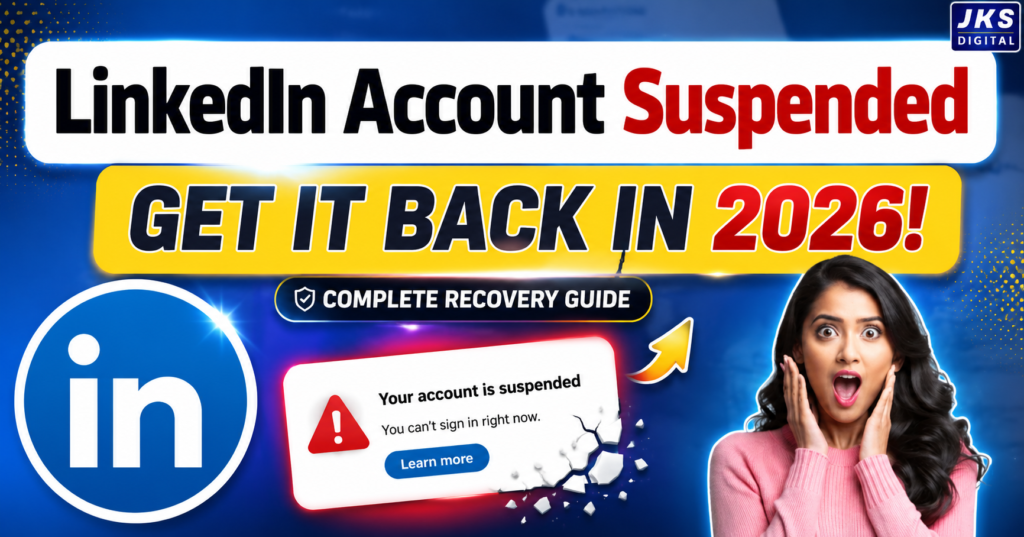
The good news is that a suspension does not always mean you have permanently lost your LinkedIn account. In many cases, LinkedIn may restrict an account because it detected unusual activity, needs to verify your identity, or believes that certain activity may have violated its policies.
The important thing is not to panic and not to start creating multiple new accounts immediately.
Instead, you should first understand why the restriction happened, check what LinkedIn is asking you to do, and then follow the appropriate recovery or review process.
In this guide, we will walk through the practical steps you can take if your LinkedIn account has been suspended or restricted in 2026.
Why Is My LinkedIn Account Suspended?
There is no single reason why LinkedIn restricts accounts. Sometimes the issue is obvious, while in other cases, a genuine user may be surprised to see a restriction.
Here are some of the common situations that can trigger account restrictions or reviews.
1. Unusual Account Activity
LinkedIn may pay attention to activity that suddenly looks different from your normal behavior.
For example, if you normally send a few connection requests but suddenly send a large number of requests within a short period, the activity may appear unusual.
Similarly, a sudden increase in messages, profile activity, or other actions can sometimes result in additional security checks.
This does not automatically mean that you have done something wrong. It simply means LinkedIn may want to make sure the account is being used normally.
2. Too Many Connection Requests
LinkedIn is designed for professional networking, not unlimited connection collection.
Sending large numbers of connection requests, particularly to people you do not know, can create problems. If many requests are ignored, declined, or reported, your account activity may receive additional scrutiny.
Instead of trying to connect with hundreds of people as quickly as possible, focus on sending relevant requests to people you genuinely want to network with.
3. Spam or Promotional Activity
LinkedIn can also take action against accounts that appear to be using the platform primarily for spam.
Examples can include:
- Sending the same promotional message to many people
- Repeatedly posting irrelevant promotional content
- Excessive unsolicited messages
- Posting misleading offers
- Repeatedly directing users to suspicious websites
A professional LinkedIn account should provide genuine value rather than treating every connection as a sales lead.
4. Third-Party Automation Tools
This is an important point for people involved in sales, marketing, recruitment, or lead generation.
Some third-party tools can automate actions such as:
- Sending connection requests
- Visiting profiles
- Sending messages
- Following users
- Performing other repetitive LinkedIn actions
Using automation can make account activity look unnatural and may create account-security or policy issues.
If your account was restricted after using an automation extension or tool, consider stopping that activity before requesting a review.
5. Incorrect or Misleading Profile Information
LinkedIn is a professional networking platform, so your profile information should accurately represent who you are.
Problems may arise when an account contains misleading information, impersonates another person, or uses information that does not accurately represent the account owner.
For example, using someone else’s identity or creating a profile that intentionally misleads other users can result in serious account action.
6. Identity Verification Issues
Sometimes LinkedIn may simply need to confirm that you are the legitimate owner of the account.
This can happen when there is an account-security concern or when LinkedIn asks you to complete an identity verification process.
If you receive a verification request, carefully follow the instructions provided by LinkedIn and submit accurate information.
7. Reports From Other Users
Users can report profiles, messages, or other activity on LinkedIn.
A report does not necessarily mean that you have definitely violated a policy. However, multiple reports or activity that requires investigation can result in your account being reviewed or restricted.
Is Your LinkedIn Account Suspended, Restricted, or Temporarily Locked?
Before trying to recover your account, it is useful to understand what type of problem you are actually facing.
People often use the words suspended, restricted, and locked interchangeably, but the message you receive from LinkedIn matters.
Read Also:- GMB Profile Suspended 2026? Restore Your GBP Fast
Temporary Restriction
A temporary restriction limits some or all account activity while LinkedIn reviews the situation or waits for an action from you.
You may be asked to complete a particular step before you can regain normal access.
Identity Verification
In some situations, LinkedIn may ask you to verify your identity.
This means the immediate problem may not necessarily be a permanent suspension. LinkedIn may simply need additional information to confirm that you are the legitimate account owner.
Account Suspension
A suspension means LinkedIn has taken more serious action against the account and has limited your ability to use it.
The next step depends on the message shown to you and the instructions LinkedIn provides.
Permanent Restriction
A permanent restriction is more serious. If LinkedIn determines that an account has significantly violated its policies, restoring the account can become difficult.
However, if LinkedIn provides an appeal or review option, you should use that official process rather than attempting to bypass the restriction.
What Should You Do Immediately After LinkedIn Suspends Your Account?
Your first reaction might be to repeatedly try logging in or create another account.
Don’t rush.
The first few steps you take can make the recovery process easier.
Step 1: Read the Suspension Message Carefully
Start with the exact message LinkedIn shows when you attempt to access your account.
Look for information about:
- Why your account was restricted
- Whether verification is required
- Whether you need to submit an appeal
- Whether LinkedIn has provided additional instructions
Take a screenshot of the message for your records.
Do not rely only on what you remember seeing on the screen.
Step 2: Check Your Email Inbox
LinkedIn may send account-related notifications to the email address associated with your account.
Check:
- Your primary inbox
- Spam folder
- Promotions folder
- Other email addresses you may have previously connected to LinkedIn
Look for messages explaining the restriction or requesting an action.
Be careful with emails that ask for sensitive information through suspicious links. If you are unsure whether a message is genuine, access LinkedIn through its official website or app rather than clicking an unfamiliar link.
Step 3: Check Whether LinkedIn Is Asking for Verification
If LinkedIn asks you to verify your identity, follow the instructions shown in your account or official LinkedIn communication.
Make sure the information you submit is accurate.
Do not submit someone else’s identity document or attempt to manipulate verification. That can create a much bigger problem than the original restriction.
Step 4: Stop Suspicious or Automated Activity
If you were using a browser extension, automation service, scraping tool, or another third-party service that interacts with LinkedIn, stop using it while you deal with the restriction.
This is particularly important if the restriction appeared shortly after using such a service.
The goal is to remove any activity that could continue triggering security or policy concerns.
Step 5: Don’t Create Multiple New Accounts
This is one of the most common mistakes people make after losing access.
They think:
“I’ll just create another LinkedIn account.”
That may not be the best solution.
If your original account is under review, creating additional accounts to bypass a restriction can create further complications.
Your first priority should be to recover the original account through LinkedIn’s official process.
How to Recover a Suspended LinkedIn Account
Once you understand what happened, you can move on to the recovery process.
There is no universal recovery button that works for every suspended account. The appropriate process depends on the message LinkedIn shows and the reason for the restriction.
Here is the practical approach.
Read Also:- Google Ads Appeal Rejected in 2026? Here’s Exactly What to Do Next
Step 1: Follow LinkedIn‘s Official Instructions
If LinkedIn provides a verification, review, or appeal option when you try to sign in, start there.
Do not immediately look for unofficial “account recovery” services.
Your account should be reviewed through LinkedIn’s own support and account-recovery process.
If LinkedIn asks you to complete a specific action, complete that action accurately before trying alternative solutions.
Step 2: Complete Identity Verification if Requested
If LinkedIn asks you to verify your identity, treat the process seriously.
Use your own legitimate information and make sure the information you provide is accurate.
Depending on the verification process presented to you, LinkedIn may ask for information or documentation to confirm your identity.
Do not:
- Upload another person’s document
- Edit or manipulate documents
- Enter false information
- Use fake identity details
If the verification fails, carefully review the instructions provided by LinkedIn and use the available review or support option rather than repeatedly submitting random information.
Step 3: Submit an Appeal or Request a Review
If you believe your account was restricted by mistake, request a review through LinkedIn’s official process.
A good appeal should be:
- Clear
- Polite
- Honest
- Short
- Focused on the problem
You do not need to write a long emotional explanation.
The purpose of the appeal is to help LinkedIn understand that you are the legitimate account owner and that you want the account reviewed.
What Should You Write in a LinkedIn Suspension Appeal?
A simple and professional appeal can work better than an angry message.
You can use the following structure:
Hello LinkedIn Support,
My LinkedIn account has been restricted/suspended, and I would like to request a review of my account. I believe the restriction may have been applied in error.
I am willing to complete any required identity verification and provide any additional information needed to confirm that I am the legitimate owner of the account.
Please review my account and let me know if any further action is required from my side.
Thank you for your assistance.
If you know exactly what caused the issue, you can make the message more specific.
For example, if you accidentally used a third-party automation tool, don’t invent a story. Be honest and explain that you have stopped using it and will follow LinkedIn’s policies going forward.
Should You Admit a Mistake in Your Appeal?
If you genuinely made a mistake, honesty is usually better than pretending nothing happened.
For example, if you used an automation tool without understanding its risks, you could explain the situation briefly and state that you have stopped using it.
You do not need to write a long confession.
A simple explanation is enough:
“I understand that some of my recent activity may not have followed LinkedIn’s requirements. I have stopped using the third-party tool involved and will follow LinkedIn’s policies going forward. I kindly request a review of my account.”
The important thing is to remain factual and professional.
Read Also:- Google Ads Account Disabled (2026) Read This Before You Submit an Appeal
What Happens After You Submit an Appeal?
After submitting a review request, you may need to wait for LinkedIn to process it.
The exact timeframe can vary depending on the type of restriction and whether additional verification is required.
During this period:
- Monitor your email
- Check for responses from LinkedIn
- Follow any additional instructions
- Avoid submitting repeated requests unnecessarily
- Do not try to bypass the restriction with another account
If LinkedIn asks for additional information, provide it accurately.
Can a Suspended LinkedIn Account Actually Be Recovered?
Yes, a suspended LinkedIn account can sometimes be recovered, but recovery is not guaranteed.
It depends on why the account was restricted, the information available to LinkedIn, whether identity verification is required, and the outcome of its review.
The most important thing is to avoid making the situation worse.
Instead of creating multiple accounts, using fake information, or paying an unknown person who promises “100% recovery,” use LinkedIn’s official review and verification process.
A Quick Recovery Checklist
Before you move on to the next step, make sure you have done the following:
- Read the suspension/restriction message
- Checked your LinkedIn-related emails
- Identified whether verification is required
- Stopped suspicious automation tools
- Avoided creating a new account
- Submitted the requested verification
- Sent a clear appeal if an appeal option is available
- Kept your information accurate
- Monitored your email for LinkedIn’s response
If you have completed these steps, the next question is what to do if LinkedIn asks for identity verification, takes too long to respond, or rejects your appeal.
What If LinkedIn Asks for Identity Verification?
If LinkedIn asks you to verify your identity, don’t assume that your account has been permanently suspended.
In many cases, verification is simply part of the process LinkedIn uses to confirm that the person trying to access the account is the legitimate owner.
Follow the instructions LinkedIn provides and make sure the information you submit is genuine and accurate.
Keep These Things in Mind
Use your own information.
Never submit another person’s identity document or personal information.
Make sure the submitted information is accurate.
If the information you provide conflicts with your account details, it may create additional questions during the review.
Use clear documentation if requested.
If LinkedIn’s verification process asks you to provide documentation, make sure the submitted image or information is clear and readable.
Don’t manipulate documents.
Editing, altering, or falsifying documents can turn an account-access problem into a much more serious issue.
The exact verification requirements can vary, so always follow the instructions presented by LinkedIn for your specific account.
How Long Does LinkedIn Take to Recover a Suspended Account?
This is one of the first questions users ask after submitting an appeal.
Unfortunately, there isn’t one guaranteed recovery time for every account.
The review may depend on:
- The reason for the restriction
- Whether identity verification is required
- The type of account issue
- Whether additional information is needed
- The complexity of the review
Because of this, you should be careful with websites or individuals promising that your account will definitely be restored within a specific number of hours.
A legitimate recovery process can take time.
What Should You Do While Waiting?
Don’t keep submitting the same appeal repeatedly.
Instead:
- Monitor the email associated with your LinkedIn account.
- Check your spam or junk folder.
- Watch for additional verification requests.
- Keep copies of important communication.
- Follow any new instructions LinkedIn sends you.
Most importantly, avoid trying to bypass the restriction by creating multiple accounts.
What If Your LinkedIn Appeal Is Rejected?
A rejected appeal can be frustrating, especially if you believe your account was restricted by mistake.
Before giving up, carefully read the response you received.
Try to determine whether LinkedIn has:
- Explained the reason for the decision
- Asked for additional information
- Provided another review option
- Requested identity verification
- Indicated that the restriction is final
If LinkedIn provides another legitimate review or verification route, follow that process.
However, don’t keep submitting identical appeals without adding any relevant information.
If you believe there is an error, explain the specific issue clearly and provide accurate information that may help LinkedIn understand your situation.
What If You Can’t Access Your LinkedIn Email?
Sometimes the LinkedIn account itself isn’t the only problem.
You may also have lost access to the email address connected to your account.
In that situation, account recovery can become more complicated.
Read Also:- How to Protect Your Google AdSense Account from Invalid Traffic (Complete Guide)
First, try to regain access to the email account through the email provider’s own recovery process.
If you can recover your email account, it may make it easier to receive LinkedIn’s security and recovery communications.
If you cannot access the email account, use LinkedIn’s official account-recovery or support process and provide the information requested to establish ownership.
Don’t try to prove ownership by submitting someone else’s information.
Can You Create a New LinkedIn Account After Suspension?
This is an important question.
If your original account has been suspended, creating another account simply to bypass the restriction is generally not a good recovery strategy.
You should first attempt to resolve the original account through LinkedIn’s official process.
Creating additional accounts can make it harder to understand which account is legitimate and may create further account-management problems.
If LinkedIn has specifically instructed you to take a particular action regarding a new or existing account, follow those instructions rather than relying on advice from random websites or social media posts.
What You Should NOT Do After a LinkedIn Suspension
When people lose access to an important professional account, they often make decisions out of frustration.
Some of those decisions can make recovery harder.
Here are the mistakes you should avoid.
1. Don’t Create Multiple Accounts
Creating several new accounts while your original account is under review can complicate the situation.
Focus on recovering the account you already have.
2. Don’t Use Fake Information
Never change your identity, name, professional history, or other important information simply to get around a restriction.
Your LinkedIn profile should represent you accurately.
3. Don’t Buy “Guaranteed Recovery”
Be careful with people or websites claiming:
“100% LinkedIn account recovery guaranteed.”
Nobody outside LinkedIn can honestly guarantee that LinkedIn will restore a restricted account.
You should also never give your LinkedIn password or verification documents to an unknown person claiming they can recover your account.
4. Don’t Submit Fake Documents
This is particularly important if identity verification is involved.
Never edit, manipulate, or fabricate an identity document.
5. Don’t Keep Spamming Support
Sending the same appeal repeatedly is unlikely to make the review process better.
If you have new information that is relevant, provide it through the appropriate official channel.
6. Don’t Continue Using Automation
If automation or third-party software may have contributed to the restriction, continuing to use it while trying to recover your account doesn’t make sense.
Stop the activity and review how you are using LinkedIn.
How to Prevent LinkedIn Account Suspension in the Future
Recovering an account is only half the problem.
The bigger goal should be avoiding the same situation again.
You don’t need to stop networking on LinkedIn. You simply need to use the platform in a way that looks natural, professional, and genuine.
1. Keep Your Profile Information Accurate
Your name, professional information, experience, education, and other profile details should accurately represent you.
Don’t create a fake professional identity just to attract connections or clients.
A genuine profile also makes your account more trustworthy to other users.
2. Send Relevant Connection Requests
Don’t treat LinkedIn like a numbers game.
Instead of sending hundreds of random connection requests, focus on people who are actually relevant to your professional goals.
For example, if you’re a digital marketer, you might connect with:
- Business owners
- Marketing professionals
- Entrepreneurs
- Recruiters
- Other marketers
- Potential clients
- Industry professionals
A smaller network of relevant connections can be much more useful than thousands of random connections.
3. Avoid Spammy Messages
One of the easiest ways to make your LinkedIn activity look unnatural is to send the same sales pitch to everyone.
Instead of immediately selling something, start a genuine professional conversation.
For example, rather than sending:
“Hello, buy my service now.”
You can first explain why you’re reaching out and why the connection may be relevant.
Personalized communication is generally more useful than mass messaging.
4. Be Careful With Automation Tools
Automation can be tempting when you’re trying to save time.
However, tools that automatically perform LinkedIn actions can create risks for your account.
Before connecting any third-party software to LinkedIn, understand what it does and whether its activity is consistent with LinkedIn’s current rules.
If your account has already been restricted, avoid continuing the same automated activity while trying to recover it.
5. Don’t Suddenly Change Your Activity Pattern
A professional account should generally be used naturally.
If your normal activity is relatively low and you suddenly begin sending large numbers of requests and messages, that sudden change may look unusual.
Instead, build your network gradually.
Quality matters more than speed.
6. Keep Your Account Secure
Not every restriction is necessarily caused by something you intentionally did.
An account can also become a security concern if someone else gains access to it.
Protect your account by:
- Using a strong password
- Keeping your email account secure
- Reviewing account sessions when appropriate
- Avoiding suspicious login links
- Being careful with browser extensions
- Never sharing your password with strangers
If you believe someone else accessed your account, prioritize account security before returning to normal activity.
A Simple LinkedIn Safety Checklist
Before using your account normally again, ask yourself:
Profile
- Is my information accurate?
- Am I representing myself honestly?
- Is my profile professional?
Networking
- Am I sending relevant connection requests?
- Am I avoiding mass requests?
- Am I building genuine professional relationships?
Messaging
- Am I avoiding repetitive spam?
- Are my messages relevant to the person receiving them?
- Am I giving people a reason to respond?
Tools
- Am I using third-party automation?
- Are any browser extensions performing actions on my behalf?
- Do I actually need those tools?
Security
- Is my email account secure?
- Is my LinkedIn password strong?
- Have I noticed any suspicious account activity?
If you can answer these questions confidently, you’re already reducing several common risks.
Frequently Asked Questions About LinkedIn Account Suspension
Can a suspended LinkedIn account be recovered?
Yes, some suspended or restricted accounts can be recovered. However, restoration is not guaranteed. The outcome depends on the reason for the restriction and LinkedIn’s review of the account.
Why did LinkedIn suspend my account without warning?
LinkedIn may restrict an account when it detects activity that requires investigation, a potential policy issue, unusual behavior, security concerns, or a need for identity verification.
A restriction message or email from LinkedIn should provide the most useful information about your specific situation.
How do I appeal a LinkedIn suspension?
Use the official review or appeal process provided by LinkedIn for your account. Keep your explanation factual, polite, and honest. If LinkedIn requests verification or additional information, provide it accurately.
Can I create another LinkedIn account after suspension?
Creating another account specifically to bypass an existing restriction is not a good recovery strategy. Try to resolve the original account through LinkedIn’s official process first.
How long does LinkedIn account recovery take?
There is no universal recovery timeframe. It can vary depending on the reason for the restriction, verification requirements, and the review process.
What happens if LinkedIn rejects my appeal?
Read the rejection carefully and check whether LinkedIn provides another review or verification option. If a legitimate additional process is available, follow it and provide relevant information.
Should I pay someone to recover my LinkedIn account?
Be extremely cautious. No third party can guarantee that LinkedIn will restore your account. Never give your password, verification codes, or sensitive identity documents to an unknown person promising guaranteed recovery.
Can using LinkedIn automation cause account problems?
It can create account risks, particularly when software performs actions such as sending connection requests or messages automatically. If you use third-party tools, understand the risks and make sure your LinkedIn activity complies with the platform’s current requirements.
Final Verdict: Can You Get Your LinkedIn Account Back?
A LinkedIn suspension can feel serious, but a restriction does not automatically mean that your professional profile is gone forever.
The right response is to slow down, understand the message LinkedIn has provided, and use the official recovery, verification, or review process available for your account.
Don’t make the situation worse by creating multiple accounts, submitting fake information, using questionable recovery services, or continuing suspicious automated activity.
If you made a genuine mistake, be honest. If you believe the restriction happened by mistake, clearly request a review. And if LinkedIn asks you to verify your identity, provide accurate information through the official process.
Most importantly, remember that there is no legitimate shortcut that can guarantee account recovery.
The safest approach is simple: understand the restriction, follow LinkedIn’s instructions, provide accurate information, and give the review process the information it needs to make a decision.
Once your account is restored, focus on using LinkedIn naturally—build relevant connections, send meaningful messages, keep your profile accurate, and avoid activity that could make your account look like a spam or automation account.