Google Ads Account Disabled 2026 Imagine opening your Google Ads account in the morning, only to discover that your campaigns have stopped running. Your impressions suddenly drop to zero, your leads disappear, and your business starts losing potential customers every hour.
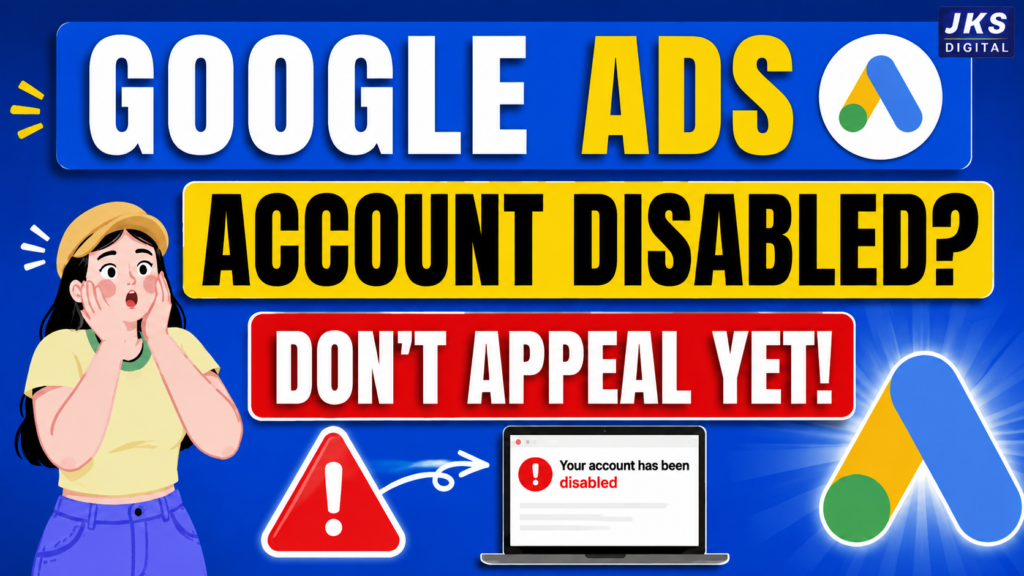
If you’ve landed on this page, chances are you’re facing one of the most frustrating situations an advertiser can experience—a disabled Google Ads account.
The first reaction for most advertisers is panic. Many immediately submit an appeal without understanding what actually caused the suspension. Others create a brand-new Google Ads account, believing it will solve the problem faster. Unfortunately, both of these decisions can make the situation even worse.
The good news is that a disabled account doesn’t always mean the end of your advertising journey. In many cases, Google provides advertisers with an opportunity to identify policy violations, fix the underlying issues, and submit an appeal for review.
This guide is designed to help you understand exactly what happened, why Google disabled your account, and what steps you should take before requesting a review. Instead of guessing or following outdated advice from random forums, you’ll learn a structured recovery process based on Google’s advertising policies and industry best practices.
Whether you’re a business owner, freelancer, digital marketer, or agency, this guide will help you avoid common mistakes that often delay—or even prevent—successful account recovery.
Quick Answer: Why Was Your Google Ads Account Disabled?
Google disables advertising accounts when it believes that an advertiser has violated one or more of its policies or when unusual activity suggests potential risk to users or the advertising ecosystem.
Some of the most common reasons include:
- Policy violations
- Misrepresentation
- Circumventing Systems
- Suspicious payment activity
- Unacceptable business practices
- Malware or compromised websites
- Business verification issues
- Repeated policy violations
- Attempts to bypass Google’s enforcement systems
Each suspension type requires a different approach. That’s why identifying the exact reason behind your account suspension is the most important first step before taking any action.
Pro Tip: Never assume you know the reason for your suspension. Always read the notification in your Google Ads account and the associated email carefully before making any changes.
Why Does Google Disable Ads Accounts?
Google’s advertising platform serves billions of users worldwide. To maintain trust, protect users, and ensure advertisers compete fairly, Google continuously monitors every account for policy compliance.
Whenever Google’s automated systems—or, in some cases, human reviewers—detect activity that appears unsafe, misleading, or against advertising policies, the platform may limit or completely disable an account.
It’s important to understand that Google doesn’t disable accounts randomly. There is almost always a policy or trust-related reason behind the decision, even if it isn’t immediately obvious.
Below are the most common causes.
1. Circumventing Systems
This is one of the most serious Google Ads policy violations.
It occurs when Google’s systems believe an advertiser is attempting to bypass or manipulate advertising policies.
Examples include:
- Creating multiple accounts to avoid enforcement
- Using cloaking techniques
- Redirecting users to different landing pages
- Hiding important website information
- Repeatedly violating policies after warnings
Recovering from a Circumventing Systems suspension is often more challenging because Google treats it as a severe trust issue.
2. Misrepresentation
Google expects advertisers to provide accurate, transparent, and truthful information.
If your website contains misleading claims or hides important business details, your account may be suspended under the Misrepresentation policy.
Examples include:
- Fake testimonials
- Unrealistic guarantees
- Hidden pricing
- Missing contact information
- False business claims
- Misleading product descriptions
Your website should clearly communicate who you are, what you sell, how customers can contact you, and any important terms related to purchases or services.
3. Suspicious Payment Activity
Google may temporarily disable or suspend accounts when payment information appears unusual or inconsistent.
Common triggers include:
- Payment methods that fail repeatedly
- Billing information that doesn’t match business details
- Chargebacks
- Unusual payment patterns
- Verification issues
Even if your campaigns comply with advertising policies, payment-related problems can prevent your ads from running.
4. Unacceptable Business Practices
Google prioritizes user safety above everything else.
Businesses that promote deceptive, unethical, or harmful practices may face immediate suspension.
Examples include:
- Misleading financial offers
- Fake investment schemes
- Hidden subscription charges
- Fraudulent services
- Unrealistic income promises
- False healthcare claims
If your business falls into a sensitive category, Google may require additional verification before allowing advertisements to run.
5. Malware or Compromised Website
Your website plays a major role in Google’s trust evaluation.
If Google detects malware, phishing scripts, harmful downloads, or suspicious redirects, it may disable your advertising account to protect users.
Common issues include:
- Infected WordPress plugins
- Hacked websites
- Unsafe downloads
- Redirect malware
- Spam injections
Regular website security audits can help prevent these problems.
6. Business Verification Problems
In many countries and industries, Google now requires advertisers to complete Business Operations Verification or Identity Verification.
If verification isn’t completed—or the submitted information doesn’t match official records—your account may become restricted or disabled until verification is successful.
Typical verification requests involve:
- Government-issued identification
- Business registration documents
- Address verification
- Legal business information
Always ensure your business information is consistent across your website, Google Ads account, and official documents.
Read Also:- WhatsApp Account Ban or Restriction: Reasons, Fix & Recovery Guide
7. Repeated Policy Violations
Sometimes advertisers ignore warnings or continue making the same policy mistakes after Google has already flagged their account.
Repeated violations significantly reduce Google’s trust in an advertiser.
Examples include:
- Continuing to run disapproved ads without fixing the issue
- Uploading similar ads after repeated disapprovals
- Ignoring policy notifications
- Constantly violating advertising guidelines
Consistency in policy compliance is just as important as fixing individual issues.
Signs That Your Google Ads Account Has Been Disabled
Many advertisers confuse a disabled account with a simple billing issue or a disapproved ad. Understanding the difference can save you time and help you take the right action.
| Status | What It Means | Can Ads Run? |
|---|---|---|
| Account Disabled | Google has disabled your advertising account due to policy or trust concerns. | ❌ No |
| Billing Hold | Your payment information needs attention or verification. | Usually No |
| Ad Disapproved | One or more ads violate policy, but your account remains active. | Other approved ads may continue running |
| Account Under Review | Google is reviewing your account or business information. | Sometimes |
| Identity Verification Pending | Verification is required before advertising can continue. | Limited or No |
Understanding these differences prevents unnecessary panic and helps you choose the correct recovery path.
What Should You Do Immediately After Your Google Ads Account Is Disabled?
The first few hours after receiving a suspension notice are critical. Many advertisers make emotional decisions that complicate the recovery process.
Instead of reacting quickly, follow a structured approach.
1. Stay Calm and Avoid Guesswork
A suspension notice doesn’t automatically mean you’ve intentionally violated a policy. Google’s systems evaluate thousands of signals, and the issue may be related to your website, billing information, verification status, or advertising practices.
Your goal is to identify the real cause—not to make random changes.
2. Read Every Notification Carefully
Open your Google Ads account and review every notification, warning, and policy message.
Then read the email Google sent regarding the suspension.
Pay close attention to:
- The exact suspension reason
- Any policy names mentioned
- Verification requests
- Required actions
- Review eligibility
Small details in these messages often determine your recovery strategy.
common Mistake: Many advertisers submit an appeal after reading only the email subject line. Always review the complete notification before taking action.
3. Don’t Create Another Google Ads Account
One of the biggest mistakes advertisers make is opening a new account immediately after a suspension.
If the original suspension was related to serious policy violations, creating another account without resolving the underlying issue may lead to additional enforcement actions.
Always understand the reason behind the suspension before deciding your next step.
4. Review Your Website Honestly
Instead of asking, “Why did Google suspend me?”, ask yourself:
“Would I trust this website if I were a customer visiting it for the first time?”
Review every important page, including:
- Homepage
- About Us
- Contact Page
- Privacy Policy
- Terms & Conditions
- Refund Policy (if applicable)
- Product or Service Pages
Look for misleading claims, missing information, broken links, exaggerated promises, or anything that could reduce trust.
Read Also:- Facebook Account Disabled 2026: Ultimate Guide to …
5. Check Billing and Business Information
Make sure your payment profile, business details, domain information, and contact details are accurate and consistent.
Even small inconsistencies can delay verification or create unnecessary complications during the review process.
6. Document Every Change You Make
Before submitting an appeal, keep a record of every improvement you make to your account and website.
Maintaining clear documentation helps you explain your actions more effectively if Google requests additional information during the review process.
Pro Tip: Treat the recovery process like an audit. The more organized and transparent you are, the easier it becomes to demonstrate that you’ve addressed the underlying issues.
Step-by-Step Recovery Process
Recovering a disabled Google Ads account isn’t about submitting an appeal as quickly as possible. The goal is to identify the underlying issue, resolve it completely, and then provide Google with a clear explanation of the changes you’ve made.
Many advertisers fail because they rush the process instead of fixing the actual problem.
Follow these steps carefully.
Step 1: Identify the Exact Suspension Reason
Before making any changes, determine exactly why your account was disabled.
Review:
- Your Google Ads notification
- Suspension email
- Policy Center
- Billing section
- Identity Verification section (if applicable)
Google usually provides enough information to point you toward the relevant policy.
Without identifying the real reason, every other step becomes guesswork.
Step 2: Audit Your Website
Your website is one of the most important trust signals Google evaluates.
Ask yourself the following questions:
- Does the website clearly explain the business?
- Is the company name consistent everywhere?
- Is there a genuine Contact page?
- Is there an About Us page?
- Are the Privacy Policy and Terms available?
- Is the Refund Policy visible where required?
- Are all claims supported by evidence?
- Are there any misleading promises?
Remove anything that may appear deceptive, exaggerated, or intentionally unclear.
Google wants users to understand exactly who they’re buying from.
Step 3: Check Business Information
Review every piece of business information connected to your advertising account.
This includes:
- Business name
- Website domain
- Email address
- Phone number
- Business address
- Billing profile
- Payment information
All details should be accurate and consistent.
Even small inconsistencies can create trust issues.
Read Also:- Facebook Account Suspended in 2026? How to Recover It …
Step 4: Review Google Ads Policies
Never rely solely on YouTube videos, forums, or unofficial advice.
Instead, carefully compare your website and advertising practices against Google’s official advertising policies.
Pay special attention to:
- Misrepresentation
- Circumventing Systems
- Unacceptable Business Practices
- Editorial Requirements
- Destination Requirements
Your goal is to understand not only what the policy says, but why it exists.
Step 5: Fix Every Issue Before Appealing
Many advertisers submit an appeal while their website still contains the same problems that caused the suspension.
This is one of the biggest reasons appeals get rejected.
Do not submit your appeal until you have:
- Updated your website
- Fixed policy violations
- Corrected business information
- Verified payment details
- Completed required verification
A complete solution always performs better than a partial one
Step 6: Submit a Professional Appeal
Your appeal should be honest, concise, and factual.
Avoid emotional language or blaming Google.
Instead, explain
Google reviews thousands of appeals.
A clear and professional explanation is far more effective than a lengthy emotional message.
How the Google Ads Appeal Process Works
After submitting your appeal, Google’s review team evaluates your account, website, business information, and policy compliance.
Depending on the situation, the review may involve automated systems, manual reviewers, or both.
Possible outcomes include:
- Account reinstated
- Additional verification requested
- Appeal rejected
- Permanent suspension confirmed
Review times vary depending on the complexity of the case.
Submitting multiple appeals before receiving a response usually doesn’t speed up the process.
Patience is often part of the recovery process.
Common Mistakes That Reduce Recovery Chances
Many advertisers unintentionally make their situation worse.
Avoid these common mistakes.
Creating Another Google Ads Account
Opening another account without understanding the original suspension may create additional complications.
Always resolve the original issue first.
Submitting an Appeal Without Fixing Anything
If your website and account remain unchanged, Google has little reason to reverse its decision.
Read Also:- How To Facebook Account Disabled or Restricted? …
An appeal should demonstrate meaningful improvements.
Ignoring Website Trust Signals
Missing business information often damages credibility.
Make sure your website includes:
- About Us
- Contact Information
- Privacy Policy
- Terms and Conditions
- Refund Policy (where applicable)
Transparency matters.
Using Misleading Marketing Claims
Avoid statements such as:
- Guaranteed Results
- Instant Approval
- 100% Success
- Risk-Free Income
- Unlimited Earnings
Unsupported promises can create policy concerns.
Always make claims that you can verify.
Hiring Fake Recovery Services
Be cautious of companies promising guaranteed account recovery.
No individual or agency can guarantee that Google will reinstate a suspended account.
Recovery depends on policy compliance—not promises.
Best Practices That Help Build Trust
While no checklist can guarantee account recovery, following good business practices improves your overall credibility.
Consider the following:
- Use a secure HTTPS website.
- Display accurate business information.
- Keep policies updated.
- Use original website content.
- Avoid copied landing pages.
- Respond honestly during verification.
- Keep billing information accurate.
- Monitor policy updates regularly.
- Maintain consistent branding.
- Review your website periodically.
Building trust is an ongoing process rather than a one-time task.
Frequently Asked Questions
Can I recover a disabled Google Ads account?
In many cases, yes. Recovery depends on the reason for the suspension and whether the underlying issues have been properly addressed before submitting an appeal.
How long does Google take to review an appeal?
Review times vary. Some cases are processed within a few days, while more complex cases may require additional time.
Should I create another Google Ads account?
Generally, creating another account without resolving the original issue is not recommended. Focus on understanding and addressing the reason for the suspension first.
Can Google permanently suspend an account?
Yes. Serious or repeated policy violations may lead to permanent suspension.
Will my campaigns return after recovery?
If your account is reinstated, your campaigns may become available again. However, you should review every campaign before restarting your advertising.
Does changing my website improve recovery chances?
If the website contains policy violations or trust issues, correcting them is often an important part of the recovery process.
Can an agency recover my Google Ads account?
An experienced agency can help identify issues and improve compliance, but no agency can guarantee reinstatement because the final decision belongs to Google.
Is one rejected appeal the end of the process?
Not necessarily. Depending on the circumstances, advertisers may be able to resolve additional issues and follow Google’s available review processes. Always follow the guidance provided in the official suspension notice.
Google Ads Account Recovery Checklist
| Task | Status |
|---|---|
| Identified the suspension reason | Completed |
| Reviewed Google’s advertising policies | Completed |
| Audited the website | Completed |
| Updated business information | Completed |
| Verified billing details | Completed |
| Completed required verification | Completed |
| Fixed policy violations | Completed |
| Submitted a professional appeal | Completed |
| Waiting for Google’s review | In Progress |
Final Thoughts
A disabled Google Ads account can interrupt your marketing efforts, but rushing through the recovery process rarely produces good results.
The most successful advertisers focus on understanding the reason behind the suspension, improving their website and business transparency, and submitting a well-prepared appeal only after addressing the underlying issues.
Remember that Google’s advertising policies are designed to protect users and maintain trust across its advertising ecosystem. The more transparent, accurate, and compliant your business becomes, the stronger your long-term advertising foundation will be.
Treat account recovery as an opportunity to improve your website, strengthen your business credibility, and build advertising practices that remain sustainable over time.
By following a structured approach instead of reacting emotionally, you give yourself the best possible chance of resolving the issue while creating a stronger business for the future.