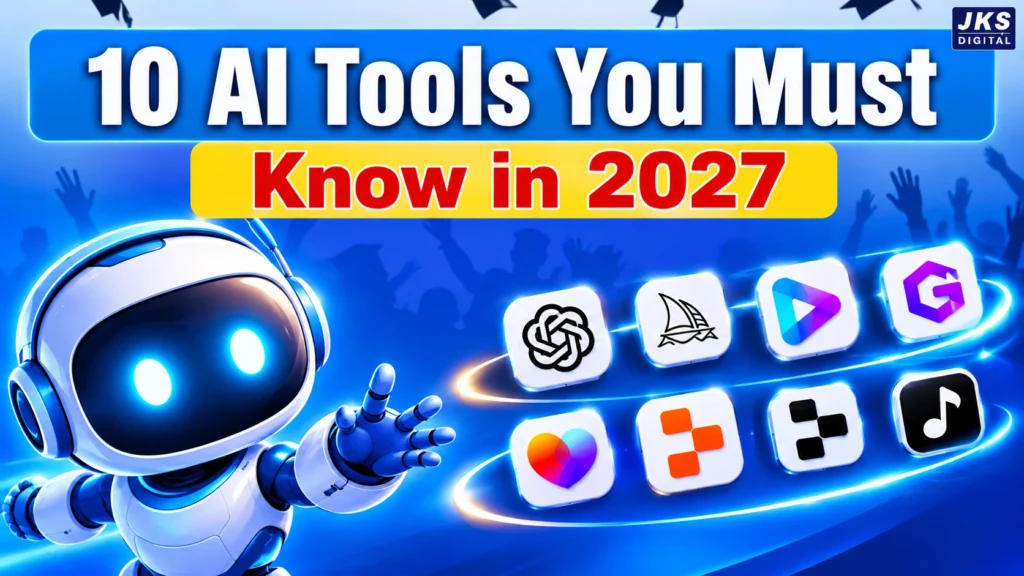
Top 10 AI Tools to Watch in 2027:- Artificial intelligence is moving beyond simple chatbots and basic content generation. What started as a technology for answering questions and writing text is gradually becoming a powerful ecosystem capable of performing complex tasks, building applications, generating realistic videos, automating business operations, and supporting creative projects.
As we move towards 2027, the AI industry is entering a new phase. Instead of relying on a single AI platform for everything, individuals and businesses are increasingly exploring specialized tools designed to solve particular problems. Some platforms can research information and organize entire projects, while others can create professional videos, develop websites, generate music, or convert written ideas into visual presentations.
This shift is important because people no longer want AI tools that simply provide suggestions. They want practical solutions that save time, reduce repetitive work, improve productivity, and help them turn ideas into finished results.
For example, a content creator may use an AI video generator to produce visual content without a traditional production setup. A freelancer may build a website using an AI-powered development platform, while a small business owner may use AI agents to manage research, customer communication, and everyday tasks.
However, choosing the right technology is becoming just as important as knowing how to use it. Not every AI platform offers the same capabilities, and some tools are designed for very specific professional requirements.
Why Specialized AI Tools Are Becoming More Important
The growing number of AI platforms has created a new opportunity for people who want to work smarter. Instead of spending hours learning complicated software or completing every task manually, users can now explore tools that simplify particular stages of their work.
Several important developments are making specialized AI tools increasingly relevant.
1. From AI Assistance to Task Execution
Traditional AI assistants mainly respond to instructions, generate information, or suggest solutions. Newer AI agent platforms are designed to handle multiple steps of a task, work with different digital resources, and produce more complete results with less manual involvement.
2. More Creative Opportunities Without Advanced Technical Skills
AI-powered video, image, music, and design platforms are making creative production accessible to a wider audience. People who do not have professional editing or design experience can experiment with ideas and produce content using natural-language instructions.
3. Faster Website and Application Development
AI-powered development platforms are changing how people approach software creation. Users can describe an idea in ordinary language and receive assistance with generating website layouts, application structures, and code. This can reduce development time, although testing, security, and technical improvements remain important.
4. Business Automation Beyond Repetitive Tasks
Businesses are exploring AI-powered systems to organize workflows, process information, support customer operations, and connect different digital tools. These solutions can help smaller teams manage more work without increasing their workload at the same rate.
5. New Possibilities for Freelancers and Independent Creators
Specialized AI platforms are also creating opportunities for freelancers who provide services such as video production, website development, presentation design, voice generation, and workflow automation. The real value comes from combining AI capabilities with professional judgment and delivering useful results to clients.
What Makes an AI Tool Worth Watching in 2027?
The popularity of an AI platform does not automatically make it the right choice for every user. A useful tool should solve a genuine problem rather than simply offer impressive demonstrations.
Before choosing an AI platform, consider its practical capabilities, ease of use, output quality, pricing, privacy policies, and compatibility with your existing workflow.
Another important factor is how much control users have over the final result. AI-generated content and automated tasks may still require human review, editing, and verification. Businesses should also consider data protection, reliability, and the possibility of errors before depending on automated systems.
In the following sections, we will explore ten specialized AI platforms that offer different capabilities across research, automation, video production, application development, design, music generation, and productivity.
Rather than focusing only on well-known AI assistants, this guide highlights platforms that can introduce users to different ways of working, creating, and building digital opportunities in 2027.
Top 10 AI Tools to Watch in 2027
The next generation of AI platforms is not limited to answering questions or generating basic content. Several specialized tools are introducing new ways to complete professional tasks, develop digital products, produce creative content, and manage business operations.
The following ten platforms offer different capabilities and are worth exploring as we approach 2027. Each tool serves a different purpose, making it important to understand where it fits into a real-world workflow.
1. Genspark – An AI Workspace for Research and Task Execution
Genspark AI Review 2026: Sparkpages, Super Agent, and the Real Costs
Genspark is an AI-powered workspace designed to help users research topics, organize information, create documents, prepare presentations, and complete different digital tasks.
Unlike a traditional search engine that mainly provides links to information, Genspark aims to bring research and task execution into a more organized environment. Its AI agents can help users work through multi-step requests and produce structured outputs.
Key Features:
- AI-powered research and information gathering.
- Creation of presentations, documents, and reports.
- AI agents for handling multi-step tasks.
- Tools for organizing and analyzing information.
- Assistance with everyday professional workflows.
Practical Uses in 2027:
Digital marketers can use Genspark to research competitors, explore market trends, and organize campaign information. Students and professionals can use it to prepare research-based reports, while business owners can explore new markets and collect information before making decisions.
What Makes It Different?
Its focus on combining research, content creation, and task execution makes it more than a basic AI chatbot. It is particularly interesting for people who regularly handle information-heavy work.
2. Manus AI – Moving Towards Autonomous AI Agents
Introducing Manus: The general AI agent — WorkOS
Manus AI represents a different approach to artificial intelligence. Instead of simply generating an answer, it is designed to take instructions and work through a sequence of actions to complete a task.
For example, a user might ask it to research a business idea, compare available options, organize the findings, and prepare a structured report. The platform aims to handle multiple stages of such work rather than requiring the user to manage every step individually.
Key Features:
- Multi-step task execution.
- Research and information organization.
- Assistance with website and application development.
- Document and report generation.
- AI-driven task planning and execution.
Practical Uses in 2027:
Entrepreneurs can explore business ideas, freelancers can organize research projects, and marketing teams can use AI agents to assist with repetitive digital tasks.
What Makes It Different?
The main attraction is its task-oriented approach. It aims to move AI from answering individual prompts towards completing larger assignments. However, users should review its results, especially when tasks involve important business decisions or sensitive information.
3. Kling AI – Creating Cinematic Videos with Artificial Intelligence
Kling AI là gì? Hướng dẫn sử dụng Kling AI cho người mới
Kling AI is an AI video generation platform that allows users to create visual content from text prompts and images. It is particularly interesting for creators who want to produce cinematic-looking videos without depending entirely on traditional filming equipment.
Users can describe a scene, provide visual references, and generate video clips based on their creative instructions.
Key Features:
- Text-to-video generation.
- Image-to-video animation.
- AI-generated visual scenes.
- Camera movement and cinematic effects.
- Creative video generation and editing capabilities.
Practical Uses in 2027:
YouTube creators can experiment with visual storytelling, digital marketers can develop promotional clips, and businesses can create concept videos for products and services.
For example, an online clothing business could explore AI-generated promotional scenes to present a product concept without organizing a complete video shoot.
Read also:- How to Build a Profitable Affiliate Marketing Website Using WordPress
What Makes It Different?
Kling AI focuses on visual storytelling and video generation. It gives creators another way to turn written ideas and static images into moving visual content. However, generated videos may still require editing, quality checks, and corrections.
4. Lovable – Building Websites and Applications Through Prompts
Top 9 AI App Builders That Actually Work in 2026 [Expert Tested]
Lovable is an AI-powered development platform that helps users turn written descriptions into websites and applications.
Traditionally, developing a digital product requires knowledge of programming languages, frameworks, databases, and user-interface design. Lovable aims to simplify the initial development process by allowing users to describe what they want to build using natural language.
Key Features:
- Prompt-based website and application development.
- AI-assisted interface creation.
- Code generation and editing.
- Integration with supported development services.
- Assistance with building and improving digital products.
Practical Uses in 2027:
Freelancers can use it to create website prototypes, entrepreneurs can test business ideas, and small businesses can explore custom digital solutions.
For example, someone planning an online appointment-booking platform can describe its required features and use Lovable to generate an initial application.
What Makes It Different?
Its biggest advantage is reducing the technical barrier to starting a software project. However, AI-generated applications still need proper testing, security checks, and professional review before being used commercially.
5. Replit Agent – AI-Assisted Coding and Software Development
Developer Relations — Dark Mode – Replit
Replit Agent is designed to help users develop software through natural-language instructions. It can assist with planning, writing code, creating application structures, and testing different parts of a project.
One interesting aspect of Replit is its browser-based development environment, which allows users to work on projects without setting up a traditional local development environment.
Key Features:
- AI-assisted code generation.
- Application development from written instructions.
- Debugging and code improvements.
- Browser-based coding environment.
- Project building and deployment support.
Practical Uses in 2027:
Developers can use Replit Agent to speed up coding tasks, beginners can experiment with simple applications, and startups can create early prototypes before investing in larger development projects.
For instance, a small business owner could explore building an internal task-management application by explaining the required features to the AI agent.
What Makes It Different?
Replit combines an AI coding assistant with an environment for developing and running software. It is useful for experimentation and faster development, although understanding the generated code remains important for maintaining secure and reliable applications.
6. Gamma – Turning Ideas into Professional Presentations
Why Gamma is your next-gen PowerPoint alternative | Gamma.app
Gamma is an AI-powered visual communication platform that helps users turn written ideas, documents, and rough notes into professionally designed presentations.
Creating a presentation traditionally involves writing content, selecting layouts, arranging images, and adjusting the overall design. Gamma simplifies much of this process by using AI to structure information and generate visually organized slides.
It also supports the creation of documents, websites, social media carousels, and other visual materials.
Key Features:
- AI-generated presentations from text prompts.
- Conversion of documents into visual presentations.
- Ready-made themes and customizable layouts.
- AI-assisted content editing and design improvements.
- Export and sharing options.
Practical Uses in 2027:
Students can prepare educational presentations, freelancers can create client proposals, and marketing agencies can develop campaign presentations. Business owners can also use Gamma to present business plans, product ideas, and company information.
For example, a digital marketing agency can turn a campaign strategy into a presentation that explains its objectives, target audience, marketing channels, and expected deliverables.
What Makes It Different?
Gamma combines content organization with visual design. Rather than starting with a blank slide, users can begin with an idea or an existing document and develop it into a presentation.
Its official documentation also supports creating documents, presentations, and social media content within the same platform. Gamma Help Center+1
7. HeyGen – Creating AI Avatar Videos Without a Camera
HeyGen is an AI video creation platform that allows users to produce presenter-style videos using digital avatars, AI voices, and written scripts.
One of its interesting applications is the ability to create videos in which an AI avatar delivers a script without requiring the creator to record themselves in front of a camera.
This can be particularly useful for people who regularly produce educational, promotional, or business-related videos.
Key Features:
- AI avatar video generation.
- Text-to-video creation.
- AI voice generation and voice cloning.
- Video translation into multiple languages.
- Lip-sync technology.
- Conversion of presentations into narrated videos.
Read Also:- Top 10 Free Freelancer Apps to Earn Money Online in 2025
Practical Uses in 2027:
Businesses can create product explainers, educational platforms can prepare training videos, and content creators can experiment with virtual presenters.
For example, a company operating in India could prepare an English promotional video and create translated versions for audiences who prefer Hindi or other supported languages.
What Makes It Different?
HeyGen focuses on presenter-led communication. It allows businesses and creators to produce videos with digital presenters without organizing a traditional recording session.
Its video translation and lip-sync capabilities also make it useful for reaching audiences across different languages. HeyGen+1
8. Suno AI – Turning Written Ideas into Original Music
Suno AI: كيف تؤلف أغنية كاملة في دقيقتين بدون أي خبرة موسيقية؟ الدليل الشامل 2025 | مدونة أدوات AI
Suno is an AI-powered music creation platform that allows users to generate songs from written descriptions and creative instructions.
Traditionally, producing a complete song requires musicians, instruments, recording equipment, and audio production knowledge. Suno makes it possible to experiment with music creation by describing the desired style, mood, lyrics, and overall sound.
Users can explore different musical genres and generate songs without having to perform every part themselves.
Key Features:
- AI-generated songs from text prompts.
- Music creation using custom lyrics.
- Different musical styles and genres.
- Voice and audio creation features.
- Song editing and extension capabilities.
- Visual content creation for generated music.
Practical Uses in 2027:
Independent creators can experiment with original background music, YouTubers can explore soundtracks for their videos, and businesses can develop musical concepts for promotional campaigns.
For example, a content creator preparing a travel video could explore generating an original instrumental soundtrack that matches the mood of the footage.
What Makes It Different?
Suno makes music creation accessible to people who may not have formal musical training. Its creative possibilities are also expanding beyond audio.
In November 2026, Suno introduced Visuals, allowing users to create images and video clips connected to their music, including animated lyric videos. Suno+2
However, users should review the platform’s licensing and usage terms before using generated music commercially.
9. Wispr Flow – Turning Your Voice into Polished Writing
Wispr Flow – Think it, speak it, send it
Wispr Flow is a voice-to-text productivity tool designed to convert spoken words into clean, structured writing.
Many people can explain their ideas more naturally by speaking than by typing. However, traditional voice typing often produces incomplete sentences, repeated words, and unnecessary pauses.
Wispr Flow aims to improve this experience by using AI to refine spoken language while maintaining the speaker’s intended meaning.
Key Features:
- Voice-to-text conversion across applications.
- Automatic punctuation and formatting.
- Removal of unnecessary filler words.
- Recognition of corrections during speech.
- Support for more than 100 languages.
- Custom vocabulary and personalized writing styles.
Practical Uses in 2027:
Professionals can dictate emails, writers can capture ideas, freelancers can prepare client messages, and business owners can create written instructions using their voice.
For example, someone preparing a lengthy business proposal can speak their initial thoughts instead of typing every sentence. Wispr Flow can help turn that speech into more organized text.
What Makes It Different?
Unlike basic speech-to-text systems, Wispr Flow focuses on improving the final written output rather than simply transcribing every spoken word.
It is particularly interesting for people who regularly write emails, documents, messages, and detailed AI prompts. Wispr Flow+1
10. Napkin AI – Converting Written Ideas into Visual Explanations
We Tested +55 AI Productivity Tools. Here Are The 10 Best Apps in 2026 | Saner.AI
Napkin AI is a specialized AI platform that helps users transform written information into visual explanations.
Sometimes, explaining a complicated idea through long paragraphs is difficult. Diagrams, flowcharts, timelines, and infographics can make the same information easier to understand.
Napkin AI addresses this challenge by allowing users to paste written content and generate relevant visual representations.
Key Features:
- Text-to-visual generation.
- AI-generated flowcharts and diagrams.
- Mind maps and infographics.
- Data charts and visual explanations.
- Customization of generated visuals.
- Export options for presentations and documents.
Practical Uses in 2027:
Teachers can explain complicated subjects visually, marketers can create informative graphics, and businesses can present processes in a more understandable format.
For example, an SEO professional can explain how keyword research, content creation, technical SEO, and link building work together through a single visual diagram.
What Makes It Different?
Napkin AI focuses on transforming information into visuals rather than generating lengthy written responses. Users can also customize the generated diagrams and export them in different formats, including PNG, PDF, SVG, and PowerPoint. Napkin AI Help Center+1
How These AI Tools Can Transform Work, Business and Online Growth in 2027
The real value of artificial intelligence is not limited to generating content or completing individual tasks. Its biggest potential lies in how different AI tools can work together to improve productivity, simplify professional processes, and create new digital opportunities.
In 2027, individuals and businesses can use specialized AI platforms to handle different stages of a project, from initial research and planning to content production, application development, and final delivery.
However, successful AI adoption is not about using as many tools as possible. It is about selecting the right platforms for specific requirements and combining their capabilities into a practical workflow.
1. Using AI Tools for Content Creation and Blogging
Content creation is one of the areas where specialized AI platforms can make a significant difference. Bloggers and digital publishers regularly work on research, writing, visual design, editing, and content distribution. Completing all these activities manually can require considerable time.
AI tools can simplify several stages of this process.
For example, Genspark can assist with research and information organization, while AI writing assistants can help develop article outlines and improve drafts. Napkin AI can turn complicated explanations into diagrams, and Gamma can help transform written information into visual presentations.
Video creators can also use Kling AI to experiment with visual storytelling and HeyGen to develop presenter-style videos.
A practical content workflow could look like this:
- Research a topic and collect relevant information.
- Organize the findings into a structured article.
- Review facts and prepare the final written content.
- Generate supporting diagrams and visual materials.
- Create short videos to promote the published article.
- Distribute the content through relevant digital channels.
The important point is that AI should support the content creation process, not replace original research, fact-checking, and editorial judgment.
2. AI Tools for Digital Marketing and SEO
Digital marketing involves several activities, including keyword research, competitor analysis, content planning, campaign development, creative production, and performance monitoring.
Specialized AI tools can help marketing professionals manage these activities more efficiently.
For example, Genspark can assist with researching competitors and organizing market information. Napkin AI can simplify complex marketing concepts into visual explanations, while Gamma can help agencies prepare professional strategy presentations for clients.
HeyGen and Kling AI can support video marketing campaigns by helping teams experiment with different promotional formats.
Lovable can also be useful when businesses want to develop landing-page concepts or explore custom web applications.
Consider a digital marketing agency working with a local business. Its team could use AI tools to research the industry, prepare campaign ideas, create promotional videos, and present a structured marketing strategy to the client.
However, AI-generated keyword suggestions, market research, and SEO recommendations should always be checked against reliable data and actual search performance. AI-generated content alone does not guarantee better Google rankings.
3. AI Video Creation and Social Media Production
Video content has become an important part of digital communication. Businesses, influencers, educators, and online publishers increasingly use videos to explain ideas, promote products, and reach their audiences.
Specialized AI video platforms can reduce some of the technical work involved in producing this content.
Kling AI can help generate visual scenes from text and images. HeyGen can create presenter-style videos using digital avatars, while Suno can help users experiment with original music for suitable creative projects.
These tools can be combined to develop different types of social media content.
Read Also:- 7 Best Passive Income Apps 2026 to Earn Extra Money Online
For example, a small business could use an AI-generated visual scene to introduce a product, create an avatar-based explanation of its features, and prepare supporting audio for a promotional video.
Some useful applications include:
- YouTube educational and explanatory videos.
- Instagram Reels and short-form promotional content.
- Product demonstrations and advertisements.
- Training and onboarding videos.
- Multilingual video communication.
- Visual storytelling for brands.
Despite these advantages, creators should pay attention to copyright, music licensing, realistic representation, and disclosure requirements where applicable. AI-generated visuals should not mislead viewers or present fictional events as real footage.
4. Business Automation and AI-Powered Workflows
Business automation is another area where AI tools could become increasingly important.
Many businesses spend a considerable amount of time handling repetitive activities, organizing information, preparing reports, and managing internal processes.
AI agents such as Manus can assist with multi-step digital assignments, while platforms such as Genspark can support research and information gathering. Replit Agent can help develop custom software solutions, and Lovable can simplify the process of creating application prototypes.
For example, imagine a small company that receives regular customer inquiries. It could explore an automated workflow that collects incoming information, categorizes requests, prepares responses for human review, and organizes customer details.
A more advanced workflow could connect different business applications to reduce manual data entry and improve internal coordination.
However, automation should be introduced carefully. Customer information must be protected, important actions should have appropriate human approval, and automated systems should be monitored for errors.
The goal is not to remove people from every business process. It is to reduce repetitive work so employees can focus on customer relationships, decision-making, and more valuable activities.
5. Opportunities for Freelancers and Online Entrepreneurs
The growth of specialized AI platforms is also changing the range of services freelancers can offer.
Previously, certain digital services required expensive software, specialized equipment, or extensive technical knowledge. AI tools are reducing some of these barriers and allowing independent professionals to experiment with new service categories.
Here are some practical opportunities:
AI Video Production: Freelancers can explore promotional videos, avatar-based presentations, product explainers, and short-form video packages using tools such as Kling AI and HeyGen.
Website and Application Development: Lovable and Replit Agent can help freelancers create prototypes, business websites, and customized digital solutions. Technical review and testing remain essential before commercial delivery.
Presentation Design: Gamma can help professionals prepare business presentations, proposals, educational materials, and visual reports.
AI Music and Creative Audio: Suno can help creators experiment with original music and audio concepts, subject to the applicable licensing terms.
Visual Content Services: Napkin AI can help freelancers produce diagrams, infographics, process illustrations, and educational visuals.
Research and Business Support: Genspark and Manus can assist with research-based assignments, information organization, and selected digital tasks.
The important opportunity is not simply learning how to operate these platforms. Freelancers need to understand client requirements, maintain quality standards, and deliver complete solutions.
6. How Small Businesses Can Use AI to Reduce Workload and Costs
Small businesses often operate with limited budgets and smaller teams. Hiring separate professionals for every activity may not always be practical.
Specialized AI platforms can help businesses explore more affordable ways to manage certain creative and operational requirements.
For example, a small coaching business could use Gamma to prepare educational presentations, HeyGen to create explanatory videos, and Napkin AI to develop visual learning materials.
An online store could experiment with AI-generated promotional videos, while a startup could use Lovable or Replit Agent to develop an initial version of a digital product.
Some potential benefits include:
- Reducing the time required for repetitive activities.
- Preparing marketing materials more efficiently.
- Creating prototypes before investing in full development.
- Improving internal documentation.
- Supporting multilingual communication.
- Experimenting with new products and services.
However, AI tools are not automatically cheaper in every situation. Subscription costs, usage limits, editing time, training requirements, and the cost of correcting mistakes should all be considered.
Businesses should compare the total cost of using AI with the actual value it creates.
7. Can AI Tools Help You Build New Income Opportunities?
One of the biggest questions surrounding AI in 2027 is whether ordinary users can turn these technologies into income opportunities.
The answer depends on how effectively someone combines AI capabilities with a marketable skill.
Simply generating images, writing text, or creating videos does not guarantee earnings. People and businesses generally pay for solutions to specific problems, not for the use of a particular AI platform.
For example, someone who understands video editing and marketing could offer complete promotional video services using Kling AI and HeyGen. A person with website development knowledge could use Lovable and Replit Agent to speed up application development.
Similarly, a freelancer with strong presentation and communication skills could use Gamma to create professional business proposals and educational presentations.
Some possible service categories include:
- AI-assisted video production.
- Website and landing-page development.
- Presentation and proposal design.
- Social media creative production.
- Business research and reporting.
- Workflow automation consulting.
- Visual content and infographic creation.
There are also limitations. Competition is increasing, AI-generated work can require substantial editing, and clients may expect original thinking and professional accountability.
Therefore, the strongest long-term approach is to develop a valuable skill, learn how AI can improve it, and offer a service that solves a real customer problem.
AI can make certain activities faster, but professional knowledge, creativity, communication, and reliability remain important.
The Future of Artificial Intelligence: Trends, Opportunities and Challenges in 2027
Artificial intelligence is developing rapidly, and the next stage of its growth could change how people work, communicate, create content, and operate businesses. The tools discussed in this article represent different areas of this transformation, from autonomous AI agents and application development to video generation and automated workflows.
Read Also:- How to Earn Money from WhatsApp in 2026: 15 Proven Ways to Make Money Online
However, the future of AI will not be determined by the number of tools available. Its real impact will depend on how effectively these technologies solve everyday problems and integrate into professional environments.
As we move through 2027, several developments deserve particular attention.
1. Emerging AI Trends to Expect in 2027
The AI industry is moving towards more specialized and capable systems. Instead of focusing only on generating text or answering questions, developers are exploring technologies that can understand different types of information and perform more complex tasks.
Some important trends include:
AI Agents and Autonomous Workflows: AI agents are becoming an important area of development. These systems are designed to understand instructions, plan tasks, interact with supported tools, and complete multiple steps. Platforms such as Manus are examples of this task-oriented approach.
Advanced AI Video Generation: Video generation is becoming more accessible through platforms such as Kling AI. Improvements in visual consistency, motion, and scene generation could create new opportunities for advertising, entertainment, and digital storytelling.
AI-Powered Software Development: Platforms such as Lovable and Replit Agent demonstrate how natural-language instructions can help people develop applications and websites. This could make software prototyping more accessible to entrepreneurs and independent creators.
Multilingual AI Communication: AI avatar and voice platforms are making it easier to experiment with content in different languages. This may help businesses communicate with customers across regions without producing every video or audio recording manually.
AI-Powered Visual Communication: Tools such as Gamma and Napkin AI highlight another important development: converting information into presentations, diagrams, and other visual formats that are easier to understand.
These developments indicate that AI is becoming more closely connected to everyday digital activities. However, their long-term impact will depend on reliability, affordability, user adoption, and responsible implementation.
2. AI Agents and the Rise of Automated Workflows
One of the most interesting developments in artificial intelligence is the movement from conversational assistants towards AI agents.
A traditional AI assistant generally responds to a question or follows a single instruction. An AI agent, on the other hand, can be designed to break a larger assignment into smaller tasks, select appropriate actions, and work towards completing an objective.
For example, consider a business that wants to research a new market.
A task-oriented AI system could potentially help with the following activities:
- Collect publicly available market information.
- Organize competitor details.
- Identify relevant industry trends.
- Prepare a research summary.
- Generate a structured report for review.
Similarly, a digital marketing team could explore AI-assisted workflows for research, content planning, campaign preparation, and reporting.
However, autonomous does not mean completely independent or error-free. AI agents can misunderstand instructions, use incorrect information, or perform unsuitable actions. Important business decisions, financial activities, customer communications, and sensitive operations should have appropriate human supervision.
The most useful approach is to combine automation with clear instructions, access controls, and human approval wherever necessary.
3. Free vs Paid AI Tools: Which Should You Choose?
As more specialized AI platforms enter the market, users may find it difficult to decide whether they should use free versions or pay for premium subscriptions.
The right choice depends on how frequently a person uses the platform and what they expect from it.
Free AI Tools
Free plans are generally useful for beginners, students, and individuals who want to explore a platform before committing financially.
They can help users understand basic features, test different workflows, and decide whether a particular tool is suitable for their requirements.
However, free plans may have limitations involving usage credits, export options, processing speed, available features, or the number of projects users can create.
Paid AI Tools
Paid subscriptions may offer higher usage limits, advanced features, additional editing capabilities, faster processing, or professional collaboration options.
These plans can be useful for freelancers, content creators, marketing agencies, and businesses that depend on AI tools for regular work.
Before purchasing a subscription, users should compare the following factors:
- Monthly and annual subscription costs.
- Available features and usage limits.
- Quality of generated results.
- Export and commercial-use permissions.
- Privacy and data-handling policies.
- Integration with existing software.
- Customer support and cancellation conditions.
For beginners, starting with free plans is often a sensible approach. Once a tool becomes part of a regular workflow and provides measurable value, upgrading may be worth considering.
4. Common Mistakes to Avoid When Using AI Tools
Although AI platforms offer exciting possibilities, using them without a clear understanding can create unnecessary problems.
Many users focus on generating results quickly but overlook quality, accuracy, privacy, and long-term usefulness.
Here are some mistakes worth avoiding.
Depending Completely on AI-Generated Information
AI-generated answers may contain incorrect facts, outdated details, or misleading explanations. Important information should always be checked against reliable sources, particularly when creating news, educational, financial, or professional content.
Using Too Many AI Tools Without a Clear Purpose
Trying every new platform can waste time and money. Users should identify their actual requirements and select a small number of tools that provide meaningful benefits.
Ignoring Copyright and Commercial Licensing
Not every AI-generated image, video, voice, or music track can automatically be used for commercial purposes. Users should review the relevant platform’s licensing conditions and restrictions before publishing or selling generated content.
Sharing Sensitive Business Information
Uploading customer details, confidential documents, passwords, or private business information without understanding a platform’s privacy policies can create security risks.
Expecting Perfect Results from Every Prompt
AI tools do not always understand instructions correctly. Generated content may require multiple revisions, manual editing, and professional quality checks.
Ignoring Human Creativity and Professional Skills
AI can help produce content and complete tasks, but it does not automatically understand every audience, business objective, or real-world situation. Human judgment remains essential for delivering meaningful results.
5. Will AI Replace Human Jobs or Create New Opportunities?
The relationship between artificial intelligence and employment is one of the most widely discussed topics in the digital economy.
As AI systems become capable of performing certain repetitive and structured activities, some existing job responsibilities may change. Tasks involving basic content production, routine documentation, simple graphic creation, and repetitive data processing could experience increasing automation.
However, this does not mean that every profession will disappear.
Many jobs involve communication, creativity, critical thinking, leadership, negotiation, and decision-making. These responsibilities require a broader understanding of people and situations.
At the same time, AI adoption is creating demand for new skills and professional services.
Some emerging areas include:
- AI workflow and automation specialists.
- AI-assisted content production.
- AI application development.
- AI video and creative production.
- AI implementation and consulting.
- AI quality assurance and content verification.
- Data privacy and AI governance.
For students and professionals, the important lesson is to understand how AI can improve their existing skills.
A graphic designer who learns AI-assisted creative production may expand their service offerings. A digital marketer who understands AI automation may manage campaigns more efficiently. Similarly, a developer who learns to work with AI coding agents may accelerate certain stages of software development.
The future of employment will likely involve a combination of technological knowledge, professional expertise, and the ability to adapt to changing requirements.
6. How to Build Your Own AI-Powered Workflow
Knowing about ten different AI platforms is useful, but understanding how to combine selected tools into a complete workflow can be even more valuable.
An AI-powered workflow is a sequence of tasks in which different tools support different stages of a project.
For example, a freelancer planning to launch a digital service could follow this approach:
Step 1: Research the Opportunity
Use a research platform such as Genspark to explore the target market, understand customer requirements, and organize available information.
Step 2: Develop the Digital Product
Use Lovable or Replit Agent to experiment with a website or application based on the business idea.
Step 3: Prepare Marketing Presentations
Use Gamma to create professional presentations, service proposals, and visual explanations for potential customers.
Step 4: Produce Promotional Videos
Experiment with Kling AI for visual scenes and HeyGen for presenter-style promotional videos.
Step 5: Develop Supporting Creative Materials
Use Napkin AI to prepare diagrams and infographics that explain the service or product.
Step 6: Improve Daily Productivity
Use Wispr Flow for voice-based writing and communication, while appropriate AI agents can assist with selected research and administrative tasks.
This workflow demonstrates how different platforms can support a single business objective.
Users do not need to subscribe to every tool. They can begin with the platforms most relevant to their work and gradually introduce additional solutions when necessary.
7. Which AI Tools Are Worth Trying in 2027?
The best AI tool depends on what someone wants to accomplish. A video creator may benefit from a different platform than a software developer, while a business owner may prioritize automation and productivity.
The following comparison can help readers identify suitable starting points.
| Requirement | AI Tool |
|---|---|
| Research and productivity | Genspark |
| Multi-step AI tasks | Manus AI |
| AI video generation | Kling AI |
| Website and app development | Lovable |
| AI-assisted coding | Replit Agent |
| Presentations and documents | Gamma |
| AI avatar videos | HeyGen |
| Music generation | Suno |
| Voice-to-text productivity | Wispr Flow |
| Diagrams and infographics | Napkin AI |
Rather than choosing a tool because it is trending, users should evaluate whether it solves a genuine problem.
For example, someone who rarely creates videos may not need a paid video-generation subscription. Similarly, a beginner who only wants to prepare presentations may not require a complete software development platform.
The best choice is the one that provides practical value without introducing unnecessary costs or complexity.
Final Thoughts: The Future Belongs to People Who Know How to Use AI Effectively
Artificial intelligence is changing the digital landscape, but the biggest opportunities are not necessarily available to people who use the largest number of AI tools.
They are available to those who understand how to apply technology to real-world problems.
The ten platforms discussed in this guide represent different areas of AI development, including research, autonomous task execution, video generation, website development, coding, presentations, voice technology, and visual communication.
For students, these tools can provide new ways to learn and develop practical skills. For freelancers, they can help expand professional services. For businesses, they can simplify selected operations and create new opportunities for digital growth.
However, AI should be treated as a technology that supports human capabilities rather than a replacement for every form of professional knowledge.
As we move further into 2027, learning how to select, combine, and use AI tools responsibly could become an important advantage in an increasingly competitive digital world.
The question is no longer simply which AI tool is the most powerful. The more important question is: How can you use the right AI technology to create something genuinely valuable?