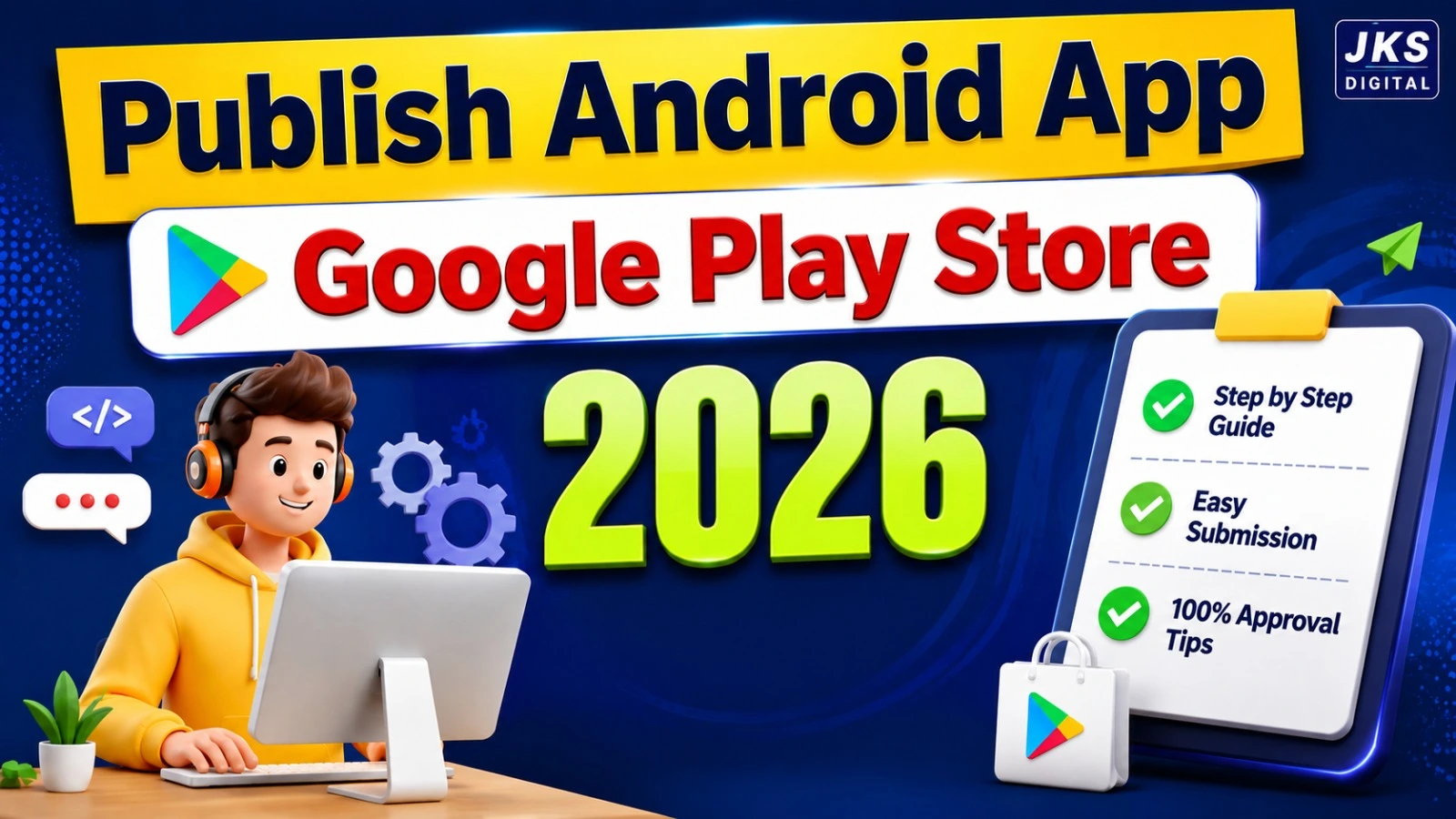
How to Publish an Android App on Google Play Store in 2026:- Building an Android app is an exciting achievement. Whether you are a startup founder, a freelance developer, a business owner, or someone launching their first mobile application, creating an app is only the beginning of the journey. The next crucial step is making your app available to users, and for Android applications, that means publishing it on the Google Play Store.
With billions of Android devices in use worldwide, Google Play Store remains the largest app distribution platform. Publishing your app on the Play Store allows users to discover, download, and update your application easily. It also helps build credibility, improve visibility, and create opportunities for revenue generation through subscriptions, advertisements, or in-app purchases.
However, many beginners find the publishing process confusing. Questions such as “How do I upload my app?”, “What is Google Play Console?”, “Do I need a privacy policy?”, and “Why do apps get rejected?” are common among first-time developers.
The good news is that publishing an Android app is not as complicated as it may seem. Once you understand the process and prepare the required assets, you can successfully launch your application and make it available to a global audience.
In this complete beginner’s guide, you will learn everything you need to know about publishing an Android app on Google Play Store in 2026, including account setup, app preparation, store listing creation, app review, common rejection reasons, App Store Optimization (ASO), and marketing strategies to grow your downloads.
Why Publishing Your App on Google Play Store Matters in 2026
Many developers wonder why they should use Google Play Store instead of sharing APK files directly. While direct distribution is possible, publishing on the Play Store offers several important advantages.
Reach a Global Audience
Google Play Store gives your application access to millions of Android users across different countries and devices. Instead of manually sharing download links, users can find your app through search results, recommendations, and category listings.
Build Trust and Credibility
Most users prefer downloading applications from trusted platforms. Apps available on Google Play Store appear more professional and reliable because they undergo security checks and policy reviews before becoming publicly available.
Simplify Updates
Without Play Store distribution, users must manually install updates. Through Google Play Store, updates can be delivered automatically, ensuring users always have the latest version of your application.
Monetization Opportunities
Google Play Store supports multiple revenue models, including:
- Paid apps
- In-app purchases
- Subscription services
- Advertisement-based earnings
This makes it easier for businesses and developers to generate income from their applications.
What You Need Before Publishing an Android App
Before you start the publishing process, prepare all necessary assets and information.
Android App Bundle (AAB)
Google recommends uploading Android App Bundles (AAB) instead of APK files because AAB files create optimized versions of your application for different devices.
App Icon
Your app icon is the first visual element users notice. It should be professional, high-quality, and representative of your brand.
Screenshots
Screenshots help users understand your app’s interface and features before downloading it.
Include screenshots showing:
- Main dashboard
- Key features
- User interface
- Important functions
Feature Graphic
A feature graphic is a promotional banner used in various Play Store placements. A visually appealing graphic can improve click-through rates.
Privacy Policy
Most modern applications collect some form of user data. A privacy policy explains how data is collected, stored, and used.
In many cases, a privacy policy is mandatory for Play Store approval.
App Description
Prepare:
Short Description
A concise explanation of your application.
Full Description
A detailed overview of:
- Features
- Benefits
- Use cases
- Functionality
This content plays an important role in App Store Optimization (ASO).
Understanding Google Play Console
Before publishing your application, you need access to Google Play Console.
Google Play Console is the platform developers use to:
- Publish applications
- Manage releases
- Monitor performance
- Track downloads
- Review crash reports
- Respond to user reviews
Think of Play Console as the control center for your Android application.
Creating a Google Play Developer Account
A developer account is required before you can upload any application.
Step 1: Visit Google Play Console
Sign in using your Google account.
Step 2: Register as a Developer
During registration, you may need to provide:
- Developer name
- Email address
- Contact details
- Identity verification information
Step 3: Complete Verification
Google has increased verification requirements to improve platform security and reduce fraudulent activity.
Ensure that all submitted information is accurate and consistent.
Step 4: Accept Developer Policies
Read and agree to Google Play Developer policies before proceeding.
Preparing Your Android App for Submission
Many first-time developers focus only on uploading the app. However, preparation is equally important.
Read Also:- How to Build a Food Delivery App Without Coding Using AI — Complete Guide 2026
Test Your Application Thoroughly
Before publishing, test your application on multiple devices.
Check for:
- Crashes
- Broken features
- UI issues
- Loading problems
- Compatibility concerns
A poorly tested application can lead to negative reviews and reduced rankings.
Optimize Performance
Users expect fast and responsive applications.
Review:
- Startup speed
- App size
- Memory usage
- Battery consumption
Performance improvements can significantly enhance user satisfaction.
Review Permissions
Only request permissions that are absolutely necessary.
For example:
- Camera access
- Location access
- Microphone access
Unnecessary permissions may cause rejection or reduce user trust.
APK vs AAB: Understanding the Difference
Many beginners are confused about APK and AAB files.
What Is an APK?
APK stands for Android Package Kit.
Traditionally, APK files were uploaded to distribute Android applications.
What Is an AAB?
AAB stands for Android App Bundle.
Instead of generating a single file for all devices, AAB allows Google to create optimized app versions for individual devices.
Why AAB Is Preferred
Benefits include:
- Smaller download size
- Faster installation
- Better performance
- Improved user experience
For most modern applications, AAB is the recommended format.
Step-by-Step Process to Publish an Android App on Google Play Store
Now that your app is ready, you can begin the publishing process.
Step 1: Create a New App
Inside Google Play Console:
- Click “Create App”
- Enter the app name
- Select default language
- Choose app type
- Select whether the app is free or paid
After confirmation, your new application dashboard will be created.
Step 2: Complete Store Listing Information
Store listing information influences both user decisions and search visibility.
App Title
Choose a clear and memorable name.
Short Description
Explain the primary benefit of your application.
Full Description
Describe:
- Core features
- Target audience
- Benefits
- Unique advantages
Use relevant keywords naturally without keyword stuffing.
Read Also:- Audit Your Website with Claude AI: Find SEO Errors in 2 Minutes (2026)
Step 3: Upload Screenshots and Graphics
Upload:
- App icon
- Screenshots
- Feature graphic
High-quality visuals can significantly improve conversion rates.
Step 4: Upload Your AAB File
Navigate to the release section and upload your Android App Bundle.
Google Play Console will automatically analyze the file for potential issues.
Step 5: Configure Pricing and Distribution
Choose:
- Free app
- Paid app
You can also select the countries where your application will be available.
Step 6: Complete App Content Information
Google requires developers to provide detailed content information.
This includes:
- Target audience
- Ads declaration
- Data safety information
- Content rating questionnaire
Providing accurate information is critical for approval.
Step 7: Add Privacy Policy
Enter your privacy policy URL.
Make sure the privacy policy is accessible and clearly explains how user data is handled.
Step 8: Review and Submit
Review all sections carefully.
Once everything is complete, submit the application for review.
Google will evaluate the app before making it available on the Play Store.
What Happens After You Submit Your App?
Many first-time developers assume that once they click the publish button, their application immediately appears on Google Play Store. In reality, Google performs several checks before making the app available to users.
The review process is designed to ensure that applications meet quality standards, respect user privacy, and comply with platform guidelines. During this stage, Google may analyze your app’s functionality, permissions, store listing information, and overall user experience.
For new developers, the waiting period can feel stressful, but it is an important part of maintaining a safe ecosystem for Android users worldwide.
Mistakes That Can Delay or Stop Your App Launch
Even a well-designed application can face problems during submission if important details are overlooked.
Incomplete App Information
One of the most common issues is leaving important sections unfinished. Missing contact information, incomplete descriptions, or unanswered policy questions can create unnecessary delays.
Using Misleading Screenshots
Screenshots should accurately represent the actual application. If users see features in screenshots that do not exist in the app, it can create trust issues and policy concerns.
Poor User Experience
Applications that crash frequently, load slowly, or contain broken features often struggle during the review process.
Ignoring Data Transparency
Users want to know how their information is being handled. Failing to clearly explain data collection practices can create compliance problems.
Building a Play Store Listing That Attracts Downloads
Publishing an app is not only a technical process. It is also a marketing process.
Your Play Store page acts as a digital storefront. When users discover your application, they decide within seconds whether it is worth installing.
Create a Clear App Title
A strong title should explain the app’s purpose while remaining easy to remember.
Focus on Benefits Instead of Features
Instead of simply listing functions, explain how the application helps users solve a problem or achieve a goal.
Make Visual Assets Professional
Clean screenshots, attractive graphics, and a recognizable app icon can significantly improve first impressions.
Write for Humans First
Many developers try to stuff keywords into descriptions. A better approach is writing naturally while clearly explaining the value of the application.
Why Some Apps Get Very Few Downloads
A common misconception is that publishing an app automatically generates users.
In reality, thousands of applications are launched every day. Without visibility, even a high-quality app can remain unnoticed.
Some common reasons for low downloads include:
- Weak branding
- Poor screenshots
- Unclear descriptions
- Lack of reviews
- No marketing strategy
- Limited online presence
Understanding these challenges early can help developers build a stronger launch strategy.
The Importance of App Store Optimization (ASO)
Many people compare ASO to search engine optimization, and for good reason.
App Store Optimization focuses on improving the discoverability of your application within app marketplaces.
The goal is simple: help the right users find your app when they search for relevant solutions.
A well-optimized listing can increase visibility without relying entirely on paid advertising.
Key Elements of ASO
Relevant Keywords
Use phrases that users are likely to search for when looking for an app like yours.
High-Quality Screenshots
Visual content often influences download decisions more than text.
Strong User Ratings
Positive feedback builds confidence and encourages new users to install the app.
Regular Updates
Applications that receive updates demonstrate active development and ongoing support.
How to Promote Your Android App Successfully
Launching an app is only the first milestone. The next challenge is attracting users.
Share Your App on Social Media
Platforms such as Facebook, Instagram, LinkedIn, and YouTube can help introduce your application to potential users.
Create Helpful Content
Publishing blog articles, tutorials, and guides related to your app’s niche can generate long-term organic traffic.
Use Video Demonstrations
People often prefer seeing an app in action before installing it. Short demonstrations can showcase features more effectively than text.
Encourage User Recommendations
Word-of-mouth marketing remains one of the most powerful growth channels for mobile applications.
Satisfied users often become your best promoters.
Long-Term Success Requires Continuous Improvement
Many successful apps today did not become popular overnight.
Developers continuously:
- Fix bugs
- Improve performance
- Add new features
- Listen to feedback
- Adapt to user needs
Treat your application as an evolving product rather than a one-time project.
The more value you provide, the greater your chances of building a loyal user base.
Frequently Asked Questions
Do I Need Technical Skills to Publish an App?
Not necessarily. Many no-code and low-code platforms allow individuals and businesses to create and launch applications without advanced programming knowledge.
Can I Make Changes After Publishing?
Yes. Applications can be updated regularly to introduce new features, improve performance, and address user feedback.
Why Is a Privacy Policy Important?
A privacy policy helps users understand how their information is managed and demonstrates transparency.
How Can I Improve App Visibility?
Focus on optimization, user experience, ratings, reviews, and consistent promotion across multiple channels.
Conclusion
Getting an Android application onto Google Play Store is an important milestone, but true success begins after the launch. Developers who invest time in creating a professional store listing, understanding platform requirements, improving user experience, and promoting their applications strategically are more likely to achieve sustainable growth.
Rather than viewing app publishing as a final step, consider it the beginning of your app’s journey. Continuous learning, regular improvements, and a user-focused mindset can help transform a simple application into a valuable digital product.