Spending on Google Ads but Getting No Leads:- You’re spending money on Google Ads every day.
People are clicking your ads.
Your campaign dashboard shows activity.
But when you check your phone, WhatsApp or inbox, there are barely any enquiries.
That’s frustrating—especially when you know your product or service is good.
The first thing many business owners do is increase their budget. Others pause the campaign and assume that Google Ads simply doesn’t work for their business.
But neither is necessarily the right answer.
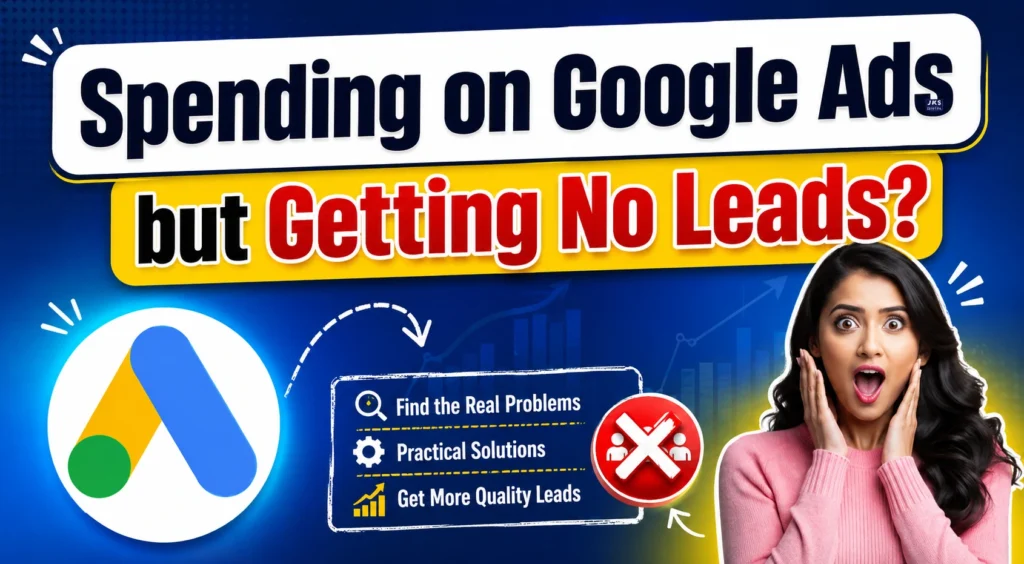
If Google Ads is getting clicks but those clicks aren’t turning into enquiries, there is usually a problem somewhere between the search, the ad and the person who clicks it.
Your keywords may be attracting the wrong people. Your location targeting may be too broad. Your ad may be promising something that the landing page doesn’t clearly deliver. Or you may simply be paying for searches from people who were never serious about buying.
The good news is that these problems can be identified and fixed.
In this first part of our guide, we’ll focus on the problems that happen before a visitor reaches your landing page—keywords, search intent, targeting, ads and search terms.
Why Are You Getting Clicks but No Leads from Google Ads?
Getting a click is not the same as getting a potential customer.
Someone can click your ad because they are curious. They may be looking for information, comparing prices, searching for a free option, or simply clicked the wrong result.
That click still costs you money.
For example, imagine you run a digital marketing agency and advertise for the keyword:
“digital marketing course”
You might receive clicks from people looking for:
- Free digital marketing courses
- Online courses
- College assignments
- Course PDFs
- YouTube tutorials
- Certification information
- Jobs in digital marketing
But your actual service may be professional digital marketing training in a physical institute.
So the problem isn’t necessarily that Google Ads failed.
The problem could be that your campaign is attracting people whose needs don’t match what you’re offering.
Think of the journey like this:
Search → Ad Impression → Click → Landing Page → Enquiry → Qualified Lead → Customer
A campaign can lose potential customers at any of these stages.
In this part, we’ll concentrate on the first three:
Search → Targeting → Click
If these aren’t right, improving your landing page alone won’t solve the problem.
1. Your Keywords May Be Attracting the Wrong People
Keywords are one of the first places you should check when Google Ads isn’t producing leads.
A keyword tells Google what type of search you want your ad to appear for. But a single keyword can sometimes represent very different intentions.
Let’s take a simple example.
Suppose you provide website development services for businesses.
You target:
“website development”
Someone searching this phrase could be:
- A business owner looking for a developer
- A student learning web development
- Someone searching for a website development course
- A developer looking for a job
- Someone searching for a tutorial
- Someone comparing website builders
All of these people can potentially see or interact with your ad.
But only some of them are your customers.
The real question is not:
“How many people clicked my ad?”
The better question is:
“How many of the people clicking my ad actually need what I sell?”
That’s where search intent becomes important.
Understanding Search Intent Before Choosing Keywords
Search intent simply means what a person is actually trying to do when they search something on Google.
Consider these searches:
“What is SEO?”
This is mainly informational.
The person wants to learn.
Now compare it with:
“SEO agency for small business”
This is much closer to commercial intent.
The person may be looking for a company to hire.
And then:
“Hire SEO agency in Delhi”
This shows an even stronger buying intention.
If your goal is generating leads, you generally want to pay close attention to searches that indicate a person is looking for a product, service, provider or solution.
How to Fix Wrong Keyword Targeting
Start by looking at the actual searches that triggered your ads rather than assuming your keywords are working correctly.
Look for searches that have nothing to do with your offer.
For example, if you’re selling a paid service and your search terms include words such as:
- Free
- Jobs
- Salary
- Course
- Tutorial
- Meaning
- Definition
some of these searches may be irrelevant depending on your business.
You can add appropriate irrelevant terms as negative keywords so that your ads are less likely to appear for those searches.
But don’t blindly add every broad term.
A word like “course,” for example, could be relevant if you actually sell a course.
The goal isn’t to get fewer clicks.
The goal is to get more relevant clicks.
2. Your Google Ads Targeting May Be Too Broad
Another common reason for poor lead quality is targeting an audience that is much larger than your actual service area.
Imagine you run a local business that serves customers only in Delhi.
If your campaign is reaching people far outside your service area, your budget can quickly disappear without producing useful enquiries.
The same problem can happen with other targeting settings.
For a local business, check:
- Location targeting
- Areas being targeted
- Location options
- Languages
- Devices
- Audience settings
- Performance by location
Local Businesses Need Extra Attention Here
Let’s say you run a home service business in one part of Delhi.
You don’t necessarily need thousands of clicks from people who live 30–50 kilometres away if you can’t realistically serve them.
A smaller number of relevant searches from your actual service area can be far more valuable than a large number of irrelevant clicks.
That’s why “more traffic” doesn’t automatically mean “better advertising.”
Check Where Your Leads Are Actually Coming From
Don’t look only at the overall campaign numbers.
Break the data down.
Ask:
Which locations are generating clicks?
Then ask:
Which locations are generating actual enquiries?
You might discover something interesting.
For example:
- Area A → 100 clicks → 2 leads
- Area B → 40 clicks → 8 leads
- Area C → 70 clicks → 0 leads
If you only look at total clicks, Area A might appear to be performing well.
But when you look at leads, Area B is clearly more valuable.
This is why campaign decisions should be based on business results, not just activity inside the Google Ads dashboard.
3. Your Ad Copy May Be Getting Clicks but the Wrong Clicks
Here’s another situation that happens frequently.
Your ad gets a good number of clicks.
You feel relieved.
But the enquiries don’t come.
Sometimes the reason is the ad itself.
An ad can be attractive enough to earn clicks while still being unclear about who the service is for, what is being offered and what the person should expect after clicking.
For example:
A Generic Ad
Digital Marketing Services
SEO, Social Media, Google Ads and more.
Contact Us Today
There’s nothing necessarily wrong with this ad.
But it doesn’t tell the user much.
Now imagine a more specific version:
A More Specific Ad
Digital Marketing Agency for Local Businesses
Get SEO, Google Ads and Social Media Marketing designed to generate more enquiries.
Request a Free Consultation
The second version gives the visitor more context before they click.
Read Also:- Which Platform is Best for Lead Generation in 2026: LinkedIn vs Instagram vs Facebook?
That’s important.
You don’t want to convince everyone to click.
You want to make the right people want to click.
Your Ad Should Match What the Customer Is Looking For
Imagine someone searches:
“Google Ads agency for small business”
Your advertisement should make it immediately clear that you work with businesses and provide Google Ads services.
If your ad simply says:
“Best Digital Marketing Company”
the visitor has to figure out whether you actually provide the service they need.
The clearer the connection between the search and your ad, the easier it is for the right person to understand your offer.
What Should a Good Google Ad Communicate?
Your ad doesn’t need complicated language.
It needs to answer basic questions quickly:
What do you offer?
Who is it for?
What benefit can the customer expect?
Why should they choose you?
What should they do next?
Depending on the business, you may also mention:
- Service area
- Starting price
- Free consultation
- Limited offer
- Experience
- Specialisation
- Warranty or guarantee, if genuinely applicable
Don’t add claims simply because they sound impressive.
If you say something in an advertisement, the business should be able to support that claim.
4. Don’t Ignore the Search Terms Report
If you’re running Google Search Ads, the Search Terms report can tell you a lot about what’s actually happening.
Your selected keyword might look perfect.
But the real searches triggering your ads can tell a different story.
For example, you might target a keyword related to:
“SEO services”
and discover that your ads are appearing for searches such as:
- SEO jobs
- SEO course
- SEO salary
- SEO internship
- Free SEO tools
If you’re selling SEO services, most of these searches may not be useful to you.
This is where the Search Terms report becomes valuable.
It helps you see the language real people are using when they encounter your ads.
How to Use Search Terms to Improve Your Campaign
Go through the searches and divide them into three simple groups:
Relevant
The search clearly matches your product or service.
Keep it.
Irrelevant
The person is looking for something you don’t offer.
Consider adding it as a negative keyword.
Unclear
The search could be relevant, but you need more information before making a decision.
Watch its performance before changing anything.
This is much better than making random changes to your campaign every few days.
5. Are You Optimizing for Clicks Instead of Customers?
This is a mindset problem that many advertisers face.
A campaign can have:
High clicks + low leads
and still look exciting inside the dashboard.
You may see hundreds of clicks and think:
“My ads are performing well.”
But if those clicks aren’t producing enquiries, sales or other meaningful actions, the number of clicks doesn’t tell the whole story.
Consider this simple example:
Campaign A
1,000 clicks
0 leads
Campaign B
300 clicks
15 leads
Which campaign would you rather have?
Obviously, Campaign B.
That’s why you shouldn’t judge your Google Ads campaign only by clicks.
The real goal is to bring relevant people who have a genuine reason to contact your business.
Read Also:- Top 10 Reasons Why Your Meta Account Gets Disabled (And How to Avoid It)
A Simple Way to Diagnose Your Campaign
Before changing your budget, go through these questions:
Question 1:
Are the right people seeing my ads?
If not → check targeting.
Question 2:
Are the right people clicking my ads?
If not → check keywords and ad copy.
Question 3:
Are people searching with buying intent?
If not → review search terms and keyword strategy.
Question 4:
Are certain locations wasting the budget?
If yes → review location performance.
Question 5:
Are irrelevant searches triggering my ads?
If yes → review negative keywords.
Once you’ve fixed these areas, you can move to the next stage.
Because even if you bring the right person to your website, you can still lose the lead after the click.
That’s where the landing page, offer, lead form, website speed and user experience become important.
What’s Coming in Part 2?
In the next part, we’ll focus on what happens after someone clicks your Google Ad.
We’ll cover:
- Why your landing page may be losing customers
- How a weak offer can kill conversions
- Why long lead forms reduce enquiries
- How website speed affects conversions
- Why mobile experience matters
- How to build a landing page that makes it easier for visitors to take action
- A practical landing page checklist
Because getting the right person to click your ad is only half the job.
The next challenge is turning that click into a real enquiry.
Part 1 ko intentionally deep but readable rakha hai, taaki Part 2 aur Part 3 mein same points repeat na hon.
Your Landing Page May Be Losing Potential Customers
Getting the right person to click your Google Ad is only one step.
Now imagine this.
Someone searches for your service, sees your ad, finds it relevant and clicks.
You have already paid for that click.
But the page opens and the visitor has no idea what to do next.
Maybe the headline is confusing. Maybe the page takes too long to load. Maybe there are five different buttons. Maybe the offer mentioned in the ad isn’t clearly visible on the page.
The visitor simply leaves.
This is one of the most overlooked reasons businesses struggle to generate leads from Google Ads.
Your ads may actually be doing their job.
The landing page may be the problem.
6. Your Landing Page Doesn’t Match Your Ad
One of the first things a visitor notices after clicking an ad is whether they have landed in the right place.
Suppose your ad says:
“Google Ads Management for Local Businesses”
The visitor clicks it expecting information about Google Ads management.
But the landing page says:
“Welcome to Our Digital Marketing Company”
and then talks about SEO, social media, web design, branding, YouTube marketing and ten other services.
The visitor now has to search through the page to find the service they were originally interested in.
Many won’t bother.
They will simply go back to Google and look for another company.
Keep the Message Consistent
If your advertisement promotes one specific service, the landing page should immediately continue that conversation.
For example:
Ad:
Google Ads Management for Local Businesses
Landing Page:
Google Ads Management That Helps Local Businesses Generate More Enquiries
The visitor should feel:
“Yes, this is exactly what I clicked for.”
That small sense of continuity can make a big difference.
7. Your Landing Page May Be Trying to Do Too Much
A common mistake is treating a landing page like a complete company website.
A normal website can have:
- About Us
- Services
- Blog
- Portfolio
- Team
- Contact
- Careers
- Testimonials
- Multiple product categories
A campaign landing page doesn’t always need all of that.
If someone has clicked an ad for Google Ads management, the page should make it easy for that person to understand the service and take the next step.
Too many choices can create hesitation.
Instead of asking:
“What should I click?”
the visitor should quickly understand:
“This is what they offer, this is why it may help me, and this is how I can contact them.”
8. Your Offer May Not Be Strong Enough
Sometimes the problem isn’t the ad or the landing page.
It’s the offer.
Think about two businesses advertising the same service.
Business A
“Contact us for Google Ads services.”
Business B
“Get a Free Google Ads Campaign Audit and Find Out Where Your Budget Is Being Wasted.”
Which one gives you a stronger reason to make contact?
The second one.
The service might be almost identical, but the reason to take action is clearer.
Your offer doesn’t necessarily have to mean giving away your entire service for free.
Read Also:- How to Recover a Disabled Meta Account in 2026: Complete Facebook & Instagram Recovery Guide
It can be:
- Free consultation
- Free audit
- Free estimate
- Demo
- Strategy call
- Product trial
- First-time discount
- Quote request
- Appointment booking
The right offer depends on the business.
The important thing is that the visitor should understand what they get by taking the next step.
9. Don’t Make Visitors Work Too Hard to Contact You
Imagine a potential customer is interested in your service.
They click your ad.
They read your page.
They’re ready to enquire.
Then they see a form asking for:
- Full name
- Phone number
- Company name
- Website
- Address
- Job title
- Monthly revenue
- Marketing budget
- Business category
- Ten other details
They may simply close the page.
Every additional field creates another opportunity for someone to stop filling out the form.
Keep the First Step Simple
For many businesses, a basic lead form may only need:
Name
Phone Number
Requirement
You can collect additional information later during the sales process.
That doesn’t mean every business should use a three-field form.
For high-value services, additional qualification questions can sometimes be useful.
The point is to ask:
“Do I really need this information before speaking to the customer?”
If the answer is no, consider removing it.
10. Your Website May Be Too Slow
A visitor doesn’t know how much money you’ve spent on your Google Ads campaign.
They only know whether your website opens quickly and works properly.
If your landing page takes too long to load, people may leave before they even see your offer.
This is especially important on mobile devices.
A page that looks perfect on a desktop computer can still provide a poor experience on a phone.
Check your website using tools such as Google PageSpeed Insights and test the actual page you’re sending Google Ads traffic to.
Don’t test only your homepage if your ads are sending visitors to a different landing page.
Common Reasons for a Slow Landing Page
Some common causes include:
- Large image files
- Unoptimized videos
- Too many plugins
- Heavy scripts
- Poor hosting
- Unnecessary animations
- Excessive tracking scripts
- Poorly optimized code
You don’t need to remove everything from your page just to make it fast.
The goal is to remove unnecessary weight while keeping the page useful.
11. Your Mobile Experience Matters More Than You Think
A large number of people search for businesses using their phones.
So open your own landing page on a phone and look at it as a customer would.
Ask yourself:
Can I understand the offer immediately?
Can I read the text without zooming?
Is the form easy to fill out?
Can I find the phone or WhatsApp button?
Are the buttons easy to tap?
Does anything overlap or break?
Does the page load properly?
Don’t assume your website works well on mobile just because it technically opens on a phone.
Try completing the entire journey yourself.
Search for your business.
Click your own ad if appropriate.
Open the landing page.
Read the content.
Try submitting the form.
That experience can reveal problems that aren’t obvious from your desktop.
12. Your Landing Page May Not Have Enough Trust
A visitor may be interested in your service but still hesitate to contact you.
Why?
Because they don’t know you yet.
This is especially true when you’re asking someone to spend money.
Your landing page should give visitors reasonable reasons to trust the business.
Depending on the business, useful trust elements can include:
- Customer reviews
- Testimonials
- Case studies
- Portfolio
- Client results
- Certifications
- Years of experience
- Business address
- Contact information
- Clear company details
- Relevant awards or recognitions
Don’t add fake reviews or exaggerated claims.
One genuine customer testimonial can be more convincing than a page full of vague statements such as:
“We are the No. 1 company.”
Specific proof is usually more useful than big claims.
Read Also:- 10 Facebook Ads Secrets for 2026 Used by Top Advertisers to Generate More Leads and Sales
13. Your Call-to-Action May Be Too Weak
A visitor shouldn’t have to guess what to do next.
Compare:
Learn More
with:
Get Your Free Google Ads Audit
The second tells the visitor what will happen after clicking.
Other examples include:
- Book a Free Consultation
- Request a Quote
- Get Pricing
- Schedule a Demo
- Talk to an Expert
- Get a Free Website Audit
- Check Availability
The best CTA depends on what happens after the click.
Don’t promise a free consultation if someone will immediately be asked to pay.
Your CTA and your actual process should match.
14. Don’t Send Every Google Ad to the Homepage
This is another mistake worth checking.
Suppose you run three campaigns:
- Google Ads Management
- SEO Services
- Website Development
If all three ads send visitors to your homepage, you’re making the visitor do extra work.
Someone searching for SEO services shouldn’t have to navigate through your entire website to find the SEO service.
A better approach is to send visitors to a page that is closely connected to the service they searched for.
Example
Google Ads search → Google Ads landing page
SEO search → SEO landing page
Website development search → Website development landing page
This creates a more direct journey.
The visitor searches for something.
They see a relevant ad.
They click.
They arrive at a page about exactly that service.
There is less confusion.
15. Your Landing Page May Have a Message Problem
Sometimes everything technically works.
The page loads.
The form works.
The buttons work.
But the visitor still doesn’t convert.
The reason may be that the page talks too much about the company and not enough about the customer’s problem.
For example:
“We are a leading digital marketing company with a team of experienced professionals.”
This tells me about you.
But a potential customer may be thinking:
“Can you actually help me get more leads?”
A stronger message focuses on the customer’s situation.
For example:
“Getting clicks from Google Ads but not enough enquiries? We help businesses identify wasted ad spend and improve their campaigns.”
Now the visitor can immediately recognise their problem.
That is often much more powerful.
16. Use the Landing Page to Answer Customer Questions
Before contacting a business, people often have doubts.
They may wonder:
- How much does it cost?
- Do you work with businesses like mine?
- How does the process work?
- How long does it take?
- Do you have experience in my industry?
- What happens after I submit the form?
- Can I speak to someone?
- Is there a minimum budget?
You don’t need to answer every possible question on the page.
But answer the important questions that commonly stop your customers from taking action.
This can reduce hesitation.
A Practical Landing Page Checklist
Before sending more money to Google Ads, check your landing page against this list:
☐ Does the headline match the ad?
☐ Is the main offer visible immediately?
☐ Is it clear who the service is for?
☐ Is the main benefit easy to understand?
☐ Is there one clear primary CTA?
☐ Does the form ask only necessary questions?
☐ Does the page work properly on mobile?
☐ Does the page load quickly?
☐ Are genuine trust signals visible?
☐ Are contact details easy to find?
☐ Does the page answer common customer questions?
☐ Does the CTA accurately describe what happens next?
☐ Does the page focus on the customer’s problem rather than only the company?
If several answers are “no,” fixing the landing page may be more useful than simply increasing your advertising budget.
Don’t Forget the Offer-to-Page Connection
Your ad, landing page and offer should feel like one continuous conversation.
For example:
Search:
“Google Ads agency for small business”
↓
Ad:
“Google Ads Management for Small Businesses”
↓
Landing Page:
“Get More Qualified Leads with Better Google Ads Campaigns”
↓
CTA:
“Request a Free Campaign Audit”
Everything makes sense.
The visitor knows what they searched for, what you’re offering and what they can do next.
That’s the kind of journey you want to create.
What If the Page Is Working but Leads Are Still Missing?
If your keywords are relevant, your targeting is appropriate, your ads are clear and your landing page is convincing, there is another possibility:
You may not be measuring conversions correctly.
You could actually be receiving enquiries while Google Ads is reporting fewer—or even zero—conversions.
That creates a completely different problem.
Before making major decisions about your campaign, you need to know whether the data you’re looking at is accurate.
And this is where conversion tracking becomes extremely important.
Your Conversion Tracking May Be Broken
Imagine you actually received five enquiries yesterday.
Two people filled out your website form.
Two called your business.
One contacted you through WhatsApp.
But when you open Google Ads, it shows only one conversion.
Now you have a problem.
Not necessarily with your advertising—but with your measurement.
If Google Ads isn’t recording the actions that matter to your business, you can end up making decisions based on incomplete information.
You might pause a campaign that is actually generating customers.
Or increase the budget on a campaign that is only generating clicks.
That’s why conversion tracking needs to be checked before making major changes to your campaigns.
c Google Ads in 2026: Emerging Trends, Key Challenges, and Smart Solutions
What Should You Track as a Conversion?
A conversion should be an action that has real value for your business.
Depending on what you sell, this could include:
- Lead form submissions
- Phone calls
- WhatsApp enquiries
- Appointment bookings
- Demo requests
- Quote requests
- Purchases
- Sign-ups
- Brochure downloads, when they are genuinely valuable
Not every click should automatically be counted as a conversion.
For example, someone clicking your menu button doesn’t necessarily mean they have become a lead.
The important question is:
“What action tells me that this person is genuinely interested in my business?”
That action should be measured properly.
Signs That Your Conversion Tracking May Be Wrong
There are a few situations that should make you check your tracking setup.
Your CRM Shows Leads but Google Ads Shows Zero
This is one of the clearest warning signs.
If your sales team received enquiries but Google Ads isn’t recording them, something may be missing from the tracking setup.
Google Ads Reports Far More Conversions Than Your Actual Leads
This can happen when one action is being counted multiple times or when you’re tracking low-value interactions as conversions.
Your Conversion Numbers Suddenly Drop
If your campaign was generating conversions and the numbers suddenly fall without an obvious business reason, check whether your tracking is still working.
Form Submissions Work but Aren’t Recorded
Submit the form yourself and check whether the conversion appears correctly.
Don’t assume tracking is working simply because the form itself works.
Test Your Conversion Tracking Yourself
One of the simplest things you can do is test the customer journey.
Open the landing page.
Fill out the form.
Submit it.
Then check whether the expected conversion is recorded.
Do the same for important actions such as:
- Phone calls
- WhatsApp clicks
- Appointment forms
- Purchase confirmations
Testing your own website can sometimes reveal a problem very quickly.
If you recently redesigned your website, changed the form, moved to a new landing page or changed your tracking setup, testing becomes even more important.
7. Your Google Ads Campaign May Be Optimizing for the Wrong Goal
Another problem can happen when the campaign is technically receiving conversions, but those conversions aren’t actually helping the business.
For example, imagine your campaign is getting lots of people to submit a form.
That sounds good.
But when your sales team calls them, most people say:
“I was only asking for information.”
You now have a lead quantity problem.
The campaign is producing actions, but not enough useful leads.
This is why you shouldn’t look at conversion numbers without considering what happens after the conversion.
A lead only becomes valuable when it has a reasonable chance of becoming a customer.
What Is a Qualified Lead?
A qualified lead is someone who is a reasonable fit for what your business offers.
For example, suppose you sell a premium website development service for businesses.
Someone who submits your form asking:
“Can you teach me website development for free?”
may technically be a lead.
But it isn’t a qualified lead for your service.
Another person who says:
“I run a local business and need a new website. Please share pricing and details.”
is much closer to your actual target customer.
That’s the difference between lead quantity and lead quality.
8. Don’t Make Campaign Changes Too Quickly
One of the easiest ways to make a Google Ads campaign worse is to change everything before you have enough useful data.
You launch a campaign.
A few days later, you don’t see enough leads.
So you:
- Change the keywords
- Change the ads
- Change the location
- Change the budget
- Change the bidding strategy
- Change the landing page
Now, even if performance changes, you won’t know what caused it.
Was the new keyword better?
Did the new ad help?
Did the landing page improve?
Did the budget change make a difference?
You have no clear answer.
Make Changes With a Reason
Instead of changing five things at once, identify the biggest problem first.
For example:
High impressions + low CTR
Look at the ad and keyword relevance.
Good CTR + no leads
Look at the landing page, offer and conversion process.
Good number of leads + poor lead quality
Look at search intent, targeting and qualification.
Good leads + poor sales
The problem may be further down the sales process rather than inside Google Ads.
This approach gives you a much clearer picture of what is actually happening.
9. Give Your Campaign Enough Data Before Judging It
There’s no universal number of days or clicks that guarantees a campaign should start producing leads.
It depends on:
- Industry
- Location
- Search volume
- Competition
- Budget
- Average cost per click
- Offer
- Website
- Conversion rate
- Type of service
A business selling a low-cost product and a company selling a high-value B2B service shouldn’t be judged in exactly the same way.
That’s why simply saying:
“Wait seven days.”
isn’t a useful rule for every campaign.
Instead, look at the amount and quality of data available and whether people are moving through the funnel.
If you’re getting relevant clicks but no conversions, you have enough evidence to start investigating the conversion journey.
Read also:- Google Ads vs Meta Ads 2026: Which Platform Gives Better ROI and Conversions?
10. Look at the Complete Google Ads Funnel
One of the easiest ways to understand a campaign is to stop looking at individual numbers and look at the entire journey.
The Basic Funnel
Impressions
People see your ad.
↓
Clicks
People visit your website.
↓
Landing Page Visits
People actually interact with your page.
↓
Conversion
Someone submits a form, calls, books an appointment or takes another valuable action.
↓
Qualified Lead
The person genuinely needs your service.
↓
Customer
The lead eventually buys.
A problem at any stage can affect the final result.
How to Find Where Your Campaign Is Failing
Here’s a simple way to look at the numbers.
| What You See | Possible Problem |
|---|---|
| Very few impressions | Low search volume, targeting or keyword issues |
| Impressions but very few clicks | Ad relevance or keyword problem |
| Plenty of clicks but no enquiries | Landing page, offer or conversion problem |
| Enquiries but poor quality | Search intent or targeting |
| Leads in your CRM but not Google Ads | Tracking problem |
| Good leads but few sales | Sales process, pricing or offer |
| Good conversion rate but expensive leads | CPC, competition or targeting |
These numbers don’t automatically tell you the exact answer.
But they help you decide where to investigate first.
Don’t Confuse a Low Cost Per Click With a Successful Campaign
A cheap click can look attractive.
Suppose one campaign gets clicks at ₹8 each.
Another gets clicks at ₹35 each.
At first glance, the ₹8 campaign looks much better.
But now look at the leads.
Campaign A
₹8 per click
500 clicks
2 leads
Campaign B
₹35 per click
150 clicks
12 leads
The second campaign costs more per click but produces far more leads.
This is why cheap traffic isn’t always good traffic.
The number that matters most depends on your business goal.
If you’re running lead-generation campaigns, you ultimately care about getting worthwhile enquiries at a cost your business can afford.
Check Your Cost Per Lead
Cost per lead gives you a better idea of what you’re paying to generate an enquiry.
For example:
You spend ₹10,000 on Google Ads.
You receive 20 leads.
Your average cost per lead is:
₹10,000 ÷ 20 = ₹500 per lead
But don’t stop there.
You also need to ask:
How many of those 20 leads were actually qualified?
Suppose only 5 were genuine potential customers.
Then your effective cost per qualified lead is:
₹10,000 ÷ 5 = ₹2,000
That’s a much more useful number for making business decisions.
Look Beyond Leads and Measure Sales
A lead is not the final goal for most businesses.
Sales are.
Imagine two campaigns:
Campaign A
30 leads
3 customers
Campaign B
15 leads
6 customers
Campaign A generated twice as many leads.
But Campaign B generated twice as many customers.
If you only optimize for lead volume, you could easily choose the wrong campaign.
Where possible, connect your advertising data with your actual sales results.
This helps you understand which campaigns are bringing people who are more likely to buy.
11. Your Budget May Not Be the Real Problem
When leads aren’t coming, increasing the budget can feel like the obvious solution.
But spending more money on a broken campaign doesn’t automatically fix it.
If you’re attracting irrelevant searches, doubling the budget can simply produce more irrelevant clicks.
If your landing page isn’t converting, more traffic won’t solve the underlying problem.
If your conversion tracking is broken, increasing the budget can make the reporting problem even harder to understand.
Fix the Funnel Before Scaling the Budget
A better sequence is:
Keywords
↓
Targeting
↓
Ad
↓
Landing Page
↓
Offer
↓
Conversion Tracking
↓
Lead Quality
↓
Sales
Once these areas are working reasonably well, then you can consider increasing the budget.
When Should You Increase Your Google Ads Budget?
Consider increasing your budget when you have evidence that the campaign is producing worthwhile results and there is room to generate more demand.
For example, if:
- Relevant searches are coming in
- Ads are receiving qualified clicks
- Landing pages are converting
- Conversion tracking is accurate
- Leads are reasonably qualified
- Sales are happening
- The economics make sense for your business
then increasing the budget may help you capture more opportunities.
But if you’re getting poor-quality traffic and zero useful enquiries, increasing the budget isn’t the first thing to do.
Google Ads No-Leads Troubleshooting Checklist
Before putting more money into a campaign, go through this checklist.
Keywords
☐ Are the keywords relevant to the actual service?
☐ Are they attracting buying-intent searches?
☐ Have you reviewed the Search Terms report?
☐ Are irrelevant searches being blocked with negative keywords?
Targeting
☐ Is your location targeting correct?
☐ Are you reaching areas you can actually serve?
☐ Are there locations spending money without producing useful leads?
☐ Have you checked device and audience performance?
Ads
☐ Does the ad clearly explain the service?
☐ Does it match the search intent?
☐ Is the offer easy to understand?
☐ Is the CTA clear?
Landing Page
☐ Does the landing page match the ad?
☐ Is the main benefit obvious?
☐ Is the page mobile-friendly?
☐ Is it fast enough?
☐ Is the form simple?
☐ Are genuine trust signals visible?
Tracking
☐ Are form submissions being recorded?
☐ Are important phone calls being tracked?
☐ Are WhatsApp or other valuable actions being measured where appropriate?
☐ Does Google Ads data match your actual enquiries?
Lead Quality
☐ Are the leads relevant?
☐ Are they from your target location?
☐ Can they afford your service?
☐ Are they actually looking to buy?
Sales
☐ Are leads being contacted quickly?
☐ Are sales teams following up properly?
☐ Are you tracking which leads become customers?
What Should You Do If Google Ads Is Still Not Generating Leads?
Don’t immediately conclude that Google Ads doesn’t work.
Start with the data.
Find out:
Are people seeing the ads?
If not, investigate targeting, keywords, budget and search volume.
Are people seeing them but not clicking?
Look at your ad copy and keyword relevance.
Are people clicking but not enquiring?
Look closely at your landing page, offer and conversion process.
Are enquiries coming in but Google Ads isn’t recording them?
Check your conversion tracking.
Are leads coming in but not becoming customers?
Look at lead quality, follow-up, pricing, sales process and the offer itself.
This approach is much more useful than simply saying:
“Google Ads isn’t working.”
Usually, the more useful question is:
“At which stage are we losing potential customers?”
Once you know that, you can work on the actual problem instead of changing things randomly.
Final Takeaway
Google Ads can bring excellent business results, but simply putting money into a campaign doesn’t guarantee leads.
If you’re getting clicks but no enquiries, don’t panic and don’t immediately increase the budget.
Start by checking the basics:
Are you targeting the right searches?
Are the right people seeing your ads?
Does your ad clearly match what they’re looking for?
Does the landing page give them a good reason to contact you?
Is the conversion tracking working correctly?
Are you measuring qualified leads rather than just clicks and form submissions?
And most importantly, look at the entire customer journey instead of focusing on one number inside the Google Ads dashboard.
A campaign with fewer clicks can outperform a campaign with thousands of clicks if those clicks come from people who genuinely need your service.
The goal isn’t to spend more.
The goal is to make every part of the journey work better—from the moment someone searches on Google to the moment that person becomes a customer.