Why Is My Meta Account Disabled:- Imagine opening Facebook one morning and finding a message saying that you can no longer use your account. You try logging in again, check your internet connection, maybe even change your password—but the same message appears.
For someone who uses Facebook or Instagram every day, this can be confusing and stressful. The first question is usually simple: “What did I do wrong?” But a disabled Meta account does not always have one obvious cause. Sometimes the issue is related to a policy violation. In other cases, unusual activity, security problems, identity concerns, or even a compromised account may be involved.
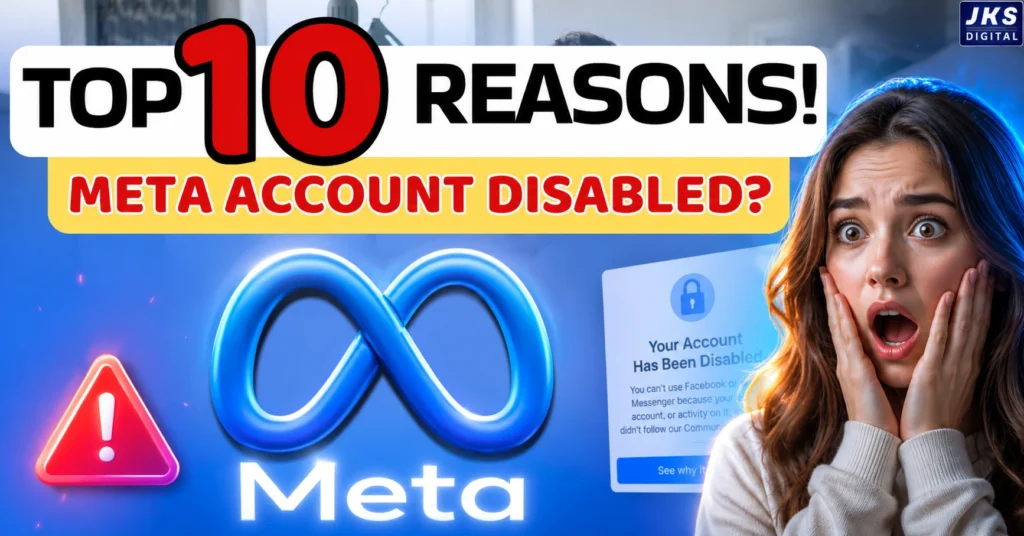
The important thing is not to panic or immediately trust someone who promises to recover your account for money. First, understand what the message means, why Meta may have taken action, and what options are actually available to you.
This guide explains the most common reasons a Meta account can be disabled, how to recognize the difference between a disabled and restricted account, and what you can do if your personal Facebook account has been disabled.
SCREENSHOT — Facebook disabled account login/message screen
What Does It Mean When Meta Disables Your Account?
When Meta disables an account, you may lose access to some or all of the account’s features. You might be unable to log in normally, post content, send messages, or use other connected features.
The exact message you see can vary depending on the situation.

This is important because “disabled,” “restricted,” and “suspended” are not necessarily the same thing. People often use these words interchangeably, but the action shown on your account matters.
For example, if Facebook has only limited one feature, that is different from being completely unable to access your account.
So before trying random recovery methods, look carefully at the notification Facebook shows you. It can give you the first clue about what happened and whether Meta is offering a review or appeal option.
Disabled vs Restricted vs Suspended: What’s the Difference?
Here is the simplest way to understand these terms:
| Account status | What it generally means | What you may experience |
|---|---|---|
| Disabled | Meta has taken action that can prevent you from using the account | You may be unable to access the account |
| Restricted | Certain features or activities have been limited | You may still be able to use other parts of the account |
| Suspended | Access has been temporarily or conditionally limited while Meta takes action or reviews the situation | What you can do depends on the message shown |
The exact consequences can depend on the account and the reason for the action. That’s why it is better to follow the instructions shown inside Facebook rather than assuming that every disabled account can be recovered in exactly the same way.
Why Does Meta Disable Accounts?
Meta has rules for how Facebook and its other services can be used. These rules cover areas such as harmful content, authenticity, spam, security, intellectual property and advertising.
When Meta detects activity that appears to violate its rules—or believes an account may pose a security or policy risk—it can take action against that account.
Sometimes the reason is obvious. For example, a user may repeatedly post content that violates platform rules.

Other situations are less straightforward. An account may have been compromised, unusual activity may have been detected, or the information associated with the account may raise authenticity concerns.
That is why it is useful to look at the possible causes individually instead of assuming that every disabled account was disabled for the same reason.
10 Reasons Why Your Meta Account May Be Disabled
1. Violating Meta Community Standards
One of the most obvious reasons for account action is violating Meta’s Community Standards.
These standards cover different types of content and behavior that Meta does not allow on its platforms. Depending on the situation, this can include areas such as threats, dangerous activity, certain forms of hate or harassment, fraud and other prohibited behavior.
A single piece of content does not necessarily tell the whole story. The seriousness of the violation, the circumstances and an account’s history can all matter.
A simple example
Suppose someone repeatedly posts content that falls under a prohibited category even after receiving warnings or having previous content removed. Continued violations can create a much bigger account-level problem than an isolated mistake.
How to reduce the risk
Before posting something questionable, check whether it could violate Meta’s rules. If Facebook removes a post or sends a policy notification, don’t simply ignore it. Understanding what was flagged can help you avoid repeating the same problem.
2. Using a Fake Name, Identity or False Information
Authenticity is another important area for Facebook accounts.
Problems can arise when an account appears to represent a person who does not actually exist, impersonates someone else, or uses misleading information.
This does not mean every person who uses a nickname will automatically lose their account. The important distinction is between normal identity preferences and deliberately misleading or inauthentic behavior.
For example, creating an account that pretends to be another person is very different from using a shortened version of your real name.
Why this matters
If Facebook cannot establish that an account represents a genuine person or if an account appears to be impersonating someone, it may trigger an authenticity or security review.
This is particularly relevant if you suddenly see a message saying your personal Facebook account was disabled even though you believe you have not posted anything problematic.
If that happens, don’t immediately assume the issue must be related to your content. Look at the reason and instructions Facebook provides when you try to access the account.
3. Suspicious Login Activity or Unusual Account Behavior
Sometimes the problem has more to do with account security than with something you posted.
A sudden change in login patterns, unfamiliar devices, unexpected account activity or signs that someone else may have accessed your account can trigger security measures.
For example, imagine that your account is normally used from one device, but someone else gains access to it and starts sending large numbers of messages or making other unusual changes. From Meta’s perspective, that activity may look very different from your normal behavior.
Read Also:- How to Recover a Disabled Meta Account in 2026: Complete Facebook & Instagram Recovery Guide
That is why a disabled account is not automatically proof that the owner intentionally violated a rule.
What you should check
If you still have access to any part of your account, look for:
- Unfamiliar login locations or devices
- Posts or messages you did not create
- Changes to your email address or phone number
- Password changes you did not make
- Unknown connected apps or services
- Security alerts you don’t recognize
If you discover activity you did not perform yourself, treat the situation as a possible account-security problem rather than immediately assuming that you need to create another Facebook account.
4. Spam or Unnatural Activity
Facebook is designed for people to interact with other people—not to behave like an automated messaging system.
Actions that look excessively repetitive or spam-like can create problems. This can include repeatedly sending the same messages, making large numbers of similar interactions in a short period, posting repetitive content, or trying to artificially generate engagement.
The important point is that normal high activity and spam are not automatically the same thing.
Someone who uses Facebook heavily is not necessarily violating a rule. The concern is more about behavior that appears artificial, abusive or designed to manipulate the platform.
For example
If a person repeatedly sends the same promotional message to large numbers of people who did not ask for it, that behavior can look very different from having a genuine conversation with friends or customers.
How to avoid the problem
Keep your activity natural. Don’t use your personal account like a bulk-marketing tool, and avoid repetitive actions simply to increase followers, reactions, comments or messages.
If you are running marketing campaigns, use the appropriate Meta tools and follow the relevant policies instead of trying to turn a personal profile into an automated promotion system.
At this point, there is one important thing to remember: an account being disabled does not automatically tell you which of these reasons caused the action. The notification shown by Meta and the options available on your account are more useful than guessing.
For that reason, if your immediate concern is “My Facebook account has been disabled—how do I recover it?”, the recovery process needs to be handled separately and carefully rather than mixing it into every individual reason above.
5. Using Unauthorized Bots, Automation or Third-Party Tools
There are countless tools online that promise to automate Facebook and Instagram activities such as posting, messaging, commenting, or growing engagement. The problem is that not every tool is safe to connect to your Meta account.
Things can become risky when a third-party service starts performing actions on your behalf that look unnatural or automated.
For example, a tool that automatically follows large numbers of accounts, sends bulk messages, or repeatedly performs the same action can make your account activity look suspicious.
That doesn’t mean every third-party tool will get your account disabled. The risk depends on what the tool does, what access you give it, and how your account is being used.
What Is Meta Partnership Ads Hub? Complete Guide for Brands & Creators 2026
How can you reduce the risk?
Before connecting any service to Facebook, take a moment to check what permissions it is asking for. Be especially careful with websites that ask for your Facebook password directly or promise thousands of followers, likes, or comments in a short time.
It’s also a good idea to regularly review the apps and services connected to your account and remove anything you no longer recognize or use.
6. Copyright or Intellectual Property Violations
Finding a photo, video, song, or graphic online doesn’t automatically mean you have permission to use it.
This is where copyright problems can start.
For example, downloading another creator’s video and uploading it to your own page, or using copyrighted music in content without the necessary rights, can lead to an intellectual-property complaint.
However, there is an important distinction here:
A copyright complaint does not automatically mean your entire Meta account will be disabled. The action taken can depend on the situation, the content involved, and the account’s history.
If you regularly create content
Try to use content you created yourself or content that you have the proper rights or permission to use.
If you’re using music, images, videos, or other material created by someone else, understand the relevant licensing or copyright rules before publishing it.
It’s also worth remembering that protecting your own copyrighted work and copying someone else’s work are two completely different situations.
7. Violating Meta Advertising Policies
If you run Facebook or Instagram ads, there is another layer of rules you need to pay attention to: Meta’s advertising policies.
One common mistake is assuming that an ad rejection and a disabled personal Facebook account are the same thing. They aren’t.
An individual ad can be rejected, an advertising account can face restrictions, or more serious action can be taken depending on the circumstances. The exact outcome varies from case to case.
Problems can arise from things such as misleading claims, prohibited products or services, problematic ad content, or a landing page that doesn’t meet Meta’s requirements.
Here’s a simple example
Imagine an advertiser promoting a product with a claim that sounds too good to be true and cannot be properly supported. Meta may reject the ad or take action against the advertising activity.
Instead of repeatedly changing the same ad and submitting it again, it’s better to understand why Meta rejected it in the first place.
8. Ignoring Repeated Policy Warnings
If you regularly run ads, make sure you understand the advertising rules separately from the rules that apply to your personal Facebook profile.
A warning can be easy to ignore when everything else on your account appears to be working normally.
For example, Facebook removes one post. You move on.
Then a similar post gets removed again, but you continue doing the same thing without checking why it happened.
The problem isn’t necessarily one warning by itself. Repeatedly continuing the same problematic behavior without addressing the underlying issue can create a much bigger account problem.
What should you do when Facebook sends a warning?
Start by finding out what the warning is actually about.
If a post was removed, check the reason before posting similar content again.
If Facebook shows a restriction or policy issue, look at the available account-status information and any review options.
Don’t simply close the notification and forget about it. A few minutes spent understanding a warning can save you from a much bigger headache later.
Read Also:- How To Facebook Account Disabled or Restricted? Complete Recovery Guide 2026
9. Your Facebook Account Was Hacked or Compromised
This is one of the situations people often overlook.
You may be thinking, “I didn’t post anything against the rules, so why was my account disabled?”
Sometimes the answer may be that someone else accessed your account.
Imagine that a hacker gets into your Facebook account and starts sending messages, publishing posts, changing account details, or carrying out other unusual activity. Meta may see that activity even though you weren’t the person doing it.
That’s why you shouldn’t automatically assume that a disabled account means the account owner intentionally broke a rule.
Signs that someone else may have accessed your account
Look out for things like:
- Posts you don’t remember publishing
- Messages you didn’t send
- An unfamiliar device or login location
- A password change you didn’t make
- Changes to your email address or phone number
- Security alerts you don’t recognize
- Unknown apps or services connected to your account
If you notice something like this, treat it as a potential security problem.
And be careful about who you trust for recovery. Giving your password, login code, or OTP to a person who claims they can “recover” your account can create an even bigger problem.
If the account was hacked and then disabled, the recovery process may require you to deal with both issues.
10. Multiple Fake or Duplicate Accounts
This topic can be confusing because having more than one online presence doesn’t automatically mean that every additional account is fake.
The bigger concern is deceptive or inauthentic behavior.
For example, creating an account that pretends to be another real person, using someone else’s identity, or creating misleading profiles can cause authenticity-related problems.
There can also be complications when someone creates new accounts specifically to get around an action taken against an existing account.
So if your original account has been disabled, don’t immediately start creating multiple new profiles just to bypass the restriction. First understand what happened and follow the instructions Meta provides for your account.
Early Warning Signs That Your Meta Account May Have a Problem
Not every disabled account comes with a warning beforehand. Still, there are some signs you shouldn’t ignore.
You may want to pay attention if you notice:
- Repeated content removal notifications
- Sudden restrictions on certain features
- Login alerts from devices you don’t recognize
- Posts or messages you didn’t create
- Unexpected changes to your password, email, or phone number
- Advertising restrictions
- Repeated policy notifications
- Unknown apps or services connected to your account
If your account is still accessible, don’t wait until you completely lose access before checking what’s going on.
Review your account status and security settings, and deal with anything unusual as soon as possible.
Read Also:- Facebook Ads Agency in Delhi | Drive Conversions with JKS Digital’s Ad Experts
My Facebook Account Has Been Disabled — How Do I Recover It?
If you’re searching “my Facebook account has been disabled, how do I recover it?”, you’re probably looking for one simple answer.
Unfortunately, there isn’t one recovery method that works for every disabled account.
The options available to you depend on what happened to the account and what Facebook shows when you try to log in.
The safest place to start is your own Facebook login screen—not a random website offering account recovery services.
Step 1: Try Logging Into Your Facebook Account
Open Facebook through the official app or website and try signing in with your normal login details.
If your account has been disabled, you may see a message explaining that you can’t use the account.
Read that message carefully.
It may contain important information about the reason for the action and, depending on your situation, what you can do next.
Don’t rush into creating another account or entering your login details on websites that claim to recover disabled Facebook accounts.
Start with the information Facebook itself provides.
Step 2: Look for a “Request a Review” or Appeal Option
If Facebook gives you an option to challenge the decision, you may see a button such as “Request a Review” or another appeal/review option.
If you see it, follow the instructions provided on the screen.
Keep in mind that Facebook does not necessarily show the same buttons or options to every user. So if you see a particular option in an old tutorial or screenshot, don’t assume it will appear exactly the same way on your account.
Step 3: Complete Any Verification Facebook Requests
In some situations, Facebook may ask you to confirm information about your account or verify your identity.
If Facebook asks for verification, follow the instructions shown through the official process.
Be careful here: an official Facebook verification request is very different from a stranger asking you to send them your ID, password, or login code.
Never share your password or OTP with someone claiming that they can manually unlock your account.
Step 4: Explain Your Situation Clearly
If Facebook gives you a space to explain your situation during the review process, keep your message simple and factual.
You don’t need to write a long emotional story.
Explain what happened, mention anything relevant, and be honest about the situation.
For example, if you believe your account was disabled by mistake, you can clearly say that you would like Meta to review the decision.
If your account was compromised, mention that as well.
The goal is to give Meta useful information—not to write the longest appeal possible.
Step 5: Wait for Meta’s Response
Once you’ve submitted a review request, you may have to wait for Meta to process it.
Read Also:- Can You Create a New Facebook Account After Being Disabled? Everything You Need to Know
There isn’t one guaranteed review time that applies to every account.
While you’re waiting, keep an eye on the email address associated with your account and any official notifications you receive.
Most importantly, don’t let the waiting period push you toward unofficial “recovery agents” who promise instant results for money.
Facebook Disabled Account Appeal: What Should You Do?
If your personal Facebook account was disabled and you believe the decision may have been made in error, start by checking whether Facebook provides a review or appeal option when you log in.
An appeal isn’t about trying to bypass Facebook’s system. It’s your opportunity to explain your situation and ask Meta to review the action taken against your account.
Keep the message short, polite, and based on facts.
For example:
I believe my account may have been disabled by mistake. I would like to request a review of the decision. If any verification or additional information is required, I am willing to provide it through Facebook’s official process.
Don’t copy this message blindly if your situation is different. If your account was hacked, for example, explain that instead of pretending the issue was something else.
Is There a Facebook Disabled Account Appeal Form or Email?
One of the first things people search for after losing access is a Facebook disabled account appeal form or a Facebook disabled account appeal email.
The important thing to understand is that there is not one universal email address that works for every disabled Facebook account.
If Facebook gives you a Request a Review or appeal option when you try to log in, use that official process first. The available recovery or appeal options can depend on the type of account issue and what Facebook shows on your screen.
Read Also:- How To Facebook Account Disabled or Restricted? Complete Recovery Guide 2026
Be careful with websites or people claiming they have a “special Facebook email” or a direct connection inside Meta. Many of these services ask for money or sensitive account information without actually being able to restore your account.
Facebook Help Center for a Disabled Account
The Facebook Help Center can be useful when you cannot find the right recovery option through your account.
Instead of searching randomly for recovery forms, start with Facebook’s official help resources and look for information related to a disabled account, account access, identity confirmation, or hacked accounts.
This is especially important because Facebook has different recovery processes for different problems.
For example:
- Your account may be disabled because of a policy decision.
- Someone may have hacked your account.
- You may be unable to log in because your password was changed.
- Your identity may need to be confirmed.
- Your account may have a temporary restriction rather than a full disablement.
Knowing which situation you are actually dealing with can save you from following the wrong recovery process.
What If I Don’t See the Appeal or Review Option?
This is one of the most frustrating situations.
You log in, see that your account is disabled, and expect to find a button saying Request a Review—but there is no such option.
Don’t immediately assume that your account is permanently lost.
First, read the message Facebook shows carefully. Take a screenshot so you know exactly what Facebook is telling you.
Then check whether Facebook provides another verification or account-recovery option.
If the problem started after unusual login activity, a hack, or a sudden change to your account details, the correct route may be account recovery rather than a normal policy appeal.
Also, avoid submitting random forms again and again. Sending the same explanation through unrelated forms usually does not improve the situation and can make it harder to keep track of what you have already submitted.
What NOT to Do After Your Facebook Account Is Disabled
When people lose access to an account they have used for years, the first reaction is often panic.
That is exactly when people make mistakes.
Don’t create multiple new accounts immediately
Creating several accounts to get around an enforcement action is not a good recovery strategy. It can create additional account problems instead of solving the original one.
Don’t give your password to anyone
No genuine recovery process requires you to hand your Facebook password to a random person.
Your password should remain private.
Don’t share your OTP
Never send login codes or security codes to someone who claims they can recover your account.
A person asking for your OTP is asking for access to your account.
Don’t pay random “Facebook recovery experts”
You may find people on Instagram, Telegram, WhatsApp or other platforms claiming they can recover any disabled Facebook account.
Some may simply take your money. Others may try to steal your account.
Don’t submit fake information
If Facebook asks you to verify your identity, provide accurate information through the official process. Sending edited, fake or misleading documents can make the situation worse.
Don’t keep changing your login details unnecessarily
If you still have access to your email or phone number connected to the account, keep those accounts secure instead of repeatedly changing everything while trying different recovery methods.
Beware of Facebook Account Recovery Scams
A disabled Facebook account can become a perfect target for scammers because the account owner is usually desperate to get back in.
A typical scam looks something like this:
Someone contacts you and says:
“I work for Facebook. Send me your email, password and OTP. I can recover your account.”
This should immediately raise a red flag.
Another common trick is asking for an upfront payment with a promise such as “100% recovery guaranteed.”
Nobody outside Facebook can honestly guarantee that your account will be restored.
If you decide to get help, make sure you are using Facebook’s official channels rather than a random person claiming to have an internal Meta connection.
Never share:
- Facebook password
- Email password
- OTP or login code
- Recovery codes
- Full payment information
- Screenshots containing sensitive security information
How to Prevent Your Meta Account From Being Disabled Again
Getting an account back is only half the job.
The bigger goal is making sure you don’t end up in the same situation again.
Start with the basics.
Use your real and accurate account information where Facebook requires it. Avoid pretending to be another person or creating accounts for deceptive purposes.
Don’t use services that promise fake followers, likes, comments or engagement through questionable automation.
Be careful about the content you post, especially when it involves copyrighted material, misleading claims, harassment, scams or other policy-sensitive topics.
If you run advertisements, remember that advertising policies are separate from normal posting rules. A business page or advertising account can face restrictions even when your personal profile is still accessible.
Most importantly, pay attention to warnings instead of ignoring them.
If Facebook tells you that a post, ad or activity has violated a rule, understand what happened and change the behavior rather than repeating it.
Meta Account Security Checklist
You don’t need to wait until your account is disabled to check your security.
Use this simple checklist:
- Use a strong and unique password.
- Turn on two-factor authentication.
- Keep your recovery email secure.
- Keep your phone number updated.
- Review recent login activity.
- Remove unknown connected apps.
- Don’t share passwords or OTPs.
- Avoid suspicious follower or engagement services.
- Be careful when logging in through unknown websites.
- Check security notifications regularly.
- Review policy warnings instead of ignoring them.
- Keep your Facebook and Instagram accounts connected to secure email/phone accounts.
Frequently Asked Questions
My Facebook account has been disabled. How do I recover it?
Log in to Facebook and check the message shown on your screen. If Request a Review or an appeal option is available, follow the instructions and submit the required information. If you believe the account was hacked, use Facebook’s account recovery process instead.
Why was my personal Facebook account disabled?
Your account may be disabled because of a suspected policy violation, suspicious activity, incorrect or misleading account information, compromised access, or repeated violations. Check the message Facebook shows when you try to log in for the specific reason.
How do I appeal a disabled Facebook account?
Try logging into your account and select Request a Review or the appeal option if Facebook provides one. Explain your situation clearly, provide accurate information, and submit the appeal through Facebook’s official process.
Is there a Facebook disabled account appeal form?
There is no single appeal form that works for every disabled Facebook account. The available recovery or appeal option depends on your account situation, so start by logging into Facebook and following the instructions shown there.
What if I don’t see the Request a Review option?
If Facebook does not show a review option, check the exact disablement message and use the relevant recovery option provided by Facebook. If the account was hacked, follow the hacked-account recovery process rather than submitting unrelated appeals.
Can a hacked Facebook account be disabled?
Yes. If someone gains access to your account and uses it for spam, suspicious activity or policy violations, your account may face restrictions or disablement. If you notice unfamiliar posts, messages or login activity, secure the account and follow Facebook’s recovery process.
Final Thoughts
A disabled Meta account can feel much worse than a normal login problem, especially when that account contains years of photos, conversations, contacts, business activity, or important pages.
But the first thing you should do is carefully analyze the message you received from Facebook so you can clearly understand what actually happened.
I regularly receive many messages related to this problem, but the biggest issue is that people often don’t know exactly what Facebook has sent them or what caused the problem. Until you understand what actually happened, recovering the account can become much more difficult. That’s why the first step should always be to carefully read and understand the message from Facebook.
Was the account disabled because of a policy issue? Was only certain functionality restricted? Was the account hacked? Did Facebook ask you to verify your identity? Is there a review or appeal option available?
Once you understand the actual problem, it becomes much clearer what you need to do next.
Don’t trust random recovery agents, don’t share your password or OTP with anyone, and don’t create several new accounts out of panic.
Use Facebook’s official recovery and review options, provide accurate information, and keep your account secure going forward.
The goal isn’t just to get your Facebook account back. It’s also important to understand why the problem happened so that you don’t have to face the same situation again.